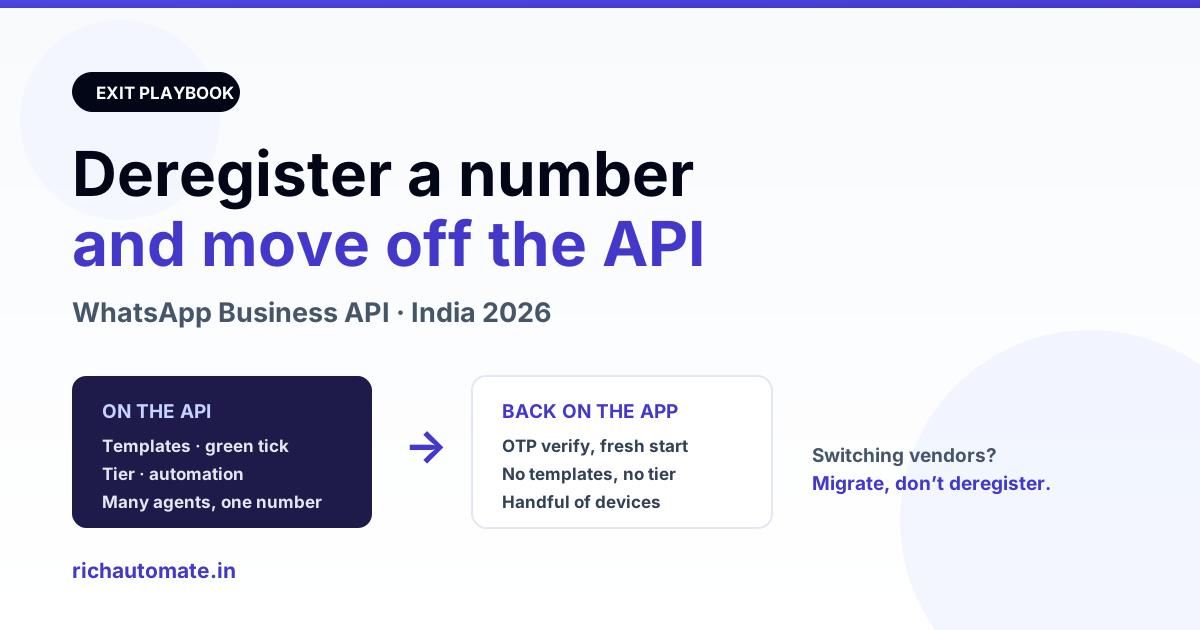
Most Indian businesses that come off the API do it for one of four reasons: the volume never justified the running cost, the team actually preferred replying from a phone, they are consolidating two numbers into one, or they are leaving one provider and going to another and have been told — usually wrongly — that they must deregister first. This guide covers what deregistering really does, what you keep and what you lose, the four different exits people confuse with each other, the exact order to do it in, and the mistakes that leave a number stranded for days. All figures are illustrative; check current Meta behaviour before you act.
What deregistering actually does
When a number is on the Cloud API, Meta has bound that phone number to a WhatsApp Business Account (WABA) and to a Meta app. It cannot be used in the consumer WhatsApp app or the WhatsApp Business app at the same time — one number, one home. Deregistering releases that binding.
Three things happen more or less at once:
- The number stops being sendable via the API. Every send call for it starts failing immediately. Anything still in your queue will fail, not wait.
- The registration and its PIN are cleared. The two-step verification PIN that was set at registration is released along with it.
- The number becomes claimable again by the WhatsApp Business app (or consumer WhatsApp) through normal OTP verification.
What deregistering does not do is delete your WABA, your Business Manager, your billing history or your account standing. The WABA remains, simply with one fewer number attached. That distinction matters, because "I want to stop using WhatsApp API" and "I want to delete my WhatsApp Business Account" are two different requests with very different consequences.
The four exits people confuse
Before you touch anything, work out which of these you actually want. Choosing wrong is how numbers end up unusable for a week.
| What you want | What to do | Do NOT do |
|---|---|---|
| Go back to the WhatsApp Business app on a phone | Deregister the number, then verify it in the app by OTP | Delete the WABA |
| Switch to a different BSP or platform | Migrate the number between WABAs — templates and quality rating can carry across | Deregister first — it throws away your history for nothing |
| Pause without losing the number | Keep it registered, stop sending; you pay per conversation, so idle costs nothing in usage | Deregister and re-register repeatedly |
| Close the business entirely | Deregister the numbers first, then wind up the WABA | Wind up the WABA with numbers still attached |
The second row is the one that costs people the most. If you are simply unhappy with your current vendor, you want a migration, not a deregistration — the number moves between WABAs while staying on the API throughout. Our rundown of the best WhatsApp Business API providers in India covers what to check before committing to the next one, and if it is cost driving the decision, compare against the actual per-conversation pricing rather than the headline platform fee.
What you lose, and what survives
Be honest with yourself about this list before you start, because almost none of it can be undone by re-registering afterwards.
| Item | After deregistering |
|---|---|
| Chat history held by your API platform | Stays in that platform's database, but is no longer synced and does not appear in the phone app |
| Chat history on the phone app | Starts empty — the app has no way to import API conversations |
| Approved message templates | Belong to the WABA, not the number — they survive on the WABA but are useless once no number is attached |
| Green tick (official business account) | Lost. It does not transfer to the app, and re-applying later starts from scratch |
| Quality rating and messaging tier | Reset. A number returning to the API later starts at the entry tier again |
| Display name approval | Gone with the registration; the app sets its own business name separately |
| Two-step verification PIN | Cleared with the registration |
| Automations, flows, broadcasts | Stop instantly — the app supports nothing equivalent |
| Wallet balance with your provider | Provider-specific; ask before you deregister, not after |
The tier reset deserves emphasis. A number that has been warmed up to a high daily limit over months goes back to the starting limit if it ever returns to the API. That is a genuine cost, and it is the single strongest argument for pausing rather than deregistering if there is any chance you will come back.
Get the India 2026 WhatsApp BSP price comparison
Wati vs AiSensy vs Interakt vs RichAutomate: Meta rates, platform fees and hidden costs, side by side. We send it to your WhatsApp in a minute.
Step by step: moving a number back to the app
- Stop all sending first. Pause campaigns and drain your outbound queue. Anything still queued when the number deregisters will simply fail, and on some setups will fail loudly across your error tracking.
- Export anything you need to keep. Conversations, contact lists, opt-in records. Indian consumer-protection and data-retention expectations do not stop applying because you left the API, and you will not get this data back from the phone app.
- Note your two-step PIN and your display name. If the deregistration does not go cleanly, having these on hand makes support conversations much shorter.
- Deregister. Use your provider's remove-number action if it has one, or the delete call on the phone number in the Cloud API, or WhatsApp Manager if you own the WABA directly. Confirm afterwards that the number no longer appears as registered — do not assume the click worked.
- Wait before claiming it. Meta does not release a number for immediate reuse. Allow a short cooling-off period rather than hammering the app with OTP requests, which only triggers rate limiting and makes the wait longer.
- Install the WhatsApp Business app on a phone with the SIM in it, and verify by OTP. If SMS OTP does not arrive, use the voice call option — a very common need on Indian numbers that have been sitting unused in the API.
- Set the business profile up again — name, description, address, catalogue, away messages. None of it carries over.
- Tell customers. Response times, opening hours and the absence of automated replies all change the day you move. Saying so beats letting them discover it.
Why deregistration fails, and what to do
| Symptom | Usual cause | Fix |
|---|---|---|
| Deregister call returns a permissions error | Token lacks business management scope, or the app does not own the WABA | Use a token from the app that owns the number, with management permissions |
| Number still shows as registered afterwards | Panel cached the old state, or the call silently failed | Re-check in WhatsApp Manager, not in the vendor panel |
| OTP never arrives on the app | Number released but not yet fully free, or carrier SMS filtering | Wait, then retry with the voice call option |
| App says the number is already in use | Deregistration did not complete | Confirm in WhatsApp Manager before retrying |
| Asked for a PIN you do not have | Two-step verification still set on the old registration | Recover or reset it before deregistering — see the two-step verification PIN guide |
| Everything worked but templates are gone | Expected — they are tied to a WABA with no number | Nothing to fix; they are not usable from the app anyway |
Billing: what stops and what does not
Meta bills per conversation, not per registered number, so an idle registered number costs nothing in Meta usage. Deregistering therefore saves you nothing on Meta's side that pausing would not also save — the saving is on whatever fixed platform fee your vendor charges.
That is worth checking before you go through an irreversible step to save a fee. RichAutomate charges ₹0 setup and ₹0 monthly platform fee: usage only, either Client Pay at ₹0.10 per message with Meta billing your own account directly, or SaaS Pay at roughly ₹1.50 per marketing and ₹0.50 per utility conversation, with service messages inside the 24-hour customer-care window free. On that structure a dormant number costs nothing at all, which makes pausing strictly better than deregistering if there is any chance you return. Compare that honestly against what you pay today — and verify current Meta rates yourself before deciding. If the fixed fee is the problem, a zero-platform-fee alternative may solve it without leaving the API at all.
Should you actually leave the API?
Three situations where going back to the app is genuinely the right call: you send fewer than a few hundred messages a month and one person handles them all; your value is in one-to-one conversation rather than automation; or you do not yet have GST registration and are not ready for the verification the API expects.
Three where leaving usually costs more than it saves: you have multiple agents who need the same number, since the app supports only a handful of linked devices; you depend on automated replies, broadcasts or catalogue flows; or you are leaving purely because of a fixed monthly fee that a different provider does not charge. In the third case the answer is a migration, not an exit.
And if you are reading this from the other direction — still on the app and weighing the move up — the guide to migrating a number from the app to the API covers the way in, which is a different process with different prerequisites.
Not sure whether you need to deregister or just migrate?
Tell us how many messages you send a month, how many people reply to them, and what you are paying in fixed fees today. We will tell you plainly which of the four exits fits — including when the honest answer is that you should leave the API altogether, because for some volumes it genuinely does not pay for itself. WhatsApp us at 918160311319 or book a 30-minute walkthrough at https://richautomate.in/book/demo.
Start a 14-day free trial → · See full pricing · Run the WABA cost calculator
If fixes like this take days with your current provider, compare a Gupshup alternative and a Wati alternative, and estimate your monthly bill with the WhatsApp API cost calculator.
Bottom line
Deregistering is the clean, supported way to take a number off the WhatsApp Business API and return it to the WhatsApp Business app, and it takes minutes. The care goes into everything around it: confirm you want an exit and not a migration, export what you need first, accept that the green tick, the templates, the display-name approval and the hard-won messaging tier do not come back, and give the number time before you claim it in the app. Do that in order and the move is uneventful. Skip a step — particularly deregistering when you only meant to change providers — and you spend a week rebuilding something you never needed to give up. This is general guidance, not a guarantee about how any specific number or account will behave.