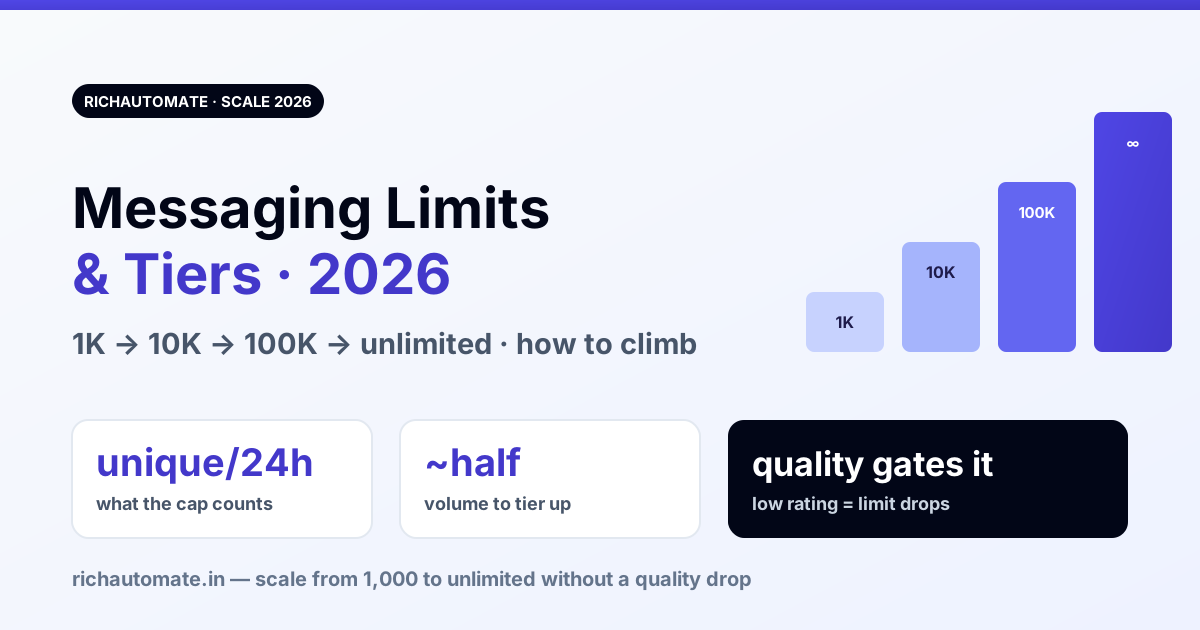
Your WhatsApp Business number can only start conversations with a fixed number of unique customers in a rolling 24 hours — 1,000 at first, then 10,000, 100,000, and finally unlimited. That ceiling is the messaging limit, and Meta raises it automatically as you send more, keep quality high, and stay verified. This guide explains each tier, exactly what counts against the limit, how to climb faster, and what actually drops you back down.
What the messaging limit actually counts
The single most common mistake is assuming the limit caps all messages. It does not. The messaging limit only counts business-initiated conversations to unique users in a rolling 24-hour window — the template messages you send to start a conversation. What it does not count matters just as much:
- Not free-form replies inside an open 24-hour window. Once a customer messages you (or you open a conversation), everything you send back inside that window is unlimited by this cap. See optimising the 24-hour window.
- Not inbound. Customers messaging you never count against your limit.
- Unique users, not messages. Sending three templates to the same person in 24h is one unique user against the cap, not three.
So the limit is really a cap on how many new people you can proactively reach per day. For a support-led or inbound-led number, you may never touch it; for outbound campaigns it is the ceiling that matters.
The four tiers
| Tier | Unique customers / 24h | Typical requirement |
|---|---|---|
| Tier 1 | 1,000 | Default on a newly registered number with a verified business |
| Tier 2 | 10,000 | Reached ~half the current limit in 24h, quality not low |
| Tier 3 | 100,000 | Same volume+quality pattern; business verification required to progress |
| Tier 4 | Unlimited | Sustained high volume at good quality |
Meta adjusts the exact bands and the rules for crossing them periodically, so verify current numbers in WhatsApp Manager — but the shape is stable: four steps, each roughly 10× the last, gated on volume plus quality plus verification. There is also a starting-point nuance: an unverified business is capped lower (a small daily allowance) until business verification clears, after which Tier 1 (1,000) opens.
How you move up a tier
You don't apply. The upgrade is automatic and triggers on a simple pattern: send to roughly half your current limit's worth of unique users within a 24-hour period, while your quality rating stays Medium or High. Hit ~500 unique users in a day on Tier 1 and you become eligible to jump to 10,000; ~5,000 on Tier 2 to reach 100,000. The upgrade usually lands within a day or so of qualifying. Two things must be true at once:
- Volume signal. You actually need the higher capacity — demonstrated by using half the current one.
- Quality signal. The number isn't being blocked/reported. A low quality rating freezes the climb even if volume qualifies.
The practical implication: you can't shortcut to 100K by blasting a cold list. Blasting a cold list tanks quality, which locks the tier. The way up is engaged volume — messages people opted in for and reply to.
Get the DPDP WhatsApp checklist
A founder-led WhatsApp reply with the DPDP consent + audit-log checklist for WhatsApp Business messaging. India-hosted. No spam.
What sends you back down
Tiers are not permanent. If quality drops to Low, or the number is flagged, Meta can reduce your messaging limit — dropping you from 100K back to 10K, or 10K to 1K — until quality recovers. The triggers are the usual quality killers:
- High block/report rate from recipients — the number one cause. This is downstream of list quality and opt-in, not message volume itself.
- Marketing to people who never engaged — covered by marketing frequency caps and per-user pacing.
- A fresh number pushed hard on day one instead of warmed up gradually.
Recovery is symmetric: fix the quality problem, keep sending clean engaged traffic, and the limit climbs back. There is no appeal button for a limit reduction — it's a lagging indicator of quality, so you fix the cause, not the number.
How to climb the tiers deliberately
- Warm up, don't blast. New number → build daily volume gradually over the first couple of weeks. A day-one blast to a big list is the fastest way to get quality-flagged before you ever reach Tier 2.
- Send to engaged, opted-in users first. Early sends should go to people most likely to reply — that both protects quality and generates the volume signal.
- Get business verification done early. It's required to cross into 100K and lifts the unverified starting cap. Do it before you need it.
- Watch quality daily. The tier follows quality. If the rating slips, pause marketing and lean on utility/service messages until it recovers.
- Use the free window. Reduce reliance on business-initiated conversations by converting proactively-opened threads into service conversations customers continue — those replies don't count against the cap.
Limits vs pricing — two different things
The messaging limit is about how many conversations you can start; it is not a bill. You are charged per conversation regardless of tier, on WhatsApp's category-based pricing (marketing/utility/authentication). A higher tier doesn't cost more per message — it just lets you reach more people per day. For the actual rates, see the WhatsApp Business API pricing breakdown, and to decide who absorbs those rates, Client Pay vs SaaS Pay.
What it costs on RichAutomate
There is no platform charge tied to your messaging tier — the tier is set by Meta on your number, not by your provider. On RichAutomate there's ₹0 platform fee, ₹0 setup, and ₹0 monthly minimum, with Client Pay at ₹0.10/message plus Meta's per-conversation rate, or SaaS Pay at ₹1.50/marketing and ₹0.50/utility conversation all-in. The number's tier, quality rating, and verification status are visible so you can see exactly where you sit and what's gating the next upgrade. 14-day trial, 100 free credits, no card required to start. Verify current Meta rates and tier thresholds, which change periodically.
As always: no provider can raise your messaging limit for you or promise "no ban" — the tier is earned on Meta's side through engaged volume, good quality, and verification on the official API. Any vendor claiming to unlock a tier directly is misrepresenting how it works.
Related reading
- WhatsApp Quality Rating Recovery
- Number Warm-Up — Avoid Day-1 Block
- Optimising the 24-Hour Window
- Marketing Frequency Caps
- WhatsApp Business API pricing breakdown
- Client Pay vs SaaS Pay
Related: WhatsApp Business API error codes decoded (India 2026) — 131047, 131026, 131049, 190, 368 and more, with the fix and whose fault each is.
A tier you cannot hold is worth less than a smaller one you can. Since blocks and reports are what pull a limit back down, the suppression discipline in WhatsApp opt-out and STOP keyword handling protects the capacity you have already earned.