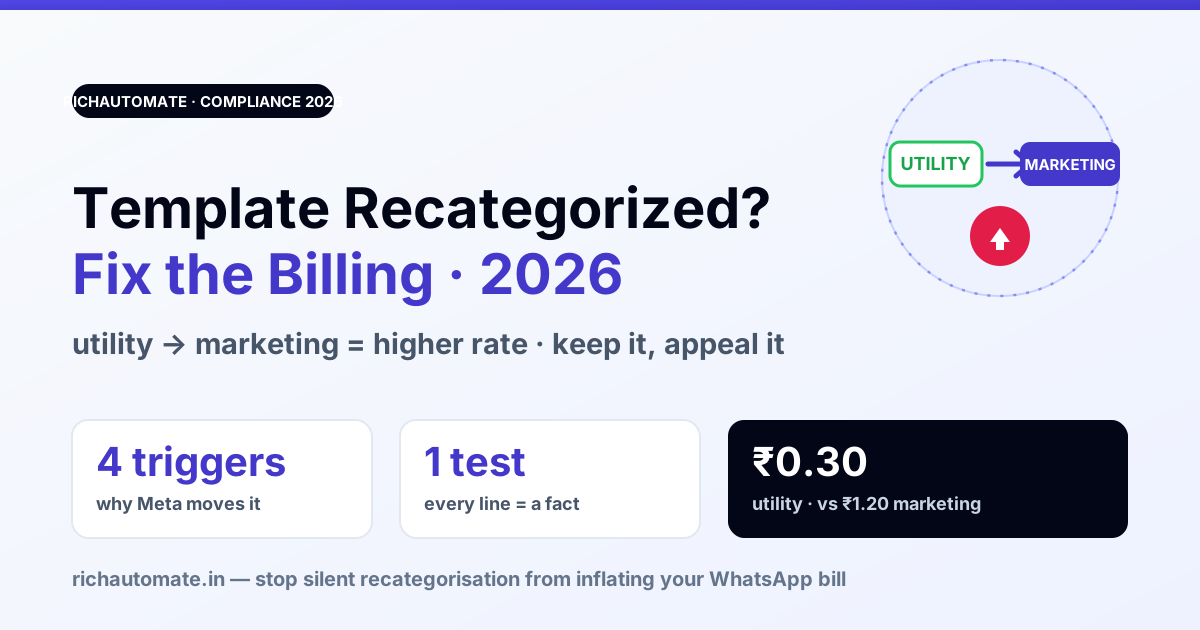
Meta recategorises a WhatsApp template when its content no longer matches the category you submitted it under — most often moving a template you built as Utility into Marketing, which usually costs more to send. It happens at approval and, increasingly, retroactively on templates that were already live. The fix is to write each template so its category is unmistakable, monitor for silent recategorisation, and request a re-review promptly when Meta gets it wrong.
What "template category" actually decides
Every WhatsApp Business template carries a category, and the category does two things: it sets the rules the template must follow, and it sets how the resulting conversation is priced. The three categories are Utility (transactional, tied to a specific action or account event — order confirmations, delivery updates, payment receipts, appointment reminders), Marketing (anything promotional, cross-sell, re-engagement, offers), and Authentication (one-time passcodes and verification). Utility and Marketing are billed differently, and in India Marketing is the more expensive bucket — so a template quietly moving from Utility to Marketing is a real, recurring cost increase, not a cosmetic label change. This is a separate gate from outright template rejection: a recategorised template is still approved and still sends — it just costs more and follows different rules.
Why Meta recategorises — the common triggers
| What Meta sees | Why it recategorises | The fix |
|---|---|---|
| Promo wording in a "Utility" template | An offer, discount, upsell, or "check out our…" line makes the message promotional regardless of the label | Strip every promotional phrase. A utility message states a fact about the customer's order/account — nothing more |
| Generic "update" with no specific event | If it isn't tied to a concrete transaction the customer took, Meta reads it as outreach, i.e. Marketing | Anchor the template to a specific event and reference it (order ID, appointment, payment) in the body |
| Mixed intent in one template | A receipt that also markets a new product is treated as the higher-intent category — Marketing | Split it: one utility template for the transaction, a separate marketing template for the offer |
| Retroactive review of a live template | Meta periodically re-audits approved templates and moves miscategorised ones | Don't rely on "it was approved once". Audit your own utility templates against current rules before Meta does |
The billing consequence — why this matters in India
WhatsApp conversation pricing is category-based, and Marketing conversations are billed at a higher rate than Utility ones. Meta has also been shifting utility messaging toward per-message pricing and, in some cases, free utility messages sent inside an open 24-hour customer-service window — which makes keeping legitimately-transactional templates in the Utility bucket even more valuable. When a high-volume utility template (say, daily order updates) gets recategorised to Marketing, every one of those conversations jumps to the higher rate; at scale that is a meaningful, silent addition to your bill. The exact rates and the free-utility-in-window rules change periodically, so verify the current numbers against Meta's published pricing — but the direction is stable: Utility cheaper, Marketing dearer, recategorisation costs you money. For the mechanics of the free window, see optimising the 24-hour window, and for the full rate card, the WhatsApp Business API pricing breakdown.
Get the DPDP WhatsApp checklist
A founder-led WhatsApp reply with the DPDP consent + audit-log checklist for WhatsApp Business messaging. India-hosted. No spam.
How to keep a template in Utility — the test
Before you submit, apply one question to the whole message: "Is every line of this a fact about something this specific customer already did or holds?" An order they placed, a payment they made, an appointment they booked, an account event on their number. If yes on every line, it's genuinely Utility. The moment a line tries to sell, suggest, remind-you-we-exist, or re-engage, it's Marketing — put it in a marketing template instead. This is the same discipline that keeps you inside marketing frequency caps and away from the per-user pacing limits covered in template pacing.
- One template, one job. Never bundle a receipt and a promo. Meta prices the bundle at the higher category.
- Name the event. Reference the concrete transaction in the body — a variable order ID or booking reference signals Utility clearly.
- No CTAs to buy. "Track your order" is utility; "Shop the sale" is marketing. Keep buttons consistent with the category.
- Pick the category honestly at submission. Submitting a marketing message as Utility to save cost gets caught and recategorised — you don't win, you just find out later on the bill.
When Meta gets it wrong — requesting a re-review
Recategorisation isn't always correct. If a genuinely transactional template is moved to Marketing, Meta provides a way to request re-categorisation review from the WhatsApp Manager template list — and there is typically a limited window after the change in which to do it, so act quickly rather than discovering it weeks later on an invoice. Make the case on content: point to the specific transactional event the template serves and the absence of any promotional element. Repeated appeals on a template that does contain promo wording won't succeed — fix the wording first, resubmit clean, then appeal only if it's still misjudged. The exact appeal flow and window are set by Meta and change periodically; confirm the current process in WhatsApp Manager before relying on any specific step here.
Build a monitoring habit
Because recategorisation can happen retroactively and silently, the practical defence is a routine, not a one-time cleanup. Periodically export or review your template list and check each template's current category against what you submitted; flag any Utility template that has drifted to Marketing and either fix the content or appeal. Pair this with your normal quality checks — the same cadence you'd use to watch quality rating. On RichAutomate the template list and category are visible per template, so a monthly pass takes minutes and catches cost creep before it compounds.
Recategorisation will also change the send route: from 2027 Meta requires reclassified utility templates to go through the Marketing Messages API, and our WhatsApp Marketing Messages API 2026 guide lists the deadlines.
What it costs on RichAutomate
Template creation and category review are free — they're part of standard WhatsApp Business account setup, not a paid step. What you pay is the per-conversation rate once you're live, and that's exactly why category matters: on RichAutomate there's ₹0 platform fee, ₹0 setup, and ₹0 monthly minimum, with Client Pay at ₹0.10/message plus Meta's per-conversation rate billed directly, or SaaS Pay at ₹1.50/marketing and ₹0.50/utility conversation all-in. Keeping legitimate utility templates in the Utility bucket is the single easiest way to hold that cost down. Compare the two models in Client Pay vs SaaS Pay. Verify current Meta conversation rates, which change periodically. 14-day trial, 100 free credits, no card required to start.
As always: no tool can promise "no ban", and no category trick changes that. A WABA stays in good standing on proper opt-in, honest categorisation, and the official API — not on any specific vendor.
Related reading
- WhatsApp Template Rejection Fixes
- Optimising the 24-Hour Window
- Marketing Frequency Caps
- Marketing Template Pacing
- WhatsApp Business API pricing breakdown
- Client Pay vs SaaS Pay
Related: WhatsApp paused template — why Meta pauses a live template and how to recover it in India 2026 — the pause-to-disable ladder, the real cause (audience, not wording), and the steps to get it sending again.