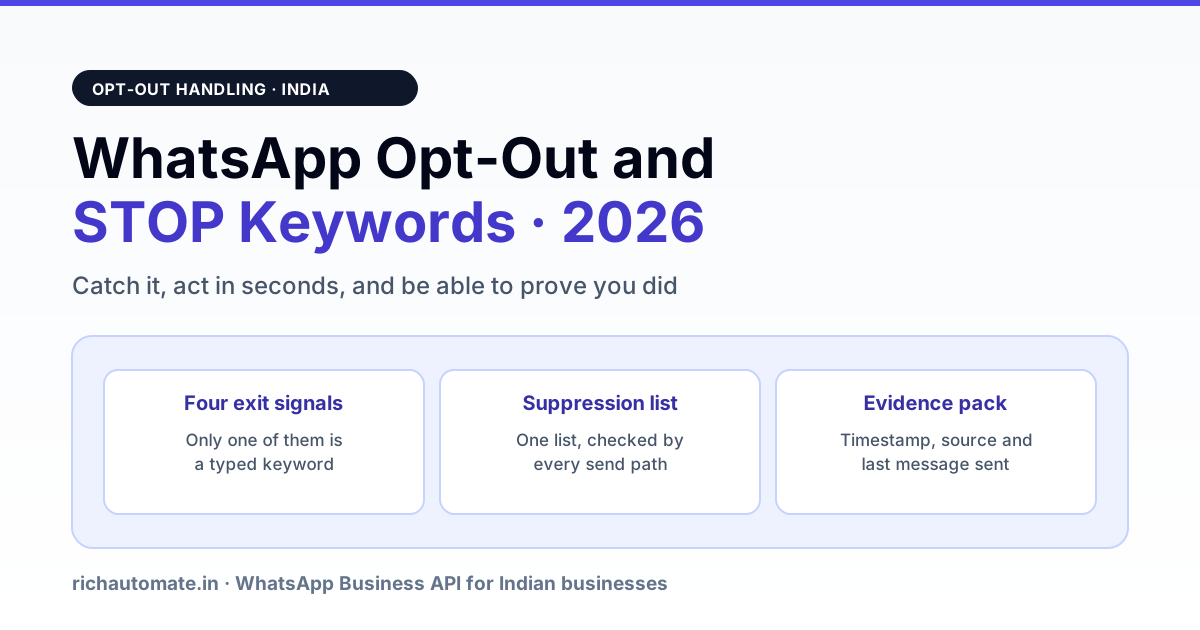
A WhatsApp opt-out is any signal that a person no longer wants your business messages — a typed STOP, a tapped unsubscribe button, a "Block" on your number, or a "Report" — and your system has to catch all four, stop sending within seconds, and keep a record that proves it. Only the first one is a keyword, which is why most Indian businesses that think they handle opt-outs actually handle a quarter of them.
This is an operational problem before it is a legal one. Every unhonoured opt-out becomes a block or a report, blocks and reports drive your quality rating down, and a red quality rating drags your messaging limit down with it. The businesses that lose their broadcast capacity almost never lose it to a single bad campaign — they lose it to a suppression list that three of their five send paths never checked.
The four ways a person opts out, and why only one is a keyword
Meta does not give you a single "unsubscribed" flag. Four different signals arrive through four different channels, and they do not look alike in your database.
| Signal | How it reaches you | What your system must do | Evidence to keep |
|---|---|---|---|
| Typed keyword (STOP, BAND KARO, UNSUBSCRIBE) | Inbound text message on your webhook | Match against a keyword list, suppress, confirm once | Inbound message ID, body, timestamp |
| Quick-reply button on a marketing template | Inbound button payload on your webhook | Suppress on payload value, not on button label text | Payload string, template name, timestamp |
| Block | No inbound event — shows up as delivery failures on later sends | Stop retrying, mark unreachable, suppress marketing | Error code and the send that produced it |
| Report to Meta | No event you can see at all; surfaces as quality-rating movement | Nothing reactive is possible — only prevention | Quality-rating history for the number |
The practical consequence: a keyword matcher alone leaves you blind to three of the four. The button payload is the one most systems get wrong in a way that looks fine in testing — the button renders, the tap arrives, and nobody wired the payload to the suppression list because the campaign tool treated it as an ordinary reply.
STOP keyword handling: what to actually match
English STOP is the easy case. In India the same intent arrives in Hindi, in Hinglish, in a regional language, and in plain rude form, usually with punctuation and capitalisation that a naive equality check will miss.
Normalise before you match: trim, lowercase, strip punctuation and emoji, collapse repeated whitespace. Then match against a list, not a single word.
| Bucket | Examples to match | Match type |
|---|---|---|
| Standard English | stop, unsubscribe, opt out, optout, remove me, do not message | Exact after normalising, plus whole-phrase contains |
| Hindi / Hinglish | band karo, band karein, mat bhejo, message mat bhejo, hatao, ruko | Whole-phrase contains |
| Latin-script regional | nirtu, nilluga, bondho koro and similar transliterations your own inbox shows | Build this list from your real inbound data, not from a template |
| Hostile | Abusive one-liners with no request in them | Suppress marketing, route to a human, never auto-reply |
Two failure modes worth designing against. First, over-matching: "stop sending the invoice twice" is a complaint, not an opt-out, so a bare substring match on "stop" will suppress a paying customer. Match whole phrases and short messages, and require the message to be short — under roughly six words — before a contains-match counts. Second, under-matching: people type "stop." with a full stop, "STOP " with a trailing space, or "Stop🙏". Normalising first solves all three.
The regional list is the part you cannot copy from anywhere. Pull the last few thousand inbound messages from contacts you later saw block you, read them, and add what you find. That exercise is the same one described in opt-in list hygiene and re-permissioning, run in the opposite direction.
What has to happen in the first ten seconds
An opt-out is only honoured if it beats your own queue. A campaign that is already dispatched will keep delivering unless the suppression check sits at send time rather than at list-build time.
- Write to the suppression list immediately, in the webhook handler, before any other processing. Not in a nightly job.
- Cancel queued sends for that number across every campaign currently in flight.
- Send exactly one confirmation — a short utility-style message saying they will not receive further promotional messages and how to come back. One, not two, and never with an offer attached.
- Stop. No win-back, no "are you sure", no survey.
The confirmation deserves a note. It is legitimate and useful, because a silent opt-out looks broken and the person blocks you anyway. But a confirmation that carries a discount code is a marketing message sent to someone who just opted out, and that is the single fastest way to turn an opt-out into a report.
One suppression list, checked by every send path
This is where most implementations actually fail. A typical Indian business ends up with four send paths: the campaign tool, the CRM automation, the chatbot flow, and an operations script somebody wrote for order updates. The opt-out gets written to one table and three of those paths never read it.
The fix is architectural and boring. Put the check inside the function that talks to the API, not inside each caller. Every send — campaign, flow, API, manual — routes through one place, and that place refuses a marketing-category send to a suppressed number and logs the refusal.
Two distinctions to build in from the start:
Get the DPDP WhatsApp checklist
A founder-led WhatsApp reply with the DPDP consent + audit-log checklist for WhatsApp Business messaging. India-hosted. No spam.
- Marketing versus transactional. Someone who opts out of promotions usually still wants the delivery update for the order they already placed. Suppress by category, not globally, and record which one they asked for.
- Scope. An opt-out on your number is for your business. It does not travel across your BSP's other clients, and you should not be able to see anyone else's.
Proving it: the evidence pack
If Meta reviews your account, or a person raises a grievance, the question is not whether you meant to honour the opt-out. It is whether you can show the record. The same discipline described in opt-in evidence for a Meta audit applies at the exit.
For every suppressed number, be able to produce, in under a minute:
- The exact inbound message or button payload that triggered it, with its message ID and timestamp.
- The timestamp the suppression was written.
- The confirmation you sent, if any.
- Every send attempt after that timestamp, and the result — which should be a logged refusal, not a delivery.
That last line is the one that carries weight. A list of numbers with a "suppressed" flag proves nothing; a log showing your own system blocking sends to those numbers proves the control works. India's Digital Personal Data Protection framework raises the stakes on consent withdrawal and grievance handling, and the rules around it have been moving — the substance of what you build here is stable, but confirm the current position and your specific obligations with your counsel or against the operative notification before you write policy language for customers. The consent-side view is in the DPDP opt-in compliance guide.
What it costs you to get this wrong
The mechanism is indirect, which is why it is usually noticed late.
| Stage | What happens | What you see first |
|---|---|---|
| Unhonoured opt-out | Person receives another promotional message | Nothing |
| Block or report | Negative signal against your number | Delivery failures on that contact |
| Quality rating falls | Rating moves toward red in the Business Manager | A rating notification |
| Messaging limit drops | Your daily business-initiated capacity is reduced | Campaigns that will not send in full |
Recovery from the bottom of that table is slow and is covered in quality rating red recovery; how the capacity tiers themselves work is in WhatsApp messaging limits and tiers. Both are worth reading before you need them, because the cheapest version of this problem is the one you never enter.
Re-permissioning: when you may message them again
An opt-out is not permanent by law of physics — it is permanent until the person opts back in, through a fresh, documented action of their own. That means:
- They message you first, or
- They tick a fresh consent box on a form or a checkout, with the timestamp and source recorded.
What does not count: a bought list, an old opt-in from before the opt-out, a referral from a colleague, or the fact that they became a customer again through another channel. If the opt-out timestamp is later than the consent timestamp you are relying on, you have no consent.
What you need to configure
On a standard WhatsApp Business API setup, the working parts are small:
- An opt-out keyword list in your inbound handler, normalised and whole-phrase matched, seeded from your own inbox.
- A quick-reply opt-out button on every marketing template, wired to a stable payload value your code matches on — never on the visible label, which changes with language.
- One utility confirmation template, plain, with no offer in it.
- A suppression check inside the send function, category-aware, with refusals logged.
- A retrieval query that produces the evidence pack for any number in one step.
None of that is expensive. On RichAutomate the platform fee is usage-only — no setup fee, no monthly minimum — at ₹0.10 per outgoing message plus ₹0.20 when a new 24-hour service window opens, on top of Meta's own India rates of about ₹0.115 for utility and authentication and about ₹0.8631 for marketing. A refused send costs nothing, which means a working suppression list is one of the few compliance controls that pays for itself in message spend alone. Current numbers are on the pricing page. Note that a GST registration is required to go live on the WhatsApp Business API in India — a trial can run without one, but production cannot.
A one-week rollout
- Day 1. Export the last 90 days of inbound messages from contacts you later failed to reach. Read them. Build the real keyword list.
- Day 2. Create the suppression table with number, category, source, trigger message ID and timestamp.
- Day 3. Move the suppression check into the send function. Log refusals.
- Day 4. Add the opt-out button to every marketing template and submit them. Approval is usually quick for a change this small, but plan for a round of rejection — the reason codes and fixes are in paused template recovery.
- Day 5. Backfill: run your historic inbound text through the new matcher and suppress anyone who asked and was missed.
- Day 6. Write the retrieval query and test it on ten real numbers.
- Day 7. Send one small campaign and confirm the refusal log is non-empty.
The backfill on day 5 is the step people skip and the one that matters most. If your matcher was weak for a year, there are people on your list right now who asked you to stop and are still receiving messages — and every one of them is a block waiting to happen.