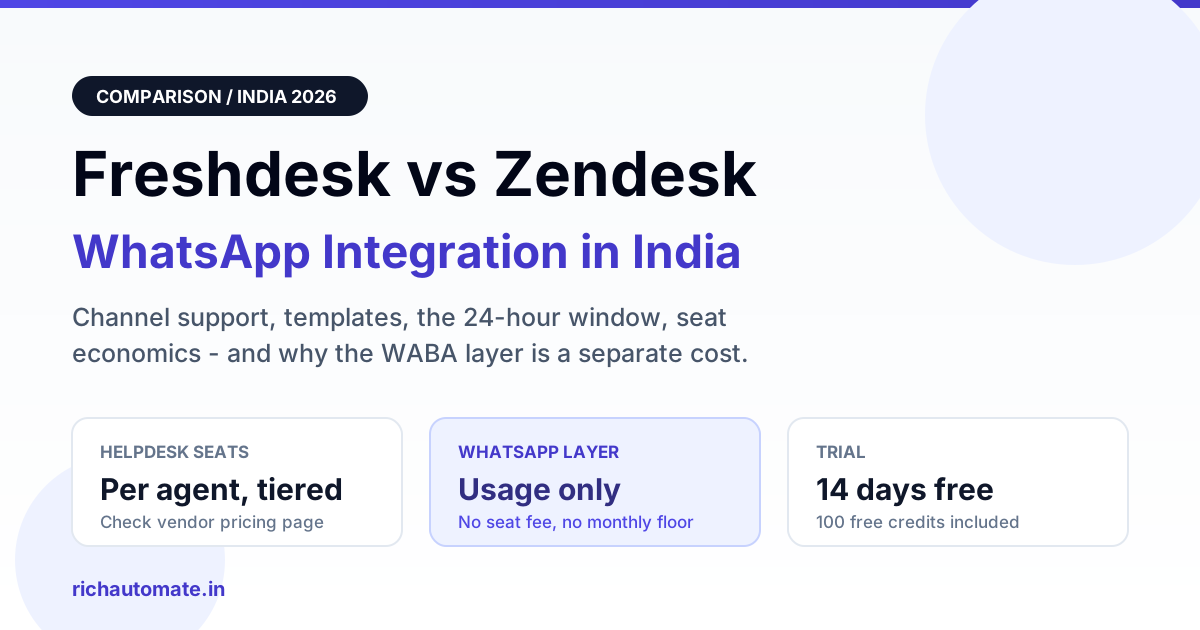
Freshdesk and Zendesk both support WhatsApp as a native channel in 2026, so neither wins on WhatsApp features alone; the real decision is ticket model, automation depth and seat economics. What actually drives your bill is the WhatsApp Business API layer underneath, which is a separate vendor and a separate cost from your helpdesk seat licence.
This comparison is written for an Indian support or CX team that already runs Freshdesk or Zendesk and now wants WhatsApp as a first-class channel, next to email and chat. We look at what each helpdesk natively gives you on WhatsApp, where the two models diverge, and how to price the messaging layer so the project does not surprise finance in month three.
The two decisions you are actually making
Teams usually treat "add WhatsApp to our helpdesk" as one purchase. It is two.
The first decision is the helpdesk: who owns the agent inbox, the ticket, the SLA clock, the routing rules and the reporting. That is where Freshdesk and Zendesk compete, and it is priced per agent seat, per month, with the more interesting automation gated behind higher tiers.
The second decision is the WhatsApp Business API layer: which provider holds your WhatsApp Business Account connection, registers your phone number, submits templates for review, and delivers and bills messages. This is metered, not seat-based. Meta charges per conversation or per message depending on category, and whoever sits between you and Meta adds their own fee on top.
Mixing the two is where budgets go wrong. A team negotiates a good seat price, then discovers the bundled messaging rate is the larger number at volume. If you are sizing this for the first time, read our breakdown of WhatsApp Business API pricing in India before you sign anything.
What each helpdesk natively gives you on WhatsApp
Freshdesk
Freshdesk treats WhatsApp as one channel inside an omnichannel inbox. Inbound messages land as tickets, so the object your team works is a ticket with a WhatsApp conversation attached to it. That is comfortable for teams already living in ticket queues, SLA timers and CSAT surveys.
Practically, you get a connected WhatsApp number, agent replies from the ticket view, template sending for out-of-window replies, canned responses, and the usual automation engine for assignment and escalation. Freshdesk also leans on its own bots and workflow builder, which are capable but tier-dependent.
The friction points are worth naming. Template management is usually thinner than what a dedicated WhatsApp platform gives you, so submissions, rejections and variable mapping often still happen outside the helpdesk. Chat-style behaviour inside a ticket model can feel heavy when a customer sends nine short messages in two minutes and you end up with threads that need merging.
Zendesk
Zendesk routes WhatsApp through its messaging layer rather than pure email-style ticketing, which makes continuous conversations feel more natural: the same customer thread persists, and agents see history rather than a fresh ticket per burst. For a CX team that runs live chat seriously, that model maps better to how WhatsApp is actually used.
You get a connected number, an agent workspace that handles messaging alongside other channels, template sending, routing and skills-based assignment, plus stronger out-of-the-box reporting on conversation-level metrics. Automation is deep, and the answer bot and flow builder are genuinely useful once configured.
The trade-off is configuration weight and tier gating. The features that make Zendesk good on messaging often sit on higher tiers, and the implementation effort is real. Small Indian teams frequently buy a tier they cannot fully staff, which is an expensive way to send WhatsApp messages.
Freshdesk vs Zendesk: WhatsApp capability compared
| Capability | Freshdesk | Zendesk |
|---|---|---|
| WhatsApp channel model | Channel feeding the ticket inbox | Channel feeding the messaging workspace |
| Ticket vs conversation | Ticket-first; conversation attached | Conversation-first; ticket derived |
| Template handling | Send approved templates; submission and versioning usually managed outside | Send approved templates; submission and versioning usually managed outside |
| 24-hour window handling | Window state surfaced in the reply view; agents switch to templates | Window state surfaced in the messaging composer; agents switch to templates |
| Automation depth | Workflow automations plus bots, gated by tier | Triggers, routing and answer bot, gated by tier |
| Seat pricing model | Per-agent-seat subscription, tiered | Per-agent-seat subscription, tiered |
| WhatsApp message cost | Extra, billed outside the seat licence | Extra, billed outside the seat licence |
| Indian-market fit | Faster to stand up for lean teams; strong India presence | Better for large formal CX operations with SLA and reporting demands |
Neither column is a knockout. If your team thinks in tickets and wants WhatsApp live this quarter, Freshdesk is the shorter road. If your team thinks in conversations, runs shift-based routing and reports to a CX leader who wants cohort-level analytics, Zendesk earns its configuration cost.
Get the India 2026 WhatsApp BSP price comparison
Wati vs AiSensy vs Interakt vs RichAutomate: Meta rates, platform fees and hidden costs, side by side. We send it to your WhatsApp in a minute.
The WhatsApp layer: where the money actually goes
Whichever helpdesk you keep, the messaging layer is priced on usage. Three shapes exist in the Indian market: a platform that charges a monthly fee plus markup, a platform that charges per message on top of Meta, and a platform that charges an all-inclusive per-message rate covering Meta's own charges. The third is the easiest to forecast.
For transparency, here is how our own layer is priced, alongside what a helpdesk-bundled provider typically looks like. Note that we deliberately print no rupee figure for Freshdesk or Zendesk seats, because their tiers change; read those from the vendor's own pricing page.
| Cost line | RichAutomate Client Pay | RichAutomate SaaS Pay | Helpdesk-bundled provider |
|---|---|---|---|
| Setup fee | Rs 0 | Rs 0 | Varies; often an onboarding charge |
| Monthly platform floor | Rs 0 | Rs 0 | Commonly a monthly minimum |
| Per-agent seat fee for messaging | None | None | Included in the helpdesk seat subscription; check the vendor pricing page |
| Platform fee per message | Rs 0.10 per message | Included in the rate below | Markup varies by plan |
| Marketing message | Meta charges billed direct to your own WABA | Rs 1.50 all-inclusive | Meta charges plus markup, billed separately |
| Utility or authentication message | Meta charges billed direct to your own WABA | Rs 0.50 all-inclusive | Meta charges plus markup, billed separately |
| Trial | 14-day free trial, 100 free credits | 14-day free trial, 100 free credits | Varies |
Client Pay suits teams that want Meta to invoice their own WhatsApp Business Account directly and pay us only a thin per-message platform fee. SaaS Pay suits teams that would rather have one predictable all-inclusive rate per message. Either way there is no seat fee, so adding a tenth agent does not change the messaging bill. Full details sit on our WhatsApp API pricing plans, and you can model your own monthly spend with the WABA cost calculator before you commit.
Keeping the number healthy is on you, not the vendor
One claim to distrust in every sales call: that a platform will keep your number safe. No provider, helpdesk or BSP, can promise a number is never rate-limited or restricted. Meta evaluates quality rating, block and report signals, and opt-in provenance. Those are outcomes of your own list hygiene.
What does work is boring discipline. Capture consent where the customer can see what they are agreeing to. Keep marketing templates relevant and infrequent. Honour opt-outs on the first request. Watch quality rating weekly and pause campaigns when it dips. A helpdesk integration that shows agents the window state and blocks out-of-window free-form replies helps, because most accidental violations are agent errors, not strategy errors.
How to decide in an afternoon
Stay on your helpdesk if
Your agents already live in Freshdesk or Zendesk, your SLA and CSAT reporting is built there, and WhatsApp is one channel among several. In that case keep the helpdesk, connect WhatsApp through a provider you choose, and negotiate the messaging layer separately.
Lead with a WhatsApp-first platform if
WhatsApp is the majority of your inbound volume, you need template lifecycle management, broadcast campaigns, catalogue flows and chatbot journeys, and you do not want to pay per agent seat to answer messages. Many Indian teams end up running both: the helpdesk for email and web, a WhatsApp platform for the WhatsApp number. Our roundup of the best WhatsApp CRM options in India covers that split,, and the same split works when your system of record is a CRM rather than a helpdesk.
Freshdesk and Zendesk are close enough on raw WhatsApp capability that the tie-breaker is your operating model: ticket-first and fast to launch, or conversation-first with deeper routing and reporting. Neither choice changes the fact that the WhatsApp Business API layer is a separate vendor decision with usage-based economics, and that is the line item worth negotiating hardest.
Next step
Price the messaging layer before you renew a seat licence. Run your real monthly volume through the cost calculator, compare Client Pay against SaaS Pay, then start a 14-day free trial with 100 free credits and connect your existing number without touching your helpdesk contract. If the numbers do not beat what you pay today, you have lost nothing but an afternoon.