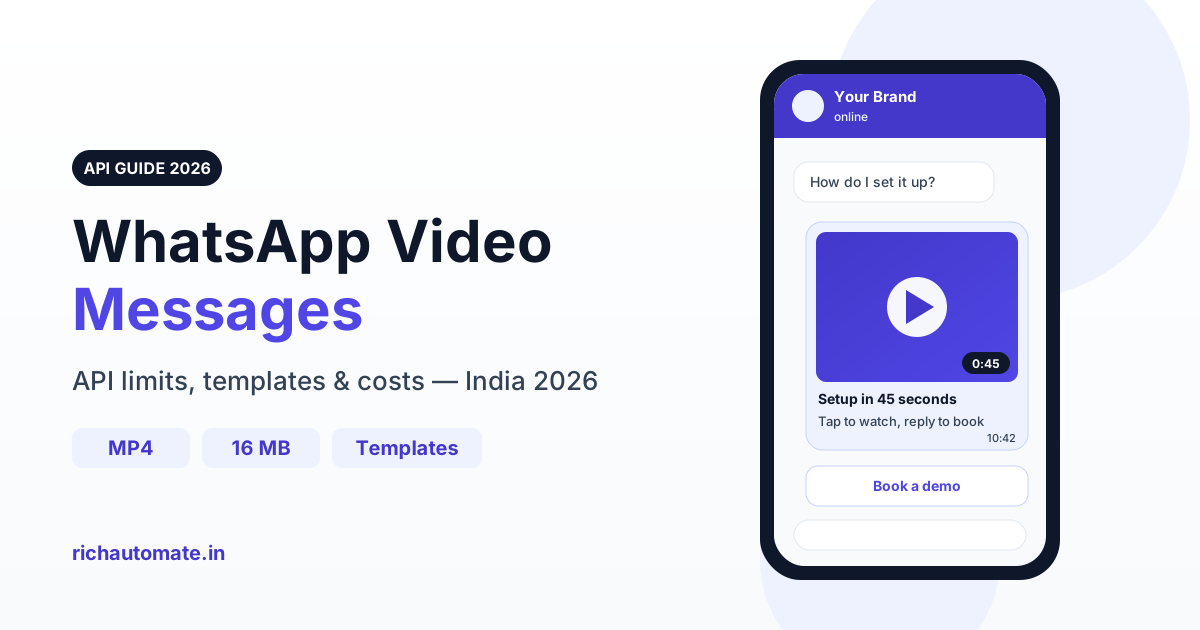
Through the WhatsApp Business API you can send videos in MP4 or 3GPP format (H.264 video, AAC audio) up to 16 MB each, with an optional caption. Inside the 24-hour customer service window a video can go as a free-form message; outside that window you must open the conversation with an approved template that carries a VIDEO header.
Video is the richest format WhatsApp offers businesses, and in India, where over 500 million people use WhatsApp and most of them watch short video every day, it is often the format that actually gets a product understood. But video on the API has more rules than text: file limits, codec requirements, template approval, temporary media IDs and a few error codes that catch almost every team the first time. This guide covers all of it from a practitioner's point of view, with the numbers you need to plan a campaign.
How video messages work on the WhatsApp Business API
A video message on the API is a media message. Your system either uploads the file to Meta first and receives a media ID, or passes a public HTTPS link that Meta fetches on your behalf. The recipient sees a thumbnail with a play button and the duration, plus your caption underneath. The video downloads when the user taps it, or automatically on Wi-Fi if their settings allow.
There are two ways a video can reach a customer:
- Free-form video message - sent inside the 24-hour customer service window, which opens every time the customer messages you. No approval needed; you can send any relevant video with any caption.
- Template with a VIDEO header - a pre-approved template whose header slot holds a video. This is the only way to send video to someone who has not messaged you in the last 24 hours, including broadcasts and campaign sends.
The distinction matters because it decides whether you need approval, which category you are billed under and which errors you are likely to hit. If you already send documents, the mechanics are almost identical to sending PDFs and documents via the API; video simply has tighter size and encoding rules.
Free-form video vs VIDEO-header templates
Most teams need both. Service and support conversations use free-form video, while outbound campaigns and re-engagement use templates. Here is how they compare side by side.
| Aspect | Free-form video (24h window) | VIDEO-header template |
|---|---|---|
| When allowed | Only within 24 hours of the customer's last message | Any time, including first contact with an opted-in user |
| Approval | None | Template must be approved by Meta, with a sample video at creation |
| Caption | Free text caption, fully flexible | Body text fixed at approval, with variables for personal details |
| Buttons | Can follow up with interactive messages | Quick-reply, URL or call buttons defined in the template |
| Cost | Service replies are generally not charged by Meta; platform fee may apply | Billed per message by template category (marketing, utility, authentication) |
| Typical use | How-to replies, troubleshooting, product walkthroughs on request | Launch campaigns, onboarding sequences, re-engagement, post-purchase care |
A useful rule of thumb: if the customer asked, reply with free-form video. If you are starting the conversation, it has to be a template. Trying to shortcut this by sending free-form video after the window closes fails with error 131047, covered below.
Supported video formats and file limits
The Cloud API is strict about encoding. A file that plays perfectly on your laptop can still be rejected if the codec is wrong. These are the limits to design around.
| Parameter | Requirement | Practical recommendation |
|---|---|---|
| Container | MP4 or 3GPP | Use MP4 for everything |
| Video codec | H.264 | H.264 main or baseline profile; avoid H.265/HEVC and VP9 |
| Audio codec | AAC | AAC stereo or mono; a single audio track |
| Maximum size | 16 MB per video | Keep under about 10 MB for fast loading on 4G |
| Resolution | Not the binding limit; size is | 720p is the sweet spot; 480p for longer clips |
| Length | Limited by file size | 30 to 90 seconds for marketing; up to 2 minutes for how-to |
| Caption | Supported on free-form video | One line of value plus a clear call to action |
Media ID vs public link
Uploading the file and sending by media ID is the most reliable route for individual replies, because Meta already has the file when the send happens. Remember that media IDs are temporary; treat them as short-lived handles, not permanent references, and re-upload when needed. Sending by link is convenient for broadcasts: host the MP4 on your own HTTPS server, make sure it returns the content-type video/mp4 header, responds quickly and is not behind login walls, hotlink protection or geo-blocking. A slow or blocked link is the most common cause of media download failures during a large send.
Template samples
When you create a VIDEO-header template, Meta asks for a sample video. The sample is used for review; at send time you pass the actual video for each campaign. That means one approved template can carry different videos for different launches, as long as the content stays consistent with the approved category and body text.
Producing videos that load fast on Indian 4G
A 16 MB file that takes twenty seconds to download on a crowded network in a tier-2 city will lose most viewers before it plays. The businesses that get strong results from WhatsApp video treat file weight as a design constraint from the start.
- Shoot vertical or square. Most viewing happens on phones held upright. A 9:16 or 1:1 frame fills the chat bubble better than landscape.
- Export at 720p, H.264, AAC. Set a moderate bitrate so a 60-second clip lands around 6 to 9 MB. Test the output file before uploading, not after a failed campaign.
- Win the first 3 seconds. The thumbnail and opening frame decide whether anyone taps play. Open with the product in use, the finished result or the problem being solved, not a logo animation.
- Burn in subtitles. Many people watch on mute in public. Hindi, English or regional-language captions on screen keep the message intact without sound.
- Keep one idea per video. A 45-second demo of one feature beats a 3-minute tour of everything.
- Write a caption with a CTA. The caption is visible even before the video loads. Say what the viewer gets and what to do next: reply, tap a button or visit a page.
If you want viewers to take an action right after watching, pair the video template with quick-reply buttons. Our guide on reply buttons and list messages shows how to structure the follow-up so a single tap moves the lead forward.
Video use cases by vertical
Video earns its place when seeing something is faster than reading about it. These are the patterns that work repeatedly for Indian businesses.
Get a 1-minute BSP audit on WhatsApp
Drop your WhatsApp number — we line-item your current invoice against Meta India rates in under 60 seconds. India-hosted, DPDP-compliant.
| Vertical | Video idea | Template category | Suggested length |
|---|---|---|---|
| Real estate | Site or flat walkthrough sent after an enquiry | Marketing (outside window) or free-form reply | 60-90 seconds |
| D2C brands | Product demo, unboxing or how-to-use clip | Marketing | 30-45 seconds |
| Edtech | Lesson snippet or class preview for trial users | Marketing or utility (for enrolled students) | 45-90 seconds |
| SaaS | Onboarding step or feature setup walkthrough | Utility (tied to an account action) | 60-120 seconds |
| Auto dealers | Vehicle walkaround, test-drive invite, service explainer | Marketing | 45-75 seconds |
| Clinics | Post-procedure care instructions after an appointment | Utility | 60-90 seconds |
Real estate and auto: the visit before the visit
Property and vehicle buyers want to see before they travel. Sending a walkthrough right after a portal enquiry answers the first ten questions at once and filters out low-intent leads. Follow it with a button to book a site visit or test drive.
D2C and edtech: show the outcome
A 30-second demo of a product in use outperforms a static image for anything with a learning curve: kitchen appliances, skincare routines, fitness gear, courses. For catalogues with several products, consider whether carousel template messages fit better than a single video; many brands send a hero video first and a carousel to the people who engage.
SaaS and clinics: reduce support load
Onboarding and care instructions are classic utility use cases. A short video explaining how to connect an integration, or how to care for a dressing after a procedure, prevents dozens of repetitive calls. Because these messages are tied to a specific transaction or appointment, they usually qualify as utility templates, but the final category is decided by Meta at review.
What WhatsApp video messages cost
The media type does not change the price. Meta bills template messages by category (marketing, utility or authentication), and a marketing template with a video header costs the same as a text-only marketing template. Rates are set by Meta per category and change over time, so always check current rates on our pricing page before budgeting.
On RichAutomate, pricing is usage-only: ₹0 setup and ₹0 monthly platform fee on the usage plan. You choose one of two billing modes:
- Client Pay - ₹0.10 per message platform fee. You pay Meta's charges directly on your own card and WABA.
- SaaS Pay - all-inclusive through your RichAutomate wallet: ₹1.50 per marketing message and ₹0.50 per utility message.
Worked example: a product-demo video to past buyers
Say a D2C brand sends a 40-second demo of a new product to 2,000 past buyers using a marketing template with a VIDEO header.
- SaaS Pay: 2,000 x ₹1.50 = ₹3,000, all-inclusive.
- Client Pay: 2,000 x ₹0.10 = ₹200 platform fee, plus Meta's marketing charges billed directly to your WABA.
The video itself adds nothing to the per-message cost. What it does change is your hosting bandwidth if you send by link, so budget for serving 2,000 downloads of an 8 MB file from your own server. Check current rates on /pricing before you launch.
Common delivery errors and how to fix them
Video failures cluster around a handful of error codes. Knowing them saves hours of guessing.
| Error | What it means | Fix |
|---|---|---|
| 131053 | Media upload error: file too large, unsupported codec or invalid container | Re-encode to H.264 + AAC in MP4, compress under 16 MB, upload again |
| 131052 | Media download error: Meta could not fetch your link | Check HTTPS, content-type video/mp4, server speed and access rules; or upload and send by media ID |
| 131047 | Re-engagement: more than 24 hours since the user's last message | Send an approved VIDEO-header template instead of a free-form video |
| 131049 | Marketing message not delivered to maintain a healthy ecosystem (pacing) | Reduce marketing frequency to that user, improve targeting and relevance, try again later |
Two points deserve emphasis. First, 131049 is not a bug in your video; it is Meta limiting how many marketing messages a user receives. Sending more often makes it worse. Better targeting through broadcast audience segmentation is the real fix. Second, no provider can guarantee delivery of every message; quality rating, user blocks and pacing all play a part, so plan for a delivery rate below 100 percent.
Setting up a VIDEO-header template step by step
- Pick the category honestly. Promotional content is marketing. Messages tied to a specific order, account or appointment can be utility. Miscategorising slows approval and can lead to re-categorisation.
- Choose VIDEO as the header type and upload a representative sample MP4 under 16 MB.
- Write the body with variables. Use the customer's name, product or appointment date to make one template feel personal. See our guide to template variables and personalisation for patterns that pass review.
- Add buttons. A quick reply such as "Book a visit" or a URL button to the product page turns views into actions.
- Submit and wait for approval. Most templates are reviewed quickly, but plan a buffer before a launch date.
- Test on a small segment first. Send to 50 to 100 opted-in contacts, check playback on low-end Android phones and review failures before the full send.
Measuring whether video is working
The API reports sent, delivered and read statuses for each message, so you can see how many people received and opened the chat. It does not tell you how many seconds of the video were watched. Measure what happens next instead: button taps, replies, link clicks and conversions from the follow-up. Compare a video template against a text or image version of the same offer on similar audience segments. In our experience video tends to win for products that need demonstration and can lose for simple offers where a clear image and price say enough, so test rather than assume.
A short pre-send checklist keeps campaigns clean: file is MP4, H.264 and AAC; size under 10 MB where possible; first frame shows the product; subtitles burned in; caption has one CTA; template approved in the right category; hosting link returns video/mp4; audience is opted in and segmented.
Start sending WhatsApp video messages
Video on the WhatsApp Business API rewards preparation: encode correctly, keep files light, use free-form video when the customer asks and approved VIDEO-header templates when you start the conversation, and target carefully so pacing limits do not eat your reach. RichAutomate handles uploads, template management, broadcasts and delivery reporting in one dashboard, with usage-only pricing and no setup fee. Start free on richautomate.in and send your first video template today.