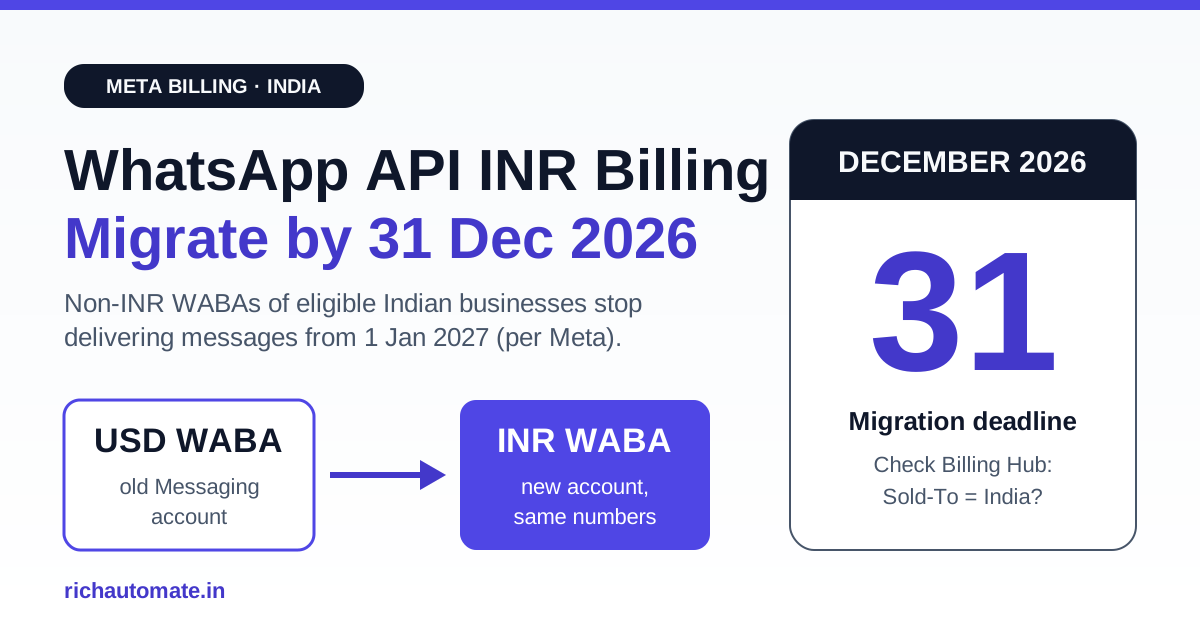
WhatsApp API INR billing migration is mandatory for eligible Indian businesses: according to Meta's pricing documentation, every Messaging account (WABA) in a business portfolio whose Sold-To country is India must be moved to INR billing by 31 December 2026. From 1 January 2027, Meta says it will no longer deliver messages from non-INR Messaging accounts of eligible customers, so a WABA still billed in USD could simply stop sending.
That makes this a deadline, not a pricing footnote. If your OTPs, order updates or broadcast campaigns run on a USD-billed WABA today, you have roughly ten weeks to check your status, plan the move and switch billing without breaking live traffic. This guide explains who is eligible, what Meta's Currency Migration API actually does, what moves and what does not, the GST knock-on, and exactly what RichAutomate customers on Client Pay and SaaS Pay need to do.
What Meta Announced: The INR Billing Timeline
Meta's developer pricing page has a section titled "Billing localization for India". It sets out three dates that matter, and they are worth reading in Meta's own order:
| Date | What happens (per Meta's pricing documentation) |
|---|---|
| 1 January 2026 | Billing localization launched for Solution Providers and directly-integrated businesses whose Sold-To country is India in Billing Hub ("eligible customers"). INR Messaging accounts can be created. |
| 1 June 2026 | The Currency Migration API became available to make moving existing Messaging accounts easier and faster. |
| 31 December 2026 | Deadline. Eligible customers must have all Messaging accounts in their business portfolio migrated to INR. |
| 1 January 2027 | Meta will no longer deliver the messages of non-INR Messaging accounts of eligible customers. |
India is not alone. The same page lists a parallel rule for Brazil, with a later deadline of 30 June 2027 for BRL. As of 1 July 2026, Meta says it has 16 billing currencies enabled on the WhatsApp Business Platform, and INR is listed as "available already". The difference now is that for Indian entities INR is no longer optional.
One more detail from Meta's documentation explains why this is a migration and not a toggle: "Currency selection is part of the Messaging account creation process; once selected, a currency cannot be changed." You cannot edit the currency on an existing USD account. You move to a new INR account instead.
Who Is "Eligible" (and Must Migrate)
Meta defines eligible customers as Solution Providers and directly-integrated businesses whose Sold-To country is India in Billing Hub. In plain terms, eligibility follows the legal entity that pays Meta, not where your customers are or which phone number you use.
- Likely eligible: an Indian company (Pvt Ltd, LLP, proprietorship) that has its own Meta business portfolio, its own WABA and its own payment method in Billing Hub, with India as the Sold-To country.
- Also eligible: Indian Solution Providers (BSPs and tech providers) for the Messaging accounts they pay for.
- Check carefully: businesses whose WABA was created years ago in USD by default, often because a vendor set it up that way. These are the accounts most at risk.
- Usually not your problem directly: if your provider owns the billing relationship with Meta and invoices you, the provider's Messaging account is what must be in INR. You still want written confirmation.
The fastest way to know for sure is to open Meta Business Suite, go to Billing Hub, and look at two things: the legal entity's Sold-To country, and the currency shown on each WhatsApp Messaging account. If the country is India and any account shows USD, that account needs to move before 31 December 2026.
How the Currency Migration API Works
Meta's "Change billing currency via API" document describes the mechanism. The API does not convert your account in place. It creates a new Messaging account in the target currency on the same WhatsApp account hierarchy, copies your assets across, and then switches billing to the new account. Your business phone numbers do not move, because they belong to the account hierarchy, which does not change.
The process has two calls and a status check in between:
- Initiate:
POST /with/set_payment_method_migration_intent "currency": "INR"(and an optionalextended_credit_idif you use a Line of Credit). It returns amigration_id. - Poll:
GET /until the status isREADY_TO_COMPLETE. Statuses Meta lists are INITIATED, ACCEPTED, IN_PROGRESS, READY_TO_COMPLETE, COMPLETED, FAILED, FAILED_TO_COMPLETE and REJECTED. - Verify: check that templates, template-linked Flows, the app installation and user permissions appear on the new account.
- Complete:
POST /. The new INR account becomes the billing account for your existing numbers, and the old account can no longer send messages./resume_migration
Prerequisites per Meta: admin access to the source Messaging account and an access token with whatsapp_business_management and whatsapp_business_messaging permissions. Meta notes that no additional Business Portfolio Admin permission or business approval is required.
The credit card catch
Meta supports both Line of Credit and credit card as payment methods, but they attach differently. A Line of Credit can be passed in the initiate call. A credit card cannot be attached through the API because it needs cardholder verification. You must add the card manually in Business Manager on the newly cloned Messaging account before calling Complete. If no payment method is attached, Meta says the migration will not complete. For most Indian SMBs paying Meta by card, this manual step is where migrations stall.
What Moves, What Stays Behind
This is the part teams underestimate. Meta's documentation is specific about what the migration carries over:
| Item | Migrated to the new INR account? | Note from Meta's doc |
|---|---|---|
| Message templates | Yes, all statuses | Approved, Pending, Disabled, Rejected and Under Review are cloned. Templates with outdated formats may not migrate. Template IDs change. |
| WhatsApp Flows | Only if used by a template | Flows not referenced by a template's Flow button are not migrated. |
| App installation | Yes | Verify before completing. |
| Users and permissions | Yes | Verify before completing. |
| Business phone numbers | Not moved (not needed) | They stay on the account hierarchy; billing switches underneath them. Phone number limits are unaffected. |
| Insights and analytics | No | Historical phone, template, message, pricing and call insights stay on the old account. New data appears on the new one. |
| Templates created mid-migration | No | Templates created on the old account after migration begins are not cloned. Template status and category are locked during migration. |
Two practical consequences follow. First, template IDs change, so any system that stores template IDs (rather than template names) must be updated after the switch. Second, if your token can access more than one Messaging account on the same number, Meta says you should include messaging_account_id on Messages API calls to name which account to bill.
Coexistence numbers are excluded from the API
Meta's document states that Coexistence and Authorized Agents Messaging accounts are not eligible for migration via this API. Many Indian SMBs run Coexistence, using the WhatsApp Business app and the API on one number. If that is you, do not wait for December. Ask Meta support or your provider early how your account will be handled, because the self-serve API route is not available to you.
Get a 1-minute BSP audit on WhatsApp
Drop your WhatsApp number — we line-item your current invoice against Meta India rates in under 60 seconds. India-hosted, DPDP-compliant.
Will Your WhatsApp Costs Change in INR?
Moving to INR changes the currency of your Meta invoice, not the category-based pricing model. You still pay per delivered template message by category (marketing, utility, authentication), with service messages free within Meta's 1,000-per-number monthly free tier as of 1 October 2026. For a full breakdown of the category model, see our guide to Meta per-template pricing in India.
Meta publishes INR list rates as a separate rate card. Vendors report the current India marketing rate at about ₹0.8631 per message and utility and authentication at about ₹0.115 each, before GST. Treat those as indicative and check the live INR rate card in your Business Manager before budgeting. Meta's own change log shows India's marketing rate went up on 1 January 2026 and the authentication-international rate went up on 1 April 2026. If you want the latest changes, read our breakdown of the WhatsApp API price increase from October 2026.
The real benefit of INR billing is predictability. A USD invoice paid by an Indian card carries exchange-rate movement and, depending on your bank, foreign transaction charges. An INR account lets finance budget at a fixed rupee rate. Meta's migration doc also notes that your account's currency and your legal entity's headquarters address together determine which Meta billing entity issues your invoices.
GST, ITC and Your Books
The billing entity and invoice currency can change how GST is applied and claimed. Vendors report that 18% GST applies on top of Meta's per-message charges and on BSP platform fees. Whether you account for it through reverse charge on an import of services or via a GST invoice from an Indian entity depends on who invoices you after the switch.
We do not give tax advice, so treat these as questions for your CA:
- After migration, which Meta entity issues the invoice, and does it carry a GSTIN?
- Does your treatment change from reverse charge (RCM) to forward charge, and from which invoice date?
- Is input tax credit (ITC) available on the new invoices, and what documents do you need to claim it?
- How should the final USD invoice and the first INR invoice in the same month be booked?
Our longer explainers cover the background: GST on WhatsApp Business API charges, RCM and ITC, and how BSP billing, GST input credit and TDS work for Indian businesses. Confirm the final treatment with your CA before the December filing.
Migration Checklist: Step by Step
Here is a sequence that keeps live traffic safe. It follows the mechanics in Meta's documentation, with operational steps added:
- Inventory. List every WABA in your business portfolio, its currency, its payment method, and which numbers and campaigns depend on it.
- Confirm eligibility. In Billing Hub, check that the legal entity's Sold-To country is India. If it is, every non-INR Messaging account in that portfolio is in scope.
- Check for Coexistence. Coexistence and Authorized Agents accounts cannot use the migration API. Raise these with Meta support or your provider first.
- Clean templates. Delete or update old-format templates that may not migrate. Freeze new template creation during the migration window, because templates created after you initiate are not cloned.
- Map template IDs. Find every place your CRM, app or chatbot stores template IDs. They change on the new account.
- Initiate in a quiet window. Call
set_payment_method_migration_intentwithINR. Avoid days with big broadcasts or sale campaigns. - Attach payment. Line of Credit can go in the initiate call. A card must be added manually to the new account in Business Manager.
- Poll and verify. Wait for
READY_TO_COMPLETE, then check templates, template Flows, app installation and users on the new account. - Complete. Call
resume_migration. From this point the old account cannot send. - Test and monitor. Send a test message from an existing number. Confirm delivery and that cost insights appear under the new account. Export historical reports from the old account for your records.
Monty Mobile, a vendor, advises ramping volume on the new account gradually rather than moving everything on day one. That is sensible caution, but Meta's doc does not say quality rating resets, so treat it as a vendor opinion, not a platform rule.
What RichAutomate Customers Need to Do
RichAutomate supports two billing modes, and the INR deadline affects them differently. We will not migrate your Meta billing for you, because the Meta billing relationship in Client Pay belongs to you, but here is what applies to each mode:
| Client Pay | SaaS Pay | |
|---|---|---|
| Who pays Meta | You. Meta bills your own card or credit line on your WABA directly. | RichAutomate. You pay us one INR rate per message. |
| RichAutomate fee | ₹0.10 per message | ₹1.20 per marketing message, ₹0.30 per utility message |
| Does Meta's INR deadline apply to your WABA? | Yes, if your Sold-To country is India. Check Billing Hub now. | Your RichAutomate charges are already in INR. Watch for any notice from us. |
| Action before 31 Dec 2026 | Check the currency on each Messaging account. If it is USD, plan the migration, attach a payment method to the new INR account, and tell us when template IDs change. | No Meta billing action needed on your side for SaaS Pay usage. |
Client Pay customers: open Billing Hub in Meta Business Suite today. Confirm your Sold-To country and the currency on every WhatsApp Messaging account connected to RichAutomate. If any show USD, follow the checklist above. Once the migration completes, tell our support team and re-check the templates used in your RichAutomate campaigns and flows against the new account before your next send, because Meta assigns new template IDs.
SaaS Pay customers: you already pay RichAutomate in rupees, so your invoices from us do not change because of this deadline.
Either way, RichAutomate costs ₹0 to set up and ₹0 per month on pay-as-you-go. Optional plans are Starter ₹499, Pro ₹899 and White-label ₹1,199 per month. See the full breakdown on our WhatsApp API pricing page.
Setting up a fresh WABA anyway? You can create a free RichAutomate account and connect your number. If Billing Hub shows India as your Sold-To country, INR is the currency to choose when you create a new Messaging account.
Common Mistakes to Avoid
- Assuming it is automatic. Nothing in Meta's documentation says it will move your accounts for you. Eligible businesses must migrate.
- Forgetting the card. A credit card cannot be attached through the API, so migrations stall at the last step.
- Hard-coding template IDs. Template IDs differ on the new account. Integrations that reference IDs break silently.
- Creating templates mid-migration. They will not be cloned to the new account.
- Leaving non-template Flows behind. Only Flows used by a template's Flow button move. Rebuild or republish any others.
- Waiting until the last week. Statuses like FAILED and FAILED_TO_COMPLETE need retries. Leave room for support tickets before 31 December.
Treat the INR migration like a small infrastructure project. Check eligibility this week, schedule the move in November, and finish well before Meta stops delivering non-INR messages on 1 January 2027.