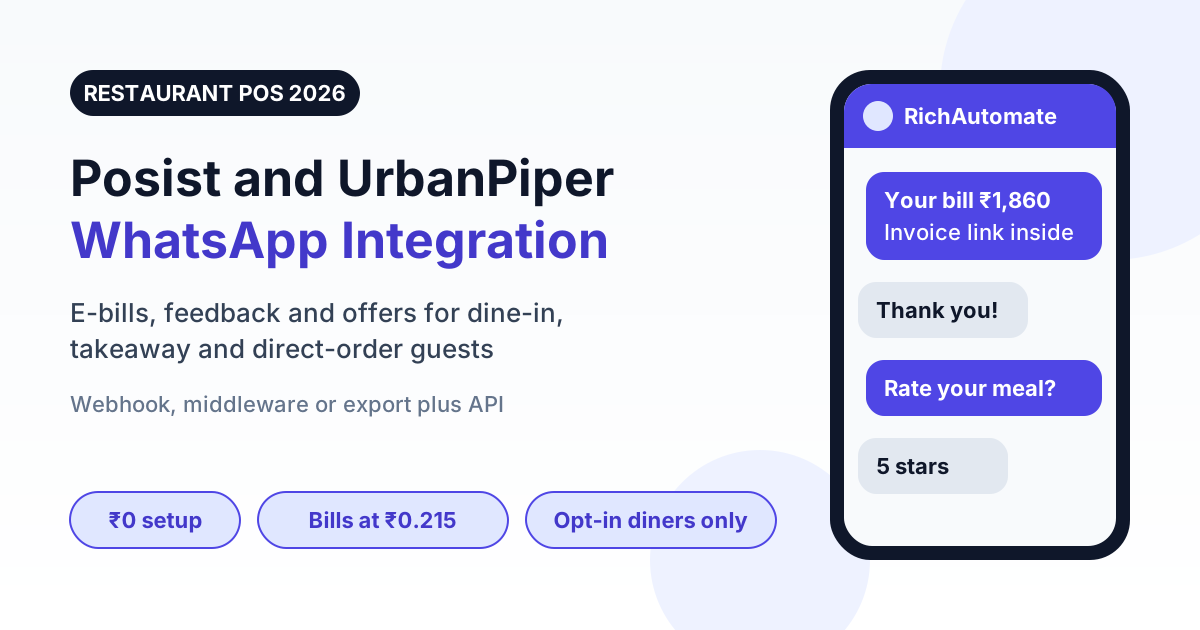
You can connect Posist (now Restroworks), UrbanPiper or DotPe to WhatsApp in three ways: a webhook or event push from the platform, a middleware tool that maps order fields, or a scheduled export followed by a WhatsApp API call. None of these needs a special native connector, and a bill or feedback message costs about ₹0.215 all-in on the official WhatsApp Business API.
This guide is written for restaurant owners, cloud kitchen operators and the IT partners who support them. It explains what data each platform actually gives you, which connection route fits which kind of outlet, the API request you will send, the templates that get approved, and what the monthly bill looks like for a three-outlet brand. If you run Petpooja instead, read the Petpooja WhatsApp integration guide, which follows the same method.
Why restaurants on Posist and UrbanPiper add WhatsApp
A restaurant POS already knows the two things that matter for customer messaging: who ordered and what they paid. Most of that information is used once, to print a bill, and never again. WhatsApp turns the same record into a conversation the diner can open later.
- E-bills that get read. A PDF or link on WhatsApp is kept on the phone. A printed bill is left on the table.
- Feedback while it is fresh. A rating request sent within an hour of the meal gets more honest answers than a survey mailed next week.
- Direct reorders. A diner who replies to your message is talking to you, not to an aggregator, so the next order can go to your own ordering link.
- Table and pickup updates. "Your table is ready" and "Your order is packed" cut calls to the counter during the dinner rush.
- Loyalty without an app. Points balance, a birthday offer and a festive menu all fit in one chat thread.
For a wider comparison of platforms and features, see our guide to the best WhatsApp Business API for restaurants in India.
What Posist, UrbanPiper and DotPe actually hold
The three names are often mentioned together, but they do different jobs. Knowing which system holds the diner's phone number decides where your integration should start.
| Platform | Main job | Data useful for WhatsApp | What to check first |
|---|---|---|---|
| Posist (Restroworks) | Cloud restaurant POS, inventory and multi-outlet management | Bill number, amount, outlet, order type, diner name and phone when captured at billing | Which APIs or event pushes are included in your plan |
| UrbanPiper | Brings aggregator and direct orders into the POS, plus direct ordering tools | Order status, items, order source, and customer details for direct orders | Whether the order source shares a phone number at all |
| DotPe | QR ordering, digital storefront and payments | Table or storefront order, payment status, diner phone given at checkout | How order and payment events can be exported or pushed |
Two points keep expectations realistic. First, Posist rebranded to Restroworks, so documentation and support teams may use either name. Features and API access vary by plan, so confirm with your account manager which events are available before you plan the build. Second, RichAutomate is not a listed partner of any of these vendors and this guide does not claim a one-click connector. Every route below uses standard building blocks: a webhook, a field mapping, and one WhatsApp API call.
The aggregator order problem
Orders placed on food delivery apps generally reach the restaurant without the diner's real phone number. That means an order which arrives through UrbanPiper from an aggregator gives you nothing you are allowed to message. WhatsApp automation therefore applies to three groups: dine-in guests who share a number at billing, takeaway customers, and people who order through your own website, QR menu or storefront. Cloud kitchens that depend heavily on aggregators should read the WhatsApp API guide for cloud kitchens for ways to grow that direct base.
Three ways to connect your POS to WhatsApp
Pick the route by how many outlets you run and who looks after your systems. All three end in the same place: an approved template sent to an opted-in diner.
| Route | How it works | Effort | Best for | Delay |
|---|---|---|---|---|
| 1. Webhook or event push | The POS or ordering platform posts each bill or order event to a small script, which calls the WhatsApp API | A few hours of developer time | Chains and cloud kitchens with an IT partner | Seconds |
| 2. Middleware | A no-code automation tool receives the event, maps fields, and calls the WhatsApp API | One afternoon, no code | Two to five outlets without a developer | Seconds to a few minutes |
| 3. Export plus API or upload | A daily or hourly bill export is uploaded as a contact list or looped through the API | Under an hour | Single outlets and pilots | Hours |
Route 1: webhook or event push
Where your plan supports it, the platform sends a small JSON message to a URL you control each time a bill is settled or an order changes status. Your script checks that the diner agreed to WhatsApp, picks the right template, and calls the send-template endpoint. If webhooks are new to you, our WhatsApp Business API webhook setup guide covers endpoints, retries and testing. The same guide applies in the other direction, when WhatsApp sends delivery and reply events back to you.
Route 2: middleware
If nobody on your team writes code, a workflow automation tool can sit in the middle. It receives the order event, lets you map "customer phone" and "bill amount" to template variables on a screen, and makes the API call for you. You pay the automation tool separately, so count that in your cost per message.
Route 3: export plus API or upload
Every POS can export bills. Download yesterday's bills with name, phone and amount, remove rows without consent, and upload the file as a contact list for a feedback or thank-you template. It is not real time, but it proves the value in a week with no development at all, and it is the safest way to run a pilot before asking a vendor for API access.
The API request your integration sends
Whichever route you pick, the last step is one HTTPS request to the RichAutomate public API. The template name and variables come from your approved template, and the phone number comes from the POS record.
Get the India 2026 WhatsApp BSP price comparison
Wati vs AiSensy vs Interakt vs RichAutomate: Meta rates, platform fees and hidden costs, side by side. We send it to your WhatsApp in a minute.
POST {API_BASE}/api/v1/send-template
Authorization: Bearer YOUR_API_KEY
Content-Type: application/json

{
  "phone": "+919876543210",
  "template": "dine_in_bill_v1",
  "language": "en",
  "variables": ["Rahul", "RW-20418", "₹1,860", "https://your-invoice-link"]
}
Three habits keep this reliable in a busy kitchen:
- Send once per bill. Store the bill number after a successful send and skip repeats, because platforms retry events when your server is slow.
- Normalise the phone number. Billing staff type numbers in many formats. Convert to country code plus ten digits before calling the API.
- Verify what you receive. Check the signature on incoming events so nobody can post fake orders to your endpoint. Our note on WhatsApp webhook signature verification shows the pattern.
Message templates that work for restaurants
Meta reviews every business-initiated message as a template with a category. Category decides the price, so keep transactional and promotional content apart.
| Template | Category | Trigger | Approx. all-in cost |
|---|---|---|---|
| E-bill with invoice link | Utility | Bill settled in the POS | ₹0.215 |
| Order packed or ready for pickup | Utility | Order status change | ₹0.215 |
| Table ready | Utility | Waitlist update | ₹0.215 |
| Feedback request after the meal | Utility or Marketing, as Meta classifies it | 30 to 60 minutes after billing | ₹0.215 to ₹0.96 |
| Weekend or festive offer | Marketing | Scheduled broadcast | ₹0.96 |
A simple e-bill template reads: "Hi {{1}}, thank you for dining with us. Your bill {{2}} of {{3}} is here: {{4}}. Reply to this message if anything needs correcting." It states a fact about a completed transaction, which is what a Utility template should do. Add a discount code and Meta will treat it as Marketing, at the higher rate.
When the diner replies, a 24-hour service window opens. Replies you send inside that window are free per Meta's pricing, so a complaint, a reorder or a table booking that starts from a bill message costs nothing extra to handle.
Consent and DPDP checklist for diner data
A phone number typed at the billing counter is personal data. India's Digital Personal Data Protection Act expects clear consent for a stated purpose and an easy way to withdraw it. WhatsApp's own policy asks for opt-in too. One checklist covers both.
- Ask at the point of capture. Add a line on the QR menu, the billing screen or the feedback card: "Send my bill and offers on WhatsApp."
- Record it. Store the date, the outlet and the source of consent next to the number, in the POS or in your contact list.
- Separate bill consent from offer consent. A diner who wants an e-bill has not agreed to weekly promotions.
- Make stopping easy. Put a stop option on every marketing template and remove the number from all outlets at once.
- Never use aggregator data. Do not message numbers collected from delivery riders, masked calls or third-party lists.
- Limit who can export. Only managers should download customer files from the POS.
No provider can truthfully promise that a number will never be restricted. Real opt-in, relevant templates and sensible frequency are what keep your quality rating healthy.
Cost example: a three-outlet restaurant brand
Take a casual dining brand with three outlets on Posist and direct ordering through a QR storefront. Each month it settles 4,500 dine-in, takeaway and direct bills where the diner agreed to WhatsApp, and it sends two offers a month to 2,000 opted-in guests.
| Item | Volume | Rate | Monthly cost |
|---|---|---|---|
| E-bills (Utility) | 4,500 | ₹0.215 | ₹967.50 |
| Offers (Marketing) | 4,000 | ₹0.96 | ₹3,840 |
| Replies inside the 24-hour window | Any | Free | ₹0 |
| Starter plan, GST included | 1 | ₹499 | ₹499 |
| Total | About ₹5,306 |
On Client Pay, Meta bills its share of these message charges (about ₹0.115 per utility and ₹0.86 per marketing message) directly to your own card, and RichAutomate charges a flat ₹0.10 per message on top. The plan fee is returned as wallet credit, there is no setup fee, and the first 7 days are a free trial. Rates move when Meta revises its India rate card, so check the current RichAutomate pricing and run your own volumes through the WhatsApp API cost calculator before you budget.
The bill messages are the cheap part. Most of the spend is marketing, which is also the part you control: send offers only to guests who visited in the last 90 days and the total falls quickly.
Rollout plan and the numbers to watch
- Week 1: pilot by export. Pick one outlet. Export yesterday's bills each morning and send a thank-you with a feedback question. No development needed.
- Week 2: confirm platform access. Ask your Posist, UrbanPiper or DotPe contact which events, APIs or exports your plan includes, and in what format.
- Week 3: build the live route. Wire the webhook or middleware for bill-settled and order-ready events. Test with staff phone numbers first.
- Week 4: add offers carefully. Start one marketing template for recent guests only, and watch the block rate before sending to everyone.
Track five numbers from the first day:
- Consent rate. Share of bills where the diner agreed to WhatsApp. Low numbers mean the ask at the counter needs work.
- Delivery rate. Failed sends usually point to wrongly typed phone numbers.
- Feedback reply rate. Compare outlets and shifts, not only the brand average.
- Repeat orders from WhatsApp. Use a separate ordering link or code so the source is visible in the POS.
- Blocks and opt-outs per broadcast. A rising number is the earliest warning that offers are too frequent.
Start with a free trial or a demo
If your outlets already run on Posist, UrbanPiper or DotPe, the data you need for WhatsApp is sitting in the system today. Begin with an export pilot this week, then move to a webhook once the replies show it is worth it. Setup is ₹0 and plans start at ₹499 per month with the fee returned as wallet credit. You can start a 7-day free trial of RichAutomate now, or book a WhatsApp API demo and bring a sample bill export so we can map it to templates with you.