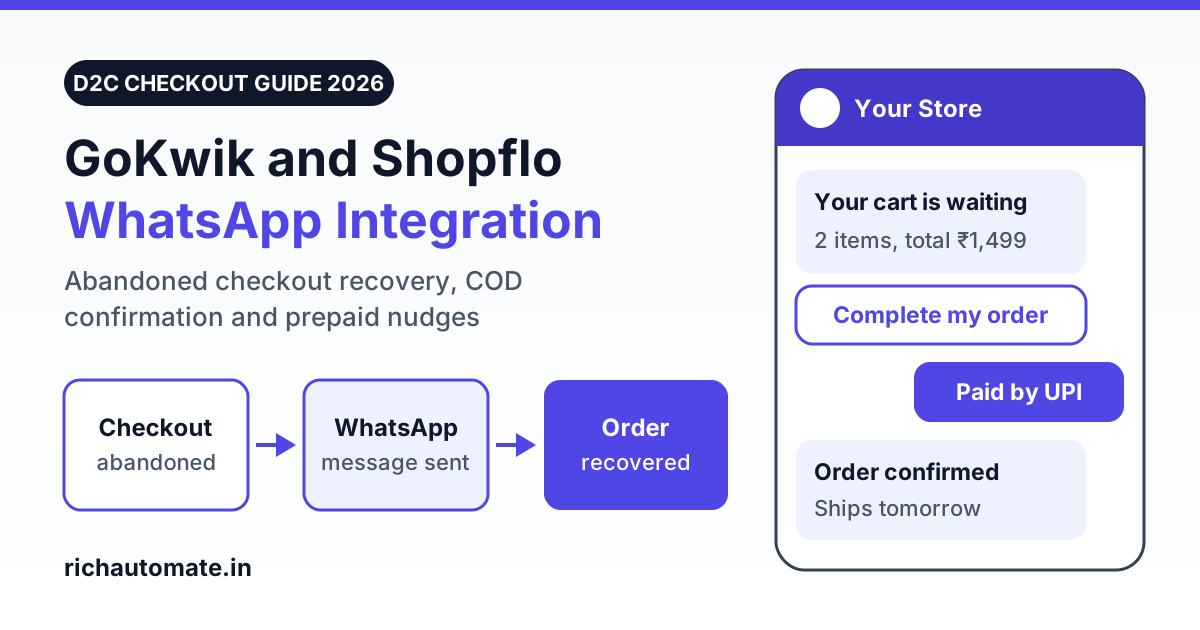
To connect GoKwik or Shopflo to WhatsApp, switch on the abandoned checkout webhook in the checkout tool's dashboard, point it at a small middleware or an automation tool (Zapier, Make or Pabbly), and have that step call a WhatsApp Business API platform to send an approved template with the shopper's checkout link. There is no one-click connector for this on RichAutomate, but the bridge is one webhook in and one API call out, and each recovery nudge costs about ₹0.96 all-in.
One thing to be clear about before you plan anything: RichAutomate has no native GoKwik or Shopflo connector, no live Shopify app, and no partnership with either checkout company. What it gives a D2C brand is a public REST API for sending approved templates, plus campaigns, a flow builder and a shared inbox. This guide covers the three flows Indian brands ask for most: abandoned checkout recovery, COD order confirmation and COD-to-prepaid nudges.
Why checkout abandonment and COD need a WhatsApp flow
Most shoppers who start a checkout do not finish it. Baymard Institute puts the average documented online cart abandonment rate at 70.22%, calculated from 50 published studies. That is a global average and not an India figure, so treat it as a direction and read your own number from your checkout dashboard.
Cash on delivery adds a second leak after the order is placed. COD orders are refused or returned at the door far more often than prepaid ones. Your brand's numbers will differ, but that gap is why a COD order is worth confirming and, where the shopper is willing, moving to prepaid.
WhatsApp suits both jobs because the shopper already gave a phone number at checkout, a template can carry a button that reopens the exact checkout, and a reply lands in an inbox where your team can answer a sizing or delivery question that was blocking the purchase.
What GoKwik and Shopflo expose for abandoned checkouts
We checked the public help pages of both tools in November 2026. Both describe a webhook that sends abandoned checkout data to a URL you provide. Vendors change dashboards often, so confirm the current steps with your account manager.
| Point | GoKwik | Shopflo |
|---|---|---|
| Where it is set up | Help article describes Kwik Checkout settings, Integrations, a Webhooks tab and an "Abandoned Cart Webhooks" toggle | Help article describes Settings, Integrations, Abandoned Webhook, with a button to send a test event |
| What you enter | A Webhook URL and a Cart State that triggers it. The article recommends "Address Added" | An endpoint URL that accepts a POST request |
| Documented payload | The article does not list payload fields. Capture a test event and read it | Event name checkout_abandoned, with phone, customer name, a marketing consent field, cart totals, line items and abandoned_checkout_url |
| Requirements | URL must be publicly reachable and accept POST | URL must accept POST. Covers all abandoned checkouts created in Shopflo, including those without an address |
| Pricing | Check their site | Check their site |
Three caveats. First, some help pages from other vendors describe GoKwik setups where the GoKwik integration team adds the webhook URL for you, so ask which applies to your account. Second, both companies sell or list their own WhatsApp options: GoKwik has its own cart recovery products, and Shopflo's help centre lists several WhatsApp tools it connects with. If one of those already fits your budget, use it. The method below is for brands that want every WhatsApp message on one number and one platform at a flat per-message fee. Third, avoid running two recovery senders on the same event, or shoppers get duplicate reminders.
How the integration works: webhook, middleware, template API
The pattern has three parts, and the same pattern works for a plain Shopify checkout or any other checkout tool.
- Trigger. The checkout tool posts an abandoned checkout event to your URL. If your checkout tool cannot do that, Shopify's own webhooks are the fallback: there is no dedicated "abandoned" topic, so developers subscribe to checkout create and update events and treat a checkout with no order after a set time as abandoned.
- Middleware. A small script on your server, or a scenario in Zapier, Make or Pabbly, receives the event. It cleans the phone number, checks consent, waits, confirms no order was placed and decides which template to send.
- Send. The middleware calls the RichAutomate public REST API with your API key, the recipient number, the approved template name, its language and the variable values. Meta delivers the message from your own business number.
| Middleware option | Best for | Watch out for |
|---|---|---|
| Zapier, Make or Pabbly | Brands with no developer. Webhook trigger, delay step, filter step, HTTP request step | Per-task pricing adds up at high volume. Check their site for current plans |
| Small script (Node, PHP or Python) on your server | Brands with a developer or agency, and anyone past a few thousand events a month | You own uptime, retries and logs |
If you choose the no-code route, our Zapier WhatsApp integration setup guide walks through the webhook and HTTP request steps in detail.
Step-by-step setup
- Get the WhatsApp side ready. Start a RichAutomate trial, connect a business number that is not active on the regular WhatsApp app, and create an API key in the dashboard.
- Submit your templates. Create the three templates in the next section and wait for Meta's approval. Nothing can be sent to a shopper who has not messaged you first without an approved template.
- Create the receiving URL. In Zapier, Make or Pabbly, add a webhook trigger and copy its URL. If you are coding, expose a public HTTPS endpoint that accepts POST and returns a 200 quickly.
- Switch on the checkout webhook. Paste the URL into the GoKwik or Shopflo abandoned checkout webhook setting, save, and send a test event or abandon a real test checkout with your own number.
- Map the fields. From the captured event, pick the phone number, first name, cart value, the checkout recovery link and the consent field. Add the 91 country code to ten-digit numbers and drop events with no valid mobile.
- Add the wait and the order check. Hold the event for 20 to 45 minutes, then check whether an order now exists for that checkout or phone number. A Shopify order-created webhook writing to a simple lookup table is the usual way. If an order exists, stop.
- Call the send-template API. Send the request with the template name, language and variables. Use the endpoint and field names in your RichAutomate API documentation, since we are not reproducing them here.
- Log and deduplicate. Store the checkout ID with a sent flag so a repeated webhook does not send twice, and cap reminders per shopper.
- Test end to end. Run five test checkouts: one abandoned, one completed inside the wait, one with no consent, one with a landline or bad number, and one repeat. Only the first should receive a message.
Three WhatsApp templates to submit
These are example wordings to adapt. Meta reviews every template and makes the final call on its category.
1. Abandoned checkout reminder (Marketing)
Hi {{1}}, you left {{2}} in your cart at {{3}}. Your total of ₹{{4}} is saved and you can finish the order in under a minute. Reply here if you have a question about size or delivery.
Button: Complete my order (URL with the checkout link variable)
2. COD order confirmation (Utility)
Hi {{1}}, we received your Cash on Delivery order {{2}} for ₹{{3}}. Please confirm so we can pack it today. Delivery address: {{4}}.
Buttons: Confirm order / Cancel order
3. COD-to-prepaid nudge (Marketing)
Hi {{1}}, thanks for confirming order {{2}}. Pay online now and get ₹{{3}} off, with faster dispatch for prepaid orders. This link is valid till {{4}}.
Get the India 2026 WhatsApp BSP price comparison
Wati vs AiSensy vs Interakt vs RichAutomate: Meta rates, platform fees and hidden costs, side by side. We send it to your WhatsApp in a minute.
Button: Pay online (URL with the payment link variable)
Keep the Utility template free of offers, coupon codes and cross-sell lines, or Meta is likely to reclassify it as Marketing. The prepaid nudge carries a discount, so plan and budget it as Marketing.
Abandoned checkout recovery: timing, stop rules and opt-in
A recovery flow that works is mostly a set of rules about when not to send.
- First nudge after 20 to 45 minutes. Long enough for a shopper who was still paying, short enough that the intent is fresh.
- One follow-up at most. A second reminder around 20 to 24 hours later is reasonable. A third usually earns blocks, and blocks hurt your number's quality rating.
- Stop on purchase. Check for an order before every send, not only the first.
- Respect the clock. Hold messages triggered late at night until morning.
- Do not lead with a discount. Send the plain reminder first and keep any offer for the follow-up, or shoppers learn to abandon on purpose.
Opt-in is required. WhatsApp's business policy expects consent before you message a person, and a phone number typed into a checkout form is not consent by itself. Add a clear line or checkbox at checkout, such as "Send me order updates and reminders on WhatsApp", store it with the number, and send only when it is present. Honour opt-outs at once. Meta also limits how many marketing templates a single user receives across businesses, so some nudges will not deliver even when everything is set up correctly. No platform can promise that a number will never be restricted, and no flow recovers a guaranteed share of carts.
COD confirmation and COD-to-prepaid nudges
These two flows start from an order, not a checkout, so the trigger is your store's order-created webhook filtered to COD payment. The middleware and the API call are the same as above.
COD confirmation. Send the Utility template within a few minutes of the order. Write the button reply back to the order as a tag such as "COD confirmed" or "COD cancelled", and hold unconfirmed orders for a second attempt or a phone call before you ship. Our guide to WhatsApp COD confirmation for RTO reduction covers the confirm, cancel and no-reply branches.
COD-to-prepaid. Send the nudge only after the shopper confirms, with a payment link that expires before dispatch. Keep the incentive smaller than what a failed delivery costs you in two-way freight. When the payment succeeds, update the order's payment status so the courier does not collect cash at the door. The full playbook is in our WhatsApp COD to prepaid conversion guide.
Once the order ships, the same number can carry tracking and failed-delivery messages. See Shiprocket WhatsApp order tracking integration for shipping updates and WhatsApp NDR and failed delivery management for reattempt flows.
What it costs: a worked example for 1,000 abandoned checkouts
Meta bills its own per-message charges directly to the brand: about ₹0.86 per Marketing template and about ₹0.115 per Utility template in India. RichAutomate adds a flat platform fee of ₹0.10 per message. That makes an abandoned checkout nudge about ₹0.96 and a COD confirmation about ₹0.215. Setup is ₹0. Meta revises its rate card from time to time, so check current rates before you budget.
The volumes below are an illustrative month for a brand with 1,000 abandoned checkouts that have a valid number and opt-in, plus 600 COD orders. They are not a benchmark. Replace them with your own counts.
| Message (example volume per month) | Category | Messages | Meta charge | Platform fee at ₹0.10 |
|---|---|---|---|---|
| Abandoned checkout, first nudge | Marketing | 1,000 | ₹860.00 | ₹100.00 |
| Abandoned checkout, follow-up to those who did not order | Marketing | 850 | ₹731.00 | ₹85.00 |
| COD order confirmation | Utility | 600 | ₹69.00 | ₹60.00 |
| COD-to-prepaid nudge to confirmed COD orders | Marketing | 500 | ₹430.00 | ₹50.00 |
| Total | 2,950 | ₹2,090.00 | ₹295.00 |
That is ₹2,385.00 of message cost for the month. The two abandoned checkout nudges account for ₹1,776.00 of it. To judge whether that is worth it, divide by your own average order value and margin: at an average order value of ₹1,200, for example, the nudges need to bring back two orders to cover their cost in revenue terms, and more than that once you count margin. We are not quoting a recovery rate because it varies widely by category, price point and offer.
RichAutomate plans are Starter at ₹499 a month, Pro at ₹899, White-label at ₹1,199 and Custom, all GST inclusive, with ₹0 setup and a 7-day free trial. The WhatsApp Business API pricing page shows what each plan includes.
Mistakes that cost D2C brands money
- No order check. Reminding someone who paid ten minutes ago looks careless and wastes a Marketing charge.
- Two senders on one event. The checkout tool's built-in recovery and your new flow both fire. Switch one off.
- Offers inside Utility templates. A coupon in the COD confirmation risks reclassification and a higher bill.
- Ignoring replies. If nobody watches the inbox, the channel becomes a one-way blast and block rates rise.
Frequently asked questions
How do I connect GoKwik or Shopflo to WhatsApp?
Turn on the abandoned checkout webhook in the checkout tool's dashboard and point it at a small middleware or an automation tool such as Zapier, Make or Pabbly. The middleware waits, checks that no order was placed, then calls a WhatsApp Business API platform to send an approved template with the checkout link. RichAutomate has no one-click connector for either tool, so this bridge is something you or a developer set up.
Does RichAutomate have a native GoKwik or Shopflo integration?
No. RichAutomate has no native GoKwik or Shopflo connector, no live Shopify app, and no partnership with either company. It provides a public REST API for sending approved templates, plus campaigns, a flow builder and a shared inbox. The checkout webhook reaches that API through your own middleware or an automation tool.
What does a WhatsApp abandoned checkout message cost in India?
An abandoned checkout nudge is a Marketing template. Meta bills about ₹0.86 per marketing message in India directly to the brand, and RichAutomate adds a flat platform fee of ₹0.10 per message, so each nudge costs about ₹0.96. A COD confirmation is a Utility template at about ₹0.115 plus ₹0.10, or about ₹0.215. Meta revises its rate card from time to time.
Is a COD confirmation message Utility or Marketing on WhatsApp?
A COD confirmation tied to a specific order, with no offer in it, is normally submitted as a Utility template. An abandoned checkout reminder is Marketing because no order exists yet. A COD-to-prepaid nudge that carries a discount is best planned as Marketing. Meta makes the final category decision when it reviews each template.
Do I need opt-in to send abandoned checkout messages on WhatsApp?
Yes. WhatsApp's business policy requires opt-in before a business messages a person, and typing a phone number at checkout is not consent on its own. Add a clear WhatsApp consent line or checkbox at checkout, store the consent with the number, send only to consented shoppers and stop when someone opts out. No platform can promise that a number will never be restricted.
Prefer a walkthrough first? Book a WhatsApp API demo and bring a sample abandoned checkout payload from your GoKwik or Shopflo dashboard.
Ready to recover abandoned checkouts and confirm COD orders on WhatsApp? Setup is ₹0, the platform fee is a flat ₹0.10 per message, and the trial gives you 14 days to test templates and the API with your own checkout. Start your 7-day free trial.