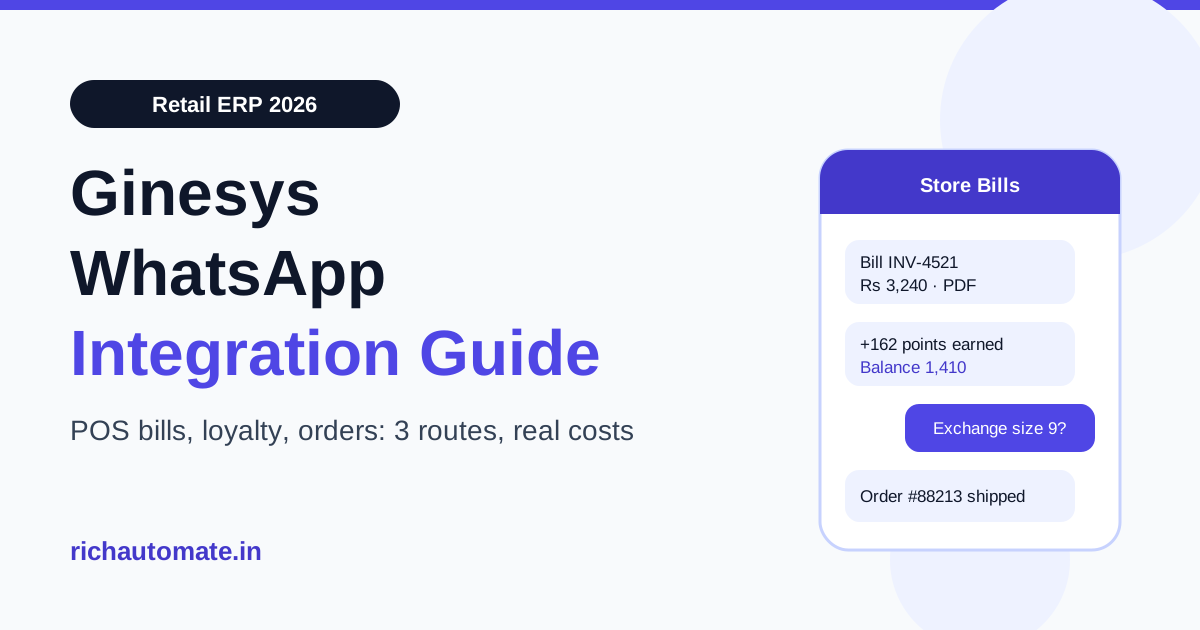
You can connect WhatsApp to Ginesys in three ways: ask Ginesys or one of its partners what WhatsApp option they support for your setup, wire a no-code or middleware bridge that reads new bills and orders, or connect your own WhatsApp Business API number through an API platform and trigger messages from Ginesys events such as a bill saved at the POS or an online order shipped. For most Indian retail chains the deciding questions are who owns the WhatsApp number, whether digital bills go out in real time from every store, and what each message costs at your monthly bill volume.
This guide is for owners, retail operations heads and IT managers at Indian fashion, footwear, lifestyle and multi-brand chains that already run Ginesys ERP and POS. It explains what Ginesys says it offers, how the three integration routes compare, which WhatsApp message fits each moment in the store and online journey, what the messaging costs in rupees, and the consent rules you need under India's DPDP Act.
What Ginesys offers today
According to Ginesys's website, the company sells a retail ERP together with point-of-sale software in three forms: a Desktop POS that can keep billing when the internet drops, a Cloud POS, and a Mobile POS for floor staff. Its site lists ready integrations with marketplaces including Amazon, Flipkart, Myntra and JioMart, with shopping carts including Shopify, Magento and WooCommerce, with EasyMyGST for e-invoicing and e-way bills, and with the Ewards loyalty platform.
On WhatsApp specifically, the only reference we found on Ginesys's public website was a WhatsApp widget page and a WhatsApp channel link. We could not find a documented WhatsApp Business API messaging module for sending bills, order updates or loyalty alerts. That may change, and your Ginesys account manager is the right person to confirm what is available for your licence. We do not quote Ginesys prices here because we cannot verify them.
RichAutomate does not have a native Ginesys connector either. What it has is a public developer API that sends approved WhatsApp templates when another system calls it, and outbound webhooks that push customer replies to any URL you choose. The routes below explain how teams join those pieces.
The three integration routes compared
| Route | How it works | Best for | Watch out for |
|---|---|---|---|
| 1. Vendor or partner option | Ginesys or a Ginesys implementation partner sets up WhatsApp for your account | Chains that want one vendor for ERP, POS and messaging | Who owns the number and the Meta account; per-message markup; whether bills go out from offline Desktop POS |
| 2. No-code or middleware bridge | A tool such as Zapier, Make or a small script reads new bills, orders or exports and calls a WhatsApp API | Testing one or two message types, such as order shipped from Shopify | Task-based billing at high volume; delays if the bridge polls every 15 minutes |
| 3. Your own WABA through an API platform | Your WhatsApp number sits on your own Meta Business account; a developer maps Ginesys events to template sends | Multi-store chains with steady bill volume that want control over cost and number ownership | Needs a developer for a few days and a clear opt-in at the billing counter |
Route 3 does not mean rebuilding Ginesys. It means one small service that watches for new events and calls a send endpoint. If your Ginesys setup exposes an API, a scheduled export or a webhook for bills and orders, the service reads from that. For online orders, the cleaner trigger is often the storefront itself: Shopify, for example, fires its own order and fulfilment webhooks. Our Shopify WhatsApp integration guide walks through that side.
Why number ownership matters for a retail chain
Your WhatsApp number becomes a customer channel the moment shoppers start replying to it. They ask about sizes, exchanges, store timings and whether a product is back in stock. If that number is registered on a vendor's Meta Business account instead of yours, three problems follow.
- You cannot easily move. Changing ERP, POS or messaging vendor can mean losing the number and the chat history customers know.
- You do not see the true cost. Meta bills per delivered template message by category. A vendor bundle can hide a markup inside a single per-message rate.
- Quality rating is shared risk. Meta rates each number on how customers react. Your messaging limit depends on that rating, so you want it tied to your own sending behaviour, not someone else's.
Before you sign anything, ask in writing: whose Meta Business account holds the WhatsApp Business Account, who can export the conversation history, and what the per-message rate is above Meta's own charge.
Retail message map: which WhatsApp message goes when
Every business-started WhatsApp message must use a template that Meta has approved, and Meta classifies each template as Utility, Marketing or Authentication. The category decides the price. A plain digital bill is Utility; the same bill with a discount coupon added becomes Marketing. Keep transactional and promotional messages separate.
| Moment | Ginesys event (typical) | Template category | Example message |
|---|---|---|---|
| Bill saved at counter | New POS bill | Utility | "Thanks for shopping at our Indiranagar store. Your bill INV-4521 for Rs 3,240 is attached." |
| Loyalty points earned | Loyalty update after bill | Utility | "You earned 162 points. Balance: 1,410 points." |
| Online order confirmed | Marketplace or cart order | Utility | "Order #88213 confirmed. We will message you when it ships." |
| Order shipped | Dispatch with tracking | Utility | "Your order has shipped. Track it here." |
| Exchange or return update | Credit note raised | Utility | "Your exchange credit of Rs 1,199 is ready to use in any store." |
| Back in stock | Stock received for a requested size | Marketing | "The size 9 you asked about is back at our Koramangala store." |
| Festive or end-of-season sale | Campaign list from customer master | Marketing | "Diwali preview for members: 20% off from Friday." |
Most chains start with the digital bill and the loyalty update, because they replace printed receipts and SMS at once, and they go to customers who have just shopped and expect the message. For loyalty design, our WhatsApp loyalty programme architecture guide covers points, tiers and redemption flows.
Digital bills on WhatsApp: how it works in practice
A WhatsApp e-bill flow has four steps:
Get the India 2026 WhatsApp BSP price comparison
Wati vs AiSensy vs Interakt vs RichAutomate: Meta rates, platform fees and hidden costs, side by side. We send it to your WhatsApp in a minute.
- Capture the number and consent. The cashier enters the mobile number in the POS customer field and asks, "Shall we send your bill on WhatsApp?" Store the yes with a timestamp.
- Generate the bill document. The bill PDF or a secure bill link is created from the POS data. A link is lighter; a PDF works when customers want a file to keep.
- Send a Utility template. The middleware calls the WhatsApp API with the customer number, the template name and the variables: store, bill number, amount, and the document.
- Handle replies. Customers reply with exchange questions. Route those replies to a shared inbox where the store or a central team can answer within the 24-hour customer service window.
One practical point for chains using Desktop POS in offline mode: if a store bills while the internet is down, the bill can only be sent once the bill data reaches the middleware. Build a queue that sends pending bills as soon as the store reconnects, and keep the bill message wording neutral ("your bill from today") so a delayed send still reads correctly.
If you also use EasyMyGST for e-invoicing, keep the GST e-invoice process separate. The WhatsApp bill is a customer copy, not a replacement for your statutory e-invoice or e-way bill.
What WhatsApp messaging costs for a retail chain
On RichAutomate's Client Pay model, you pay Meta's per-message rate for your number plus a flat Rs 0.10 platform fee per message. Meta charges your card directly; RichAutomate does not mark up Meta's rate. At current Indian rates, excluding GST:
| Message type | Meta rate (approx.) | Platform fee | Per message | Per 1,000 |
|---|---|---|---|---|
| Utility (bill, loyalty, order update) | Rs 0.115 | Rs 0.10 | Rs 0.215 | about Rs 215 |
| Marketing (sale, back in stock) | Rs 0.863 | Rs 0.10 | Rs 0.963 | about Rs 963 |
Here is a worked month for a 40-store apparel chain:
| Line item | Volume | Rate | Monthly cost |
|---|---|---|---|
| Digital bills (40 stores × 100 bills a day × 30 days, 60% opted in) | 72,000 | Rs 0.215 | about Rs 15,480 |
| Online order confirmed + shipped (3,000 orders × 2) | 6,000 | Rs 0.215 | about Rs 1,290 |
| One festive campaign to opted-in loyalty members | 30,000 | Rs 0.963 | about Rs 28,890 |
| Total | 108,000 | about Rs 45,660 |
Two things stand out. First, transactional messages are cheap: a WhatsApp bill costs about 21 paise. Second, campaigns are where the money goes, so segment them. Sending the festive message only to members who bought in the last 12 months usually cuts the list without cutting sales much.
RichAutomate plans start at Rs 499 a month (Starter), with Pro at Rs 899 and White-label at Rs 1,199. The plan fee is added to your wallet as messaging credit, so it is not a separate charge on top of your sends. There is no setup fee and a 7-day trial. Extra numbers cost Rs 399 a month each, which matters for chains that want one number per region or per brand. Full details are on the pricing page.
Consent and DPDP compliance for shopper data
India's Digital Personal Data Protection Act, 2023 requires consent that is free, specific, informed and unambiguous. For a retail WhatsApp programme that means:
- Ask at the counter or in the cart. A spoken yes recorded by the cashier, or a checkbox at online checkout, with the date stored against the customer record.
- Separate bills from promotions. Agreeing to receive a bill on WhatsApp is not agreement to receive sale campaigns. Ask for marketing opt-in separately, for example when a shopper joins the loyalty programme.
- Honour opt-outs at once. When a customer replies STOP, mark the number in your customer master so no store or campaign messages them again.
- Limit who sees the data. Store staff need the bill and the reply thread, not the full customer list.
Meta also enforces its own rules. Customers who block or report your messages lower your number's quality rating, which can reduce how many people you can message in a day. No provider can promise a number will never be restricted. Relevant messages to people who asked for them are the protection.
Common mistakes in retail WhatsApp setups
- Coupons inside the bill. Adding an offer to a bill template makes it Marketing and multiplies its cost. Send the bill as Utility and promote separately, to opted-in members.
- No owner for replies. Shoppers reply to bills with real questions. If nobody in the store or head office sees those replies, the customer goes to a competitor.
- Wrong number capture. A cashier typing a dummy number to finish the bill sends someone else's receipt to a stranger. Make the WhatsApp step optional and validate the number format.
- Launching in the festive peak. New numbers start with a lower daily messaging limit that rises with good usage. Start bills a few weeks before your big sale.
- One template for every brand. Multi-brand groups get better recognition when the template names the brand and the store.
How other retail systems compare
Ginesys is not the only retail ERP Indian chains connect to WhatsApp. If you run a different stack in some regions, or are comparing systems, these guides cover the same problem from other angles: Marg ERP WhatsApp integration for distribution and pharma retail, GoFrugal WhatsApp bill integration for single and multi-store retailers, and Unicommerce WhatsApp dispatch alerts for brands that run warehouse and marketplace orders through Unicommerce.
Which route should you choose?
If Ginesys or your implementation partner can confirm that the WhatsApp number sits on your own Meta Business account, shows you the per-message rate clearly, and sends bills from every store type you run, that is the simplest choice. If you want to test one message type first, a bridge on your Shopify or marketplace orders is quick to set up. If you run many stores with steady bill volume and want full control over cost and number ownership, connect your own WABA through an API platform and let a developer map Ginesys bill and order events to template sends.
Want to try route 3 on your own number? Create a free RichAutomate account, connect your WhatsApp Business number, and send your first Utility bill template to a test customer today.