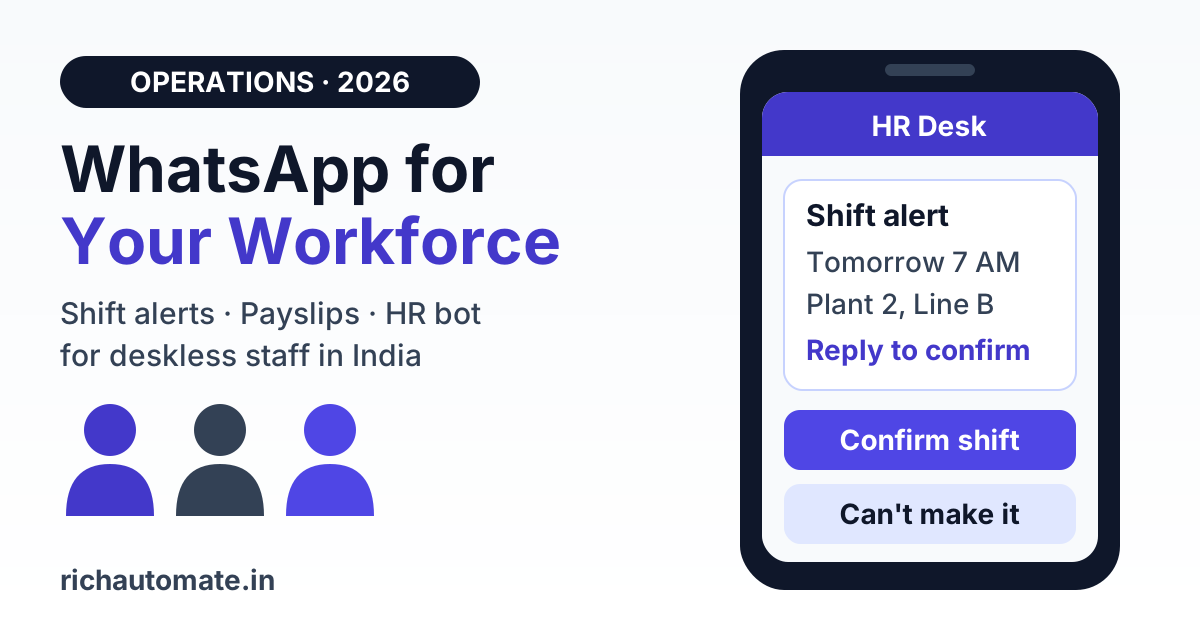
The WhatsApp Business API is the most reliable way to reach frontline and deskless employees in India, because shift workers, delivery riders, store staff and field sales teams already read WhatsApp every day but rarely open company email or an intranet. Used properly, it sends shift and roster alerts, attendance and payslip-ready nudges, policy notices and an HR or IT helpdesk bot from one verified company number, with employee opt-in, utility-category templates for operational notices, and a clear audit trail.
This guide explains when WhatsApp beats email, SMS, an intranet or Slack for internal communication, what Meta's policies allow when the recipient is your own employee, how the DPDP Act 2023 shapes the way you handle employee data, what it costs per employee per month on real pricing, and a four-phase rollout plan. It is an operations guide, not legal advice.
Why frontline staff miss email and intranet notices
Most Indian companies built internal communication for desk staff. Corporate email, an intranet portal and a chat tool like Slack or Teams work well for people who sit at a laptop all day. They work poorly for the much larger group who do not: factory operators, warehouse pickers, retail associates, hospital nursing staff, security guards, housekeeping teams, delivery partners and field sales executives.
These employees often do not have a company email ID at all, or they have one they never check. Many do not have a laptop. What almost all of them have is a smartphone with WhatsApp open through the day, often on patchy mobile data. That gap shows up in familiar ways:
- Roster changes reach people late. A supervisor updates the schedule, but the operator hears about it from a colleague after missing the shift.
- Attendance issues pile up. Missed punches and pending regularisations sit unresolved until payroll cut-off, when they turn into salary disputes.
- Policy changes are "communicated" but not received. A notice on the intranet or a notice board is hard to prove anyone read.
- HR gets the same questions all day. Leave balance, payslip access, PF number, holiday list. Each one is a phone call or a walk to the HR desk.
The fix most teams reach for first is a WhatsApp group run from a supervisor's personal phone. It feels fast, but it creates new problems, covered below. The better fix is to run internal notices through the official API from a company number, connected to the systems that already hold roster, attendance and payroll data.
WhatsApp API vs email, SMS, intranet and Slack for internal comms
No single channel wins for every employee. The practical answer is to match the channel to how each group works.
| Channel | Reaches deskless staff | Two-way replies | Delivery and read proof | Best fit |
|---|---|---|---|---|
| Corporate email | Poorly, many have no ID or never check it | Yes, but slow | Weak, read receipts unreliable | Desk staff, formal documents, letters |
| SMS | Yes, works on any phone | Limited, costly to reply | Delivery only | OTPs, fallback for staff without WhatsApp |
| Intranet or HRMS portal | Only when staff log in | Forms only | Login logs, not notices | Self-service records, policy library |
| Slack or Teams | Rarely, needs an app seat and onboarding | Yes | Partial | Office teams, project work |
| WhatsApp groups on a personal number | Yes | Yes, but chaotic | None you can audit | Not recommended for official notices |
| WhatsApp Business API | Yes, on the app they already use | Yes, with quick-reply buttons and bots | Sent, delivered and read status logged per employee | Frontline alerts, nudges, helpdesk, field broadcasts |
A common pattern is to keep email and the HRMS as the system of record, and use WhatsApp as the delivery layer that tells each employee something needs their attention, with a link or a button to act on it.
Five internal use cases that work well on WhatsApp
1. Shift and roster alerts
Send each employee their own roster for the week, and a targeted alert when a shift changes. Add quick-reply buttons such as "Confirm" and "Can't make it" so supervisors see gaps early instead of at shift start. Teams running round-the-clock coverage can pair this with a structured shift handover process on WhatsApp so incoming staff pick up open items cleanly.
2. Attendance and payslip-ready nudges
Remind employees about a missed punch or a pending regularisation before payroll cut-off, and tell them when the payslip is ready. For payslips, send a notice with a secure HRMS login link rather than the salary slip itself, so pay details stay behind authentication. Companies that outsource payroll can align these nudges with the provider's calendar, as covered in our guide to payroll outsourcing with PF and ESIC updates on WhatsApp.
3. Policy and compliance announcements
Share a short summary of a new or changed policy with a link to the full document and an "I have read this" button. The button click, timestamped against the employee's record, is far better evidence of acknowledgement than a notice pinned on a board.
4. Field-staff broadcasts
Sales executives, service engineers and delivery teams need beat plans, scheme updates, stock alerts and safety notices on the move. Segment by region, role or site so each person receives only what applies to them. Our playbook on field force attendance and operations on WhatsApp covers check-ins, geo-tagged photos and daily reporting in more depth.
5. HR and IT helpdesk bot
Put the top 20 employee questions behind a WhatsApp bot: leave balance, holiday list, payslip link, PF and UAN details, password reset steps, laptop or access requests. Anything the bot cannot answer moves to a human agent in a shared team inbox, so HR and IT work one queue instead of personal phones.
What Meta's policies allow when the recipient is your employee
Meta does not have a separate rulebook for internal communication. Employees are recipients like anyone else, and the WhatsApp Business Messaging Policy applies in full.
- Opt-in is still required. Being on the payroll is not opt-in. Collect it explicitly, ideally during onboarding or inside the HRMS, with wording that names WhatsApp and the kinds of messages you will send. Store the timestamp and source. Offer a way to opt out, and keep sending critical notices by email or SMS to anyone who declines.
- Templates for business-initiated messages. Anything you send outside a 24-hour window opened by the employee must be a pre-approved template. Replies inside that window, such as helpdesk answers to a question the employee asked, can be free-form.
- Category matters for cost and approval. Operational notices tied to an employee's own shift, attendance, leave or ticket are generally eligible for the utility category when they stay factual. Generic engagement content leans marketing. Our explainer on marketing vs utility message categories goes into how Meta judges this.
- Quality rating applies. If employees block or report your number because messages feel irrelevant or too frequent, your quality rating drops, which can limit sending. No platform can guarantee a number will never be restricted; relevance and frequency discipline are what protect it.
- No personal-number group blasting. Running official notices through groups on a supervisor's personal number exposes every member's phone number to the whole group, leaves no audit trail, breaks when that supervisor leaves, and keeps company data on a personal device. Bulk-adding people to groups or broadcast lists without consent can also get a personal number restricted.
Message type, template category and cost
This table shows how common internal messages typically map to Meta's categories and what they cost on RichAutomate. Meta makes the final categorisation at template review.
Get a 1-minute BSP audit on WhatsApp
Drop your WhatsApp number — we line-item your current invoice against Meta India rates in under 60 seconds. India-hosted, DPDP-compliant.
| Internal message | Likely Meta category | SaaS Pay (all-in) | Client Pay |
|---|---|---|---|
| Weekly roster or shift change alert | Utility | ₹0.30 per message | ₹0.10 platform fee + Meta charge billed by Meta |
| Missed punch or regularisation reminder | Utility | ₹0.30 per message | ₹0.10 platform fee + Meta charge billed by Meta |
| Payslip-ready notice with HRMS link | Utility | ₹0.30 per message | ₹0.10 platform fee + Meta charge billed by Meta |
| Policy update with acknowledgement button | Usually utility if specific and factual | ₹0.30 per message | ₹0.10 platform fee + Meta charge billed by Meta |
| Festival greeting, contest, wellness campaign | Likely marketing | ₹1.20 per message | ₹0.10 platform fee + Meta charge billed by Meta |
| Helpdesk replies to an employee's own question | Service reply inside the 24-hour window | No Meta template charge inside the window; see pricing page for platform terms | |
Cost math: what it costs per employee per month
Take a typical frontline employee in a plant, warehouse or retail chain. A realistic monthly volume looks like this:
- 4 weekly roster messages
- 3 shift change alerts
- 4 attendance or regularisation reminders
- 1 payslip-ready notice
- 2 policy or safety notices
- 1 leave or holiday update
That is 15 utility messages per employee per month. On SaaS Pay, 15 × ₹0.30 = ₹4.50 per employee per month, all-in. For a 500-person frontline workforce that is about ₹2,250 a month. Add one marketing-category engagement message a month and the cost rises by ₹1.20 per employee.
On Client Pay, the platform fee is 15 × ₹0.10 = ₹1.50 per employee per month, and Meta bills its own per-message charges directly to your business. Client Pay suits companies that already have a Meta billing setup and want to see Meta's charges on their own invoice.
Either way, RichAutomate is usage-only: ₹0 setup and ₹0 monthly fee at the time of writing. Meta rates may change, so check the WhatsApp API pricing page for current figures before you budget. Compare that with the time a supervisor spends calling staff about roster changes, or the cost of a missed shift, and the case is usually easy to make.
DPDP Act 2023: handling employee data on WhatsApp
Employee names, phone numbers, attendance records, leave data and pay details are personal data under the Digital Personal Data Protection Act, 2023. The Act recognises certain employment-related uses of personal data, but that does not remove your duties as the employer, and the Rules notified under the Act phase obligations in over time. Treat the following as a working baseline and confirm specifics with your legal team:
- Purpose limitation. Use the numbers collected for HR and operations only for those purposes. Do not reuse them for unrelated promotions.
- Clear notice. Tell employees what you will send on WhatsApp, why, and how to opt out, in the onboarding pack or HR policy.
- Minimum data in messages. Keep salary figures, medical information and disciplinary details out of the chat body. Send a notice with a link to an authenticated portal instead.
- Access control. Limit who can see conversations and broadcast to staff. Use role-based access in the shared inbox rather than sharing a login.
- Exit handling. Remove leavers from rosters and broadcast segments on the last working day, and apply your retention policy to their message history.
WhatsApp's own opt-in requirement sits on top of whatever legal basis you rely on under the Act. Our DPDP Act compliance checklist for WhatsApp Business covers consent records, notices and breach handling in more detail.
Rollout plan: four phases over roughly eight weeks
Start small with one site or one department, prove the numbers, then expand.
| Phase | Timeline | What you do | Success signal |
|---|---|---|---|
| 1. Foundation | Week 1-2 | Get a dedicated company number on the API, verify the business, draft opt-in wording, clean employee phone data from the HRMS, write 5-6 utility templates | Templates approved, opt-in live in onboarding |
| 2. Pilot | Week 3-4 | One site or team of 50-200 staff, roster and attendance alerts only, supervisors briefed | High read rate, fewer "nobody told me" shift misses |
| 3. Helpdesk | Week 5-6 | Launch the HR and IT bot for the top questions, route the rest to a shared inbox with named owners | Drop in walk-ins and calls to the HR desk |
| 4. Scale | Week 7-8+ | Roll out to all sites, add payslip, policy acknowledgement and field broadcasts, connect roster and HRMS via API or webhook | Opt-in rate across the workforce, low opt-out and block rate |
Two tips help at every phase. First, keep a written message calendar so employees are not flooded on the same day by HR, operations and IT. Second, write templates in the languages your staff actually read. Hindi, Marathi, Tamil, Kannada, Bengali or Gujarati versions of the same utility template often perform far better on a shop floor than English alone.
Common mistakes to avoid
- Treating employment as opt-in. It is not. Collect and record explicit consent.
- Mixing engagement into operational templates. A roster alert with a festival offer attached may be categorised as marketing and costs more.
- Sending sensitive data in the chat. Salaries, medical notes and warnings belong behind a login.
- Running everything from one manager's phone. No audit trail, no continuity, no access control.
- Over-messaging. Too many low-value notices train staff to ignore or block the number, and that hurts the alerts that matter.
- Forgetting leavers. Former employees still receiving roster messages is both a data-protection problem and a quality-rating risk.
The bottom line
For frontline and deskless teams in India, WhatsApp is where attention already is. Running internal communication through the official API, with employee opt-in, clean utility templates, a helpdesk bot and a shared inbox, gets roster changes, attendance nudges and policy notices read, with proof, for a few rupees per employee per month. Keep email and the HRMS as the record, and let WhatsApp do the reaching.
Reach every shift on WhatsApp. Roster alerts, attendance and payslip nudges, policy acknowledgements and an HR helpdesk bot on the official WhatsApp Business API, with ₹0 setup, ₹0 monthly fee and usage-only pricing. Start with RichAutomate