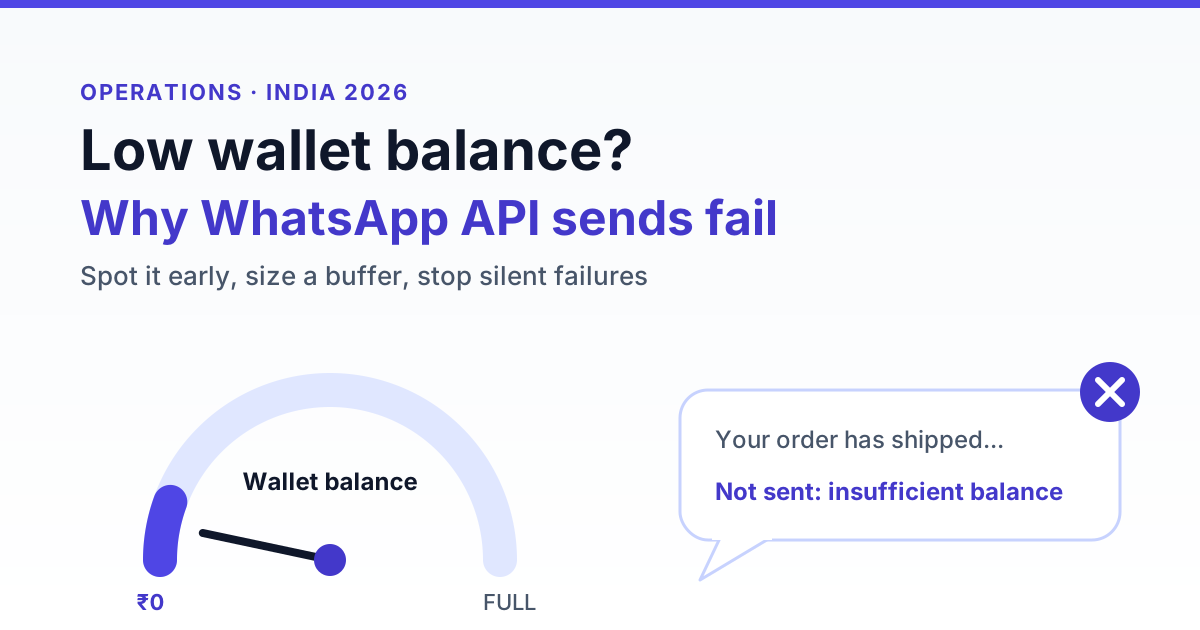
WhatsApp Business API messages fail at low balance because most Indian platforms run a prepaid wallet: each send is debited as it goes out, and once the balance can't cover the next message, the platform blocks, queues or drops it. The fix is to treat your balance like uptime, with a low-balance alert set at two to three days of spend, a top-up before every large campaign and, if you use Client Pay, a separate check on the payment method in your Meta account.
Key takeaways
- A zero wallet stops more than campaigns. Chatbot replies, auto-replies and OTP or utility API calls can fail too.
- Platform balance errors usually never reach Meta, so the failed message has no Meta message ID. Meta-side payment failures carry a Meta error code instead.
- The money lost in a dead-wallet hour is small. The real cost is expired 24-hour windows, missed leads and customers who never got their OTP.
- Set an alert at about three days of average spend and top up at least seven days at a time.
- On Client Pay you have two things to keep funded: the platform wallet and your Meta payment method.
How prepaid wallets work on Indian WhatsApp API platforms
Most Indian BSPs and WhatsApp API platforms bill on a prepaid model. You add money to a wallet, sometimes shown as credits or points, and each outbound message deducts an amount based on its category: marketing, utility, authentication or service. Some platforms deduct at the moment of sending. Others place a hold and settle once the message is confirmed as billable.
The consequence is the same either way. A platform can't be sure it will recover the cost of a message later, so when the wallet can't cover the next debit, it stops sending. Unlike a postpaid phone bill, there is usually no grace period unless your contract says so in writing.
How fast a wallet drains depends on the pricing model. At RichAutomate, for example, billing is usage-only with ₹0 setup and a ₹0 monthly fee. Under SaaS Pay you pay ₹1.50 per marketing message and ₹0.50 per utility message, all-inclusive. Under Client Pay you pay a ₹0.10 platform fee per message, and Meta bills its own charges to your Meta account. You can compare the models on the WhatsApp API pricing page, and our guide to WhatsApp Business API cost in India explains how rates stack up across providers.
What happens to each message type when the balance hits zero
Balance problems rarely look like one big outage. They show up differently depending on what was sending at the time. The table below lists the common patterns. Exact behaviour varies by platform, so treat it as a checklist of questions for your provider, not a guarantee.
| Balance state | What typically happens | How it shows | Fix |
|---|---|---|---|
| Healthy (above your alert threshold) | Sends process normally | Status moves from sent to delivered to read | Keep an eye on daily spend |
| Low (below alert, above zero) | Sends continue. Some platforms warn you or refuse a campaign that costs more than the balance | Dashboard banner, email or WhatsApp alert, campaign blocked at launch | Top up before the next scheduled broadcast |
| Zero during a running campaign | Remaining recipients are paused, queued or marked failed, depending on the platform | Campaign stuck at a partial count, failed rows showing a balance error | Top up, then resend only to the unsent segment |
| Zero during a chatbot flow or auto-reply | The bot reply isn't sent and the flow may stop at that step | Customer message sits in the inbox with no outbound reply | Top up, then reply manually while the 24-hour window is open |
| Zero during OTP or utility API calls | The API returns an error straight away, or accepts the request and fails it later | Your app logs an error or a failed status webhook, and customers complain about missing OTPs | Top up and keep a fallback channel such as SMS for authentication |
| Client Pay: wallet fine, Meta payment method declined | Meta rejects billable messages on its side | A Meta error code on the message, not a wallet error | Fix the card or credit line in Meta Business Manager |
The worst case is the silent drop, where a message is accepted into a queue and never sent or clearly failed. Ask your platform three direct questions. Are zero-balance messages queued or failed? Do queued messages retry automatically after a top-up? Is there a time limit after which they are discarded?
Automatic retries are not always good news. A delivery OTP that arrives three hours late is useless, and a message saying your sale ends today looks careless if it arrives tomorrow. If your platform retries, review the queue before topping up, or cancel the time-sensitive items first.
How low-balance failures show up in your logs
Failed messages usually fall into two groups, and telling them apart saves a lot of time. The first group is platform-level blocks. The platform refuses the message before it reaches Meta and returns its own error text, usually something like insufficient balance, insufficient points or wallet balance low. The exact wording and HTTP status differ from one provider to the next.
The second group is Meta-level failures. The message reached Meta and Meta rejected it, so the failure carries a Meta error code in the status webhook. Payment or eligibility problems on the WhatsApp Business Account fall here. For example, Meta's documentation lists error 131042 for a business eligibility payment issue. Confirm the current code list in Meta's developer documentation, because codes and descriptions change.
The quickest test is whether the failed message has a Meta message ID, the value that starts with wamid. No ID almost always means the platform blocked it, which points to your wallet. An ID followed by a failed status means Meta was involved, so look at the Meta error code. If messages have an ID but sit on sent and never move to delivered, that is a separate problem, covered in our guide to WhatsApp messages stuck on sent and not delivered.
A five-minute triage
- Open the wallet or billing page and note the current balance and the time of the last debit.
- Filter the message log to failed statuses since that time.
- Check whether the failed rows have a Meta message ID.
- Read the error text: balance wording points to the wallet, a Meta code points to your Meta account or template.
- List everything that failed by type (campaign, bot reply, OTP) so you know what to resend and what to drop.
What a dead-wallet hour actually costs
The balance you were short is usually trivial. The damage comes from the messages that didn't go out while nobody was watching. Take two example businesses.
A D2C brand sends 3,000 utility messages and 1,000 marketing messages a day. If the utility traffic is spread across roughly 12 working hours, that is about 250 order, dispatch and COD confirmation messages an hour. One hour at zero means around 250 customers who didn't hear about their order. For a brand using WhatsApp to confirm cash-on-delivery orders, unconfirmed orders are the ones most likely to be refused at the door. The size of that effect varies widely by category, so read it as a direction, not a forecast.
A clinic sends 300 appointment reminders a day. Under SaaS Pay that costs 300 × ₹0.50 = ₹150. If the wallet runs dry at 7 pm and nobody notices until 10 am, the early reminders for the next day may never go. ₹150 of balance was protecting a full day of appointments.
Get the India 2026 WhatsApp BSP price comparison
Wati vs AiSensy vs Interakt vs RichAutomate: Meta rates, platform fees and hidden costs, side by side. We send it to your WhatsApp in a minute.
The 24-hour window makes recovery more expensive
Inbound chats add a second cost. When a customer messages you, a 24-hour customer service window opens. Per Meta's current pricing, free-form replies inside that window are generally not charged by Meta, though your platform's own fee may still apply. Once the window closes, you can only restart the conversation with an approved template, which is billed by category.
Say a click-to-WhatsApp ad brings in 40 enquiries during a dead-wallet evening and nobody replies until the windows expire. Re-engaging all 40 with a marketing template under SaaS Pay costs 40 × ₹1.50 = ₹60. That is cheap, but a cold template the next day gets far fewer replies than a quick answer would have. Our guide to cutting costs within the WhatsApp 24-hour window explains the mechanics, and this playbook covers how to recover missed WhatsApp messages and leads after an outage.
Client Pay vs SaaS Pay: two different ways to run out
Your billing model decides how many points of failure you have. Many teams find this out only after a failure they can't explain.
SaaS Pay: one wallet, one failure point
Under SaaS Pay the platform charges one all-inclusive rate per message and covers Meta's charges itself. There is only one balance to watch. If sends fail with a balance error, the wallet is the cause and a top-up is the fix. The trade-off is that the wallet drains faster, because it covers the full message cost.
Client Pay: platform wallet plus your Meta payment method
Under Client Pay, Meta's charges go to the payment method attached to your own Meta business account, and the platform wallet only covers the platform fee. That creates two separate ways to fail. The platform wallet can hit zero, which produces platform balance errors. Or the Meta card or credit line can be declined, expired or over its limit, which produces Meta-side failures while the wallet still shows a healthy balance.
The second case catches teams out because the dashboard looks fine. Indian cards sometimes decline recurring or international charges, so check with your bank if Meta charges fail repeatedly, and confirm your payment settings in Meta Business Manager. For a D2C brand on Client Pay sending 4,000 messages a day, the platform wallet needs only 4,000 × ₹0.10 = ₹400 a day, but the Meta payment method carries the larger bill. For a full comparison, read our guide to Client Pay vs SaaS Pay for WhatsApp Business billing.
How to size your low-balance alert and buffer
A simple rule works for most businesses: set the low-balance alert at three days of average spend, and top up at least seven days at a time. Three days covers a weekend or a long holiday, plus the delay while finance approves a payment. Seven days keeps top-ups from turning into a daily chore.
| Example business | Daily volume | Daily spend (worked) | Alert at (3 days) | Top-up (7 days) |
|---|---|---|---|---|
| Clinic, SaaS Pay | 300 utility reminders | 300 × ₹0.50 = ₹150 | ₹450 | ₹1,050 |
| Real estate broker, SaaS Pay | 200 marketing + 300 utility | ₹300 + ₹150 = ₹450 | ₹1,350 | ₹3,150 |
| D2C brand, SaaS Pay | 1,000 marketing + 3,000 utility | ₹1,500 + ₹1,500 = ₹3,000 | ₹9,000 | ₹21,000 |
| D2C brand, Client Pay (platform wallet only) | 4,000 messages | 4,000 × ₹0.10 = ₹400 | ₹1,200 | ₹2,800, plus Meta charges on your own Meta account |
Add campaigns on top of the buffer
The buffer covers everyday traffic. Broadcasts should be funded separately. A festive broadcast to 20,000 contacts under SaaS Pay costs 20,000 × ₹1.50 = ₹30,000. If the D2C brand above launches it with only its ₹14,700 weekly top-up in the wallet, the campaign drains everything and takes order updates and bot replies down with it. Top up the full campaign cost before you press send, and check the balance again once the campaign finishes.
Review your thresholds every month. Volume creeps up as you add flows, templates and ad campaigns, and a threshold set in January can be far too low by Diwali.
Auto-recharge vs manual top-up
Whether automatic top-ups are available depends on your platform and payment method, so check what your provider actually supports. The choice is mainly a trade-off between control and continuity.
| Factor | Auto-recharge (where supported) | Manual top-up |
|---|---|---|
| Risk of hitting zero | Low, as long as the payment goes through | Higher, because it relies on someone acting on the alert |
| Cash control | Less. Spend can climb with volume without anyone reviewing it | Full. Every payment is a deliberate decision |
| Typical failure | Expired card, cancelled mandate or bank decline, often noticed only when sends fail | Alert missed, owner on leave or finance approval delayed |
| Best suited to | High-volume utility and OTP traffic where downtime hurts immediately | Low or seasonal volume, and teams with strict spend approval |
| What to set up | Spend cap, backup payment method, alert on failed recharge | Alert to at least two people, a named owner and a backup |
Many teams do best with a mix. Keep top-ups manual so finance stays in control, but send the low-balance alert to two people and give the backup authority to pay without waiting for sign-off. An alert that only goes to one inbox is a single point of failure.
GST, invoices and wallet top-ups
Wallet top-ups raise a practical accounting question: when is the tax invoice issued? Some providers invoice when you add money, others invoice monthly on what you used. That affects when you can claim input tax credit and how your books reconcile, so ask your provider before you start making large top-ups.
For input tax credit you generally need a valid tax invoice showing your GSTIN. Under Client Pay, Meta's charges are invoiced separately from the platform fee, and the tax treatment of those charges may be different. Rules and interpretations change, so confirm your specific position with your CA. Our guide to WhatsApp BSP billing, GST input credit and TDS covers the questions to ask.
A weekly balance checklist
Balance failures are almost always avoidable. A ten-minute weekly routine prevents most of them.
- Compare last week's average daily spend with your alert threshold and raise the threshold if volume grew.
- List the broadcasts planned for the coming week and fund them in advance.
- Confirm the low-balance alert still reaches two active people.
- On Client Pay, check the Meta payment method for expiry dates, limits and recent declines in Meta Business Manager.
- Search the message log for balance errors and Meta payment codes from the past week.
- Check that OTP and authentication flows have a fallback channel if WhatsApp sends fail.
- Match top-up invoices against your books before month-end.
Keep your WhatsApp sends running
A low balance is one of the few WhatsApp API failures that is entirely in your control. Size the buffer from your real daily volume, fund campaigns on top of it, send alerts to more than one person and, on Client Pay, watch your Meta payment method as closely as the wallet. If you're choosing a platform, pick one where the pricing is simple enough to work out a buffer in a single line of maths. You can create a free RichAutomate account with usage-only pricing and no setup or monthly fee.