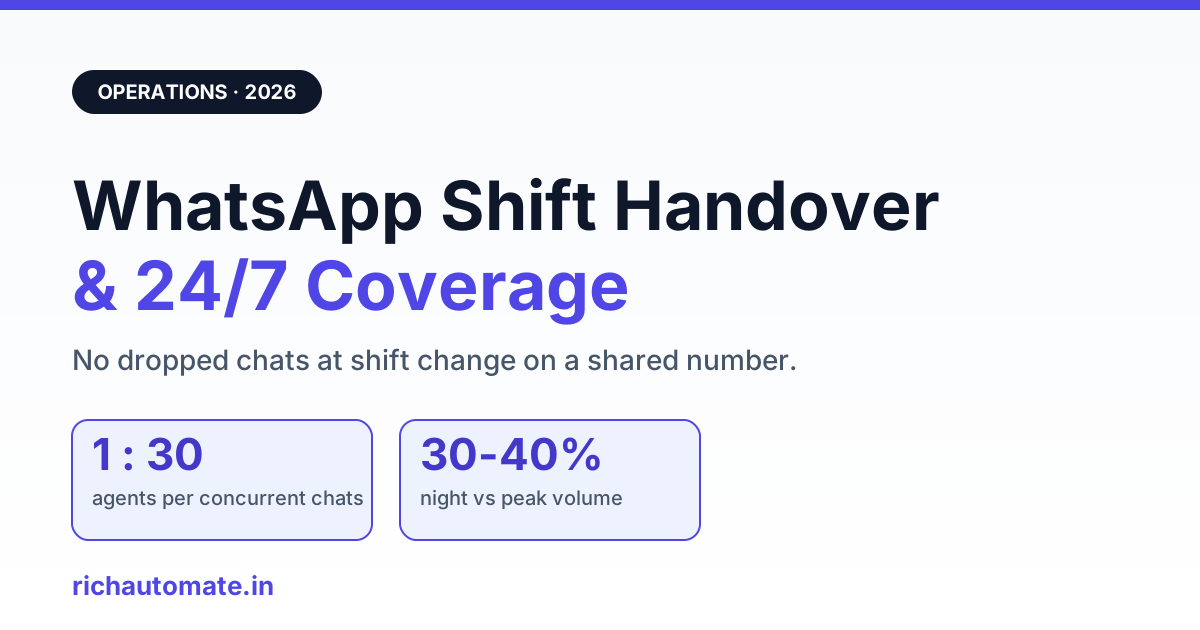
WhatsApp shift handover is the process of transferring open conversations, pending follow-ups, and context notes from an outgoing agent to the incoming shift so no customer chat stalls when someone logs out. On a shared WhatsApp Business number, the single biggest cause of dropped conversations is not agent effort, it is the gap at shift change, when chats sit unassigned, unresolved threads lose their history, and SLA timers keep running while nobody owns the reply.
For Indian support teams running BPO desks, D2C customer experience, clinic front offices, and logistics control rooms, that gap gets expensive fast. A single WhatsApp number handling 300 to 600 conversations a day can lose 5 to 10 percent of its resolution rate purely to handover friction, before anyone touches a scripting or staffing problem. This guide covers how continuity breaks on a shared inbox, the five failure modes to watch, the coverage math for staffing 24/7 with realistic Indian cohort numbers, and the SOP plus automation that closes the gaps.
Key Takeaways
- Shift handover fails at the moment of logout: unassigned chats, lost context, and running SLA timers with no owner.
- The five failure modes are unassigned-on-logout, missing handover notes, unresolved carryover, SLA blindness across night shifts, and surge under-staffing.
- Coverage math for 24/7: budget roughly 1 agent per 25 to 35 concurrent chats, and 1.6 to 2x the headcount to cover three shifts plus leave and breaks.
- Night shifts (IST 22:00 to 06:00) usually run 30 to 40 percent of day volume, so staff by measured load, not a flat split.
- Auto-reassignment on logout, round-robin, saved handover notes, and per-conversation SLA timers remove most manual handover risk.
- Track carryover rate, first response time by shift, and reassignment latency to know if handover is actually working.

What shift handover means on a shared WhatsApp number
Shift handover on WhatsApp is the structured transfer of live customer state from one shift to the next: who is mid-conversation, what was promised, what is still pending, and which threads breach SLA if ignored. Unlike a phone queue that empties at end of shift, a WhatsApp inbox is persistent, so every unresolved thread the day shift leaves behind is still sitting there when the night shift logs in, timers and all.
The complication is that a shared WhatsApp Business number has one identity but many hands. Ten agents may work the same number across the day, yet the customer sees a single sender. When an agent logs off, their half-finished chats do not follow them out the door, they stay in the shared queue, and unless something explicitly reassigns them, they become nobody's job. Teams that already run a WhatsApp shared team inbox feel this most, because volume is high enough that a few orphaned threads per shift compound into a daily backlog.
Why continuity gaps happen on a shared inbox
Continuity breaks because the handover moment has no owner by default. The outgoing agent assumes the queue will be picked up, the incoming agent sees a wall of open chats with no marker for which are mid-conversation, and the customer sits waiting on a reply that was one message away.
Three structural facts make this worse on WhatsApp specifically. First, the 24-hour customer service window means a delayed reply can push a free-form response past the window, forcing a template and adding cost. Second, chat context lives in the thread, not in an agent's head, so if the incoming shift does not read scrollback they lose the promise the customer was given. Third, when several agents share one number without clear assignment, two people may reply to the same chat while ten others go untouched. Routing this cleanly is the same discipline covered in running multiple agents on one WhatsApp number.
The five handover failure modes
Nearly every dropped-conversation complaint traces back to one of five failure modes. Naming them makes them fixable.
- Unassigned-on-logout. An agent closes their laptop with 12 open chats still assigned to them. Those chats now belong to an offline person and stop moving.
- Missing handover notes. A customer was told "refund processing, will confirm by 6pm." The next shift has no record of that promise and re-asks basic questions, which reads as incompetence.
- Unresolved-conversation carryover. Threads that were never closed pile up shift after shift. Without a carryover queue, the backlog is invisible until a customer escalates.
- SLA blindness across shifts. A chat that came in at 21:55 breaches its 30-minute SLA at 22:25, right in the shift-change dead zone, with no timer visible to the incoming agent.
- Surge under-staffing. Festival sales, product drops, or a logistics disruption spike volume 2 to 4x while the roster stays flat, so handover quality collapses under load.
Coverage math: staffing a 24/7 WhatsApp desk
Staff by measured concurrent load, not by a flat headcount guess. A practical planning rule for Indian support desks is one agent per 25 to 35 concurrent WhatsApp chats for general support, tightening to 15 to 20 for complex or regulated conversations like clinics and finance.
Concurrency is the number that matters, not daily ticket count. A desk handling 500 chats a day does not need 500 chats' worth of staff, it needs enough agents for the busiest concurrent window. The table below shows a plausible cohort split for a mid-size Indian D2C support team on a single shared number.
| Shift (IST) | Share of daily volume | Peak concurrent chats | Agents needed (1:30) |
|---|---|---|---|
| Morning 06:00 to 14:00 | ~35% | 60 | 2 |
| Afternoon 14:00 to 22:00 | ~40% | 75 | 3 |
| Night 22:00 to 06:00 | ~25% | 35 | 1 to 2 |
Night volume for most Indian consumer desks runs 30 to 40 percent of peak, so a lean 1 to 2 agent night shift usually holds, provided auto-reassignment catches anything that arrives while an agent is on break. Remember that raw headcount must be inflated for real availability. To keep three shifts genuinely covered across a seven-day week with leave, breaks, and attrition, plan for roughly 1.6 to 2x the on-shift number in total hires.
Get a 1-minute BSP audit on WhatsApp
Drop your WhatsApp number — we line-item your current invoice against Meta India rates in under 60 seconds. India-hosted, DPDP-compliant.
| Shift model | Best for | Continuity risk | Handover points per day |
|---|---|---|---|
| 2-shift (12h + 12h) | SMEs with light night volume | Long shifts cause fatigue, 1 clean handover | 2 |
| 3-shift (8h x 3) | BPO and high-volume D2C | Balanced load, 3 handovers to manage | 3 |
| Follow-the-sun | Global or multi-region desks | Timezone-clean, needs shared context tooling | 2 to 3 |
The handover SOP and checklist
A handover SOP turns a risky guess into a five-minute routine. The outgoing agent should never log out with chats still owned by them and no note attached.
Run this checklist at every shift change:
- Close what is closable. Resolve and tag any thread where the customer's issue is done, so it leaves the active queue.
- Write a one-line note on every open chat. State the promise made, the next action, and the deadline, for example "awaiting courier update, callback promised by 20:00."
- Move carryover to a named queue. Unresolved threads go to a labelled "carryover" or "pending" view, not left loose in the general inbox.
- Flag SLA-critical chats first. Anything within 30 minutes of breach gets handed over by name to a specific incoming agent.
- Confirm receipt. The incoming shift lead acknowledges the carryover count before the outgoing lead signs off.
For teams with structured inbound queues, this checklist plugs directly into the routing logic used in BPO inbound routing on WhatsApp, where carryover and SLA state become routing inputs rather than manual memory.
Automating handover: what to let the system do
The reliable way to remove handover risk is to stop depending on human memory for the mechanical parts. Auto-reassignment on logout, round-robin distribution, saved handover notes, and per-conversation SLA timers each replace a step that agents routinely forget under load.
Auto-reassignment is the single highest-value control. The moment an agent goes offline, their open chats should return to the pool or route to the next available agent by rule, so no thread is ever owned by an offline person. Round-robin then spreads incoming and reassigned chats evenly instead of dumping them on whoever replies fastest. The table below contrasts the manual and automated versions of each handover task.
| Handover task | Manual approach | Automated approach |
|---|---|---|
| Reassigning open chats at logout | Agent remembers to hand off, or chats orphan | Auto-reassign to pool or next agent on offline |
| Distributing new chats | First-to-grab, uneven load | Round-robin or load-based routing |
| Passing context | Verbal or none, next shift re-asks | Saved handover note pinned to the thread |
| Tracking deadlines | Agent watches the clock manually | Per-conversation SLA timer with alerts |
| Surge coverage | Scramble extra staff after backlog forms | Overflow routing and alert thresholds |
Automation also underpins reliability at higher volumes. Desks that split load across several numbers should read how continuity is preserved in a multi-number pool routing architecture, so handover rules stay consistent no matter which number a chat lands on.
Festival and peak surge rostering
Roster for peaks by measuring last year's surge, not by adding a token extra agent. Indian consumer desks routinely see WhatsApp volume rise 150 to 300 percent during Diwali, end-of-season sales, and major product drops, and the spike often concentrates in a two to three hour window rather than spreading across the day.
Two rostering moves handle this. First, add a floating overlap shift during the known peak window so two shifts are live at once when volume is highest, which also doubles handover coverage exactly when carryover risk peaks. Second, set an overflow rule that routes chats to a secondary pool once concurrency crosses a threshold, so a surge degrades gracefully instead of breaking the queue. If delivery slows under surge load, the checks in WhatsApp message delivery troubleshooting help separate a staffing problem from a platform one.
Metrics that tell you handover is working
Measure handover directly or you will only notice it failing through customer escalations. Four metrics expose whether continuity holds across shifts.
- Carryover rate. Open conversations passed to the next shift as a share of that shift's total. A rising trend means threads are not getting resolved, they are getting deferred.
- First response time by shift. Break FRT out per shift, not as a daily average, so a slow night shift does not hide behind a fast afternoon.
- Reassignment latency. Time between an agent going offline and their chats being picked up again. Under good automation this is near zero.
- SLA breach clustering. If breaches cluster around shift-change windows, the handover step is where you are losing customers.
Watch these weekly. A carryover rate creeping above 15 percent or breaches clustering at 14:00 and 22:00 IST are the clearest signals that the handover SOP needs tightening or more automation.
Bringing it together
Reliable 24/7 WhatsApp support is a continuity problem before it is a headcount problem. Get the handover moment right, with auto-reassignment on logout, a note on every open chat, a named carryover queue, and per-conversation SLA timers, and a lean roster covers far more volume than a large team fighting an orphaned-chat backlog every shift change.
Start by measuring your carryover rate and reassignment latency this week, then close the biggest gap first. RichAutomate runs on usage-only pricing with ₹0 setup and ₹0 monthly, so a support team can wire up auto-reassignment, round-robin routing, and SLA timers without a fixed platform cost. Create a free RichAutomate account to set up shift-safe WhatsApp routing for your desk.