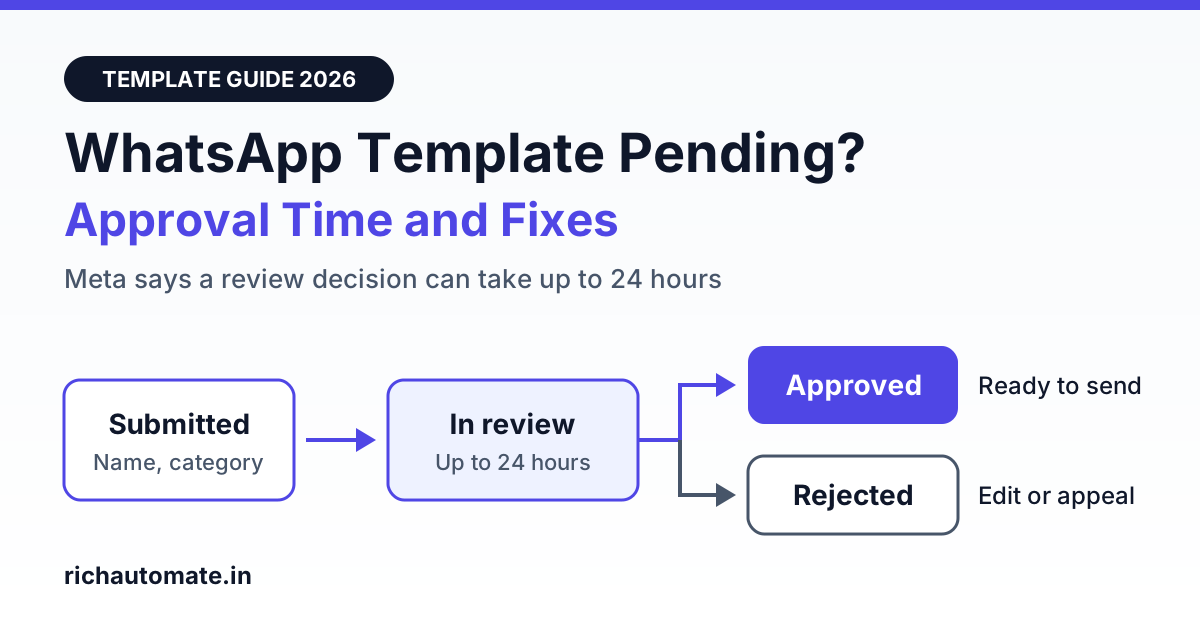
A WhatsApp template stuck on Pending or In review is usually still inside Meta's normal review window: Meta's documentation says an approval decision can take up to 24 hours, though many templates are decided much sooner. If yours has been in review for more than a day or two, the usual suspects are its category, its variables or its wording, and the quickest fix is to submit a clean copy under a new name instead of waiting.
This guide is for Indian business owners and marketers who send order updates, payment reminders and offers through the WhatsApp Business API. It covers what each template status means, why a review drags on, how to word a template so that it clears review, and what the template costs to send once it is approved. No platform can guarantee approval, because Meta makes the decision, but most delays trace back to a short list of avoidable mistakes.
How long does WhatsApp template approval take in 2026?
Meta's template review documentation states that it can take up to 24 hours for an approval decision to be made. That is the outer limit Meta publishes, not the typical wait. A plain utility template, such as an order confirmation with correct variables and sample values, is often decided within minutes, while templates with sensitive wording or an unclear category tend to sit longer.
A sensible way to plan around this:
- Under 24 hours: normal. Do nothing except check the status once or twice.
- 24 to 48 hours: slow, and worth acting on. Submit a clean copy under a new name while the original stays in the queue.
- Beyond 48 hours: unusual. Raise a ticket with your WhatsApp API provider or Meta support and share the template name and language.
For a festive campaign, submit templates at least three or four days before the send date. A Diwali or end of season sale template submitted the night before is the most common way to miss a launch.
WhatsApp template statuses explained
WhatsApp Manager and the API use slightly different labels for the same states. "Pending" is the API name and "In review" is what WhatsApp Manager shows. Only an approved template can be sent.
| WhatsApp Manager label | API status | What it means | Can you send it? |
|---|---|---|---|
| In review | PENDING | The template is in Meta's review. Meta says this can take up to 24 hours | No |
| Active (Quality pending, High, Medium or Low) | APPROVED | The template passed review. The quality label changes as customers react to it | Yes |
| Rejected | REJECTED | The template failed review or breaks a policy. It can be edited and resubmitted, or appealed | No |
| Paused | PAUSED | The template reached the lowest quality rating because of negative customer feedback. Meta pauses it for 3 hours the first time and 6 hours the second time | No, until the pause ends |
| Disabled | DISABLED | The third quality strike. The template is switched off | No |
| Appeal Requested | IN_APPEAL | You asked Meta to look again at a rejection. Meta says a decision is made within 24 hours | No |
If your template has moved from In review to another state, the fix is different. See our guides to WhatsApp template rejection reasons and fixes and to recovering a paused WhatsApp template.
Why a template stays on Pending or In review
Meta does not show a reason while a template is in review, so you have to inspect the template yourself. The first four causes below are ones Meta lists as common rejection reasons, and a template that carries them is the kind that either waits or comes back rejected. The last three come from Meta's policies and from what businesses commonly report.
- Category mismatch. You chose Utility, but the body contains a promotional line such as a discount code. Meta treats a template that mixes utility and marketing content as Marketing. The result can be a rejection with the reason INCORRECT_CATEGORY, or an approval under the Marketing category at the Marketing rate.
- Variable formatting. Meta's review page lists variables that are missing, have mismatched curly braces, are not sequential (for example {{1}}, {{2}}, {{4}}), contain special characters such as #, $ or %, or sit at the very start or very end of the message. Two variables placed side by side with no text between them also make a template hard to assess.
- Missing sample values. A template with variables needs a sample for each one, so the reviewer can see what the final message looks like. A media header needs a sample file too.
- Duplicate body. Meta lists "a duplicate of an existing template" as a rejection reason. Submitting the same wording again under a new name does not help. Authentication templates are the exception to this check.
- Shortened or unclear links. A short link hides where the customer will land. Use your full domain, for example a link on your own website, and make sure the page opens.
- Policy-sensitive content. Wording about loans, medicines, alcohol, gambling, earnings promises or requests for card numbers and OTPs falls under WhatsApp's commerce and business policies and gets closer scrutiny. Threatening or pressuring language in payment reminders has the same effect.
- Account-level limits and backlog. An unverified business portfolio is limited to 250 templates per WhatsApp Business Account, against up to 6,000 for a verified portfolio that has a number with an approved display name. A number with a poor quality rating also makes every other problem harder to resolve, so read our guide to recovering a red WhatsApp quality rating if that applies to you. Finally, review queues on Meta's side can simply be slow before big sale periods, and nothing in your template is at fault.
Utility vs Marketing wording, with Indian examples
Category is the cause that Indian businesses run into most, because a small promotional line is enough to change it. Utility templates relate to something the customer already did: an order, a booking, a payment, an appointment. Anything that promotes a product, offer or discount is Marketing. Our explainer on WhatsApp message categories: marketing vs utility covers the rules in full.
| Use case | Utility wording that stays Utility | The line that makes it Marketing |
|---|---|---|
| Order update | Hi {{1}}, your order {{2}} has been shipped and should reach you by {{3}}. Track it with the button below. | "Use code FESTIVE10 for 10% off your next order." |
| Booking confirmation | Hi {{1}}, your table for {{2}} guests is confirmed for {{3}}. Reply here if your plan changes. | "Try our new weekend buffet at ₹799." |
| Payment receipt | Hi {{1}}, we have received ₹{{2}} against invoice {{3}}. Thank you for the payment. | "Recharge again today and get 5% cashback." |
| Appointment reminder | Hi {{1}}, this is a reminder of your appointment on {{2}} at {{3}}. Reply here to reschedule. | "Book a full body checkup at 30% off this month." |
| Offer or discount | None. An offer is always Marketing | "Diwali sale: flat 20% off on all kurtas till Sunday." |
Notice that every utility example begins and ends with fixed text, not a variable. If you need both messages, send two templates: the order update as Utility and the offer as Marketing, to customers who opted in to offers. Meta can also change the category of an approved template later, which we cover in WhatsApp template category reclassification.
Send these messages on WhatsApp, from your own number
We get your templates approved on the official WhatsApp API and set up your first broadcast with you. ₹0 platform fee, you pay only Meta's per-message rate.
How to fix a stuck template, step by step
- Wait out the 24-hour window. A template that is a few hours old is not stuck. Resubmitting it repeatedly only creates duplicates.
- Check the real status in WhatsApp Manager. Open WhatsApp Manager, go to Message templates and find the template. Your provider's dashboard may show a cached status, so confirm at the source. Meta also emails the Meta Business Suite admins and shows a notification when a decision is made, so check that inbox for a rejection you may have missed.
- Audit the template against the seven causes above. Read the body as a stranger would. Is there any offer in a Utility template? Does it start or end with a variable? Is every sample filled in?
- Create a clean copy under a new name. Meta's documentation says only Approved, Rejected or Paused templates can be edited, so a pending template cannot be changed. Create a new template, for example
order_shipped_v2, and change the wording so that it is not a duplicate of the stuck one: fix the variables, remove promotional lines and add samples. - If it comes back Rejected, edit or appeal. A rejected template can be edited and resubmitted. If you believe the rejection is wrong, Meta's appeal route is in WhatsApp Manager: open the template, add a sample and submit. The status changes to Appeal Requested, and Meta says the appeal is reviewed and decided within 24 hours.
- Escalate after 48 hours. If both the original and the clean copy are still in review, contact your API provider's support or Meta support with the template names, language and WhatsApp Business Account ID.
While you wait, do not hold up the business. If customers have messaged you in the last 24 hours, you can reply to them with free-form messages that need no template at all.
For developers: track status with the webhook
Polling the dashboard does not scale when you manage many templates. Subscribe your app to the message_template_status_update webhook field on the WhatsApp Business Account, and Meta will notify your server whenever a template's status changes. The payload carries the template ID, name and language, an event and a reason.
- Events to handle: PENDING, APPROVED, REJECTED, PAUSED, DISABLED, IN_APPEAL, FLAGGED (negative feedback, at risk of being disabled), REINSTATED and LIMIT_EXCEEDED (the account has reached its template limit).
- Rejection reasons: INCORRECT_CATEGORY, INVALID_FORMAT, TAG_CONTENT_MISMATCH, PROMOTIONAL, ABUSIVE_CONTENT and SCAM. For INVALID_FORMAT, the payload can also include a
rejection_infoobject with a detailed reason and a recommendation. - What to build: store the latest event per template, alert your team on REJECTED, PAUSED and FLAGGED, and block campaign scheduling for any template that is not APPROVED.
If you cannot receive webhooks, read the template's status field through the template API on a schedule. Either way, log the time you submitted each template so that you can spot one that has crossed 24 hours.
Edit limits and template creation limits
These limits are published in Meta's developer documentation and explain several "why can I not resubmit" errors.
- Editing an approved template: up to 10 times in a 30-day window, or 1 time in a 24-hour window. Batch your wording changes into one edit, because an edited template goes back into review.
- Which templates can be edited: only templates with an Approved, Rejected or Paused status. For a pending template, create a new one under a new name.
- Creating templates: a maximum of 100 templates per WhatsApp Business Account per hour. Space out bulk submissions before a campaign.
- Total templates: 250 for an unverified business portfolio, up to 6,000 for a verified portfolio with an approved display name. Delete unused templates and complete business verification.
Pre-submit checklist
- The name is lowercase with underscores and describes the purpose, for example
payment_received_v1. - The category matches the content: no offers, coupon codes or "shop now" lines in a Utility template.
- The body starts and ends with fixed text, not a variable.
- Variables are sequential, have matching curly braces and are separated by words.
- Every variable and every media header has a realistic sample value.
- The wording is not a copy of another template in the same account.
- Links use your full domain and open a working page.
- The language selected matches the language the body is written in, whether English, Hindi, Gujarati or Tamil.
- There is no request for card numbers, PINs or OTPs, and no threatening language.
- The message reads clearly to someone who has never heard of your business.
What templates cost once they are approved
There is no fee to submit a template for review. Charges apply when template messages are delivered. On RichAutomate's Client Pay model, Meta bills its charges directly to your own card, and RichAutomate adds a flat platform fee per message. Meta revises its rate card from time to time, so check current rates before you budget.
| Item | Billed by Meta | RichAutomate |
|---|---|---|
| Utility template (India) | About ₹0.115 per message | ₹0.10 per message, so about ₹0.215 all-in |
| Marketing template (India) | About ₹0.86 per message | ₹0.10 per message, so about ₹0.96 all-in |
| Setup | Not applicable | ₹0 |
| Trial | Not applicable | 14 days free |
| Optional monthly plans | Not applicable | Starter ₹499, Pro ₹899, White-label ₹1,199. The plan fee becomes wallet credit |
This is why category matters so much. A template approved as Marketing costs roughly four times as much to send as the same message approved as Utility, so 10,000 order updates cost about ₹2,150 as Utility and about ₹9,600 as Marketing. Service replies, meaning free-form replies inside the 24-hour window that opens when a customer messages you, carry no Meta charge. The WhatsApp Business API pricing page has the full breakdown.
Frequently asked questions
How long does WhatsApp template approval take in 2026?
Meta's documentation says it can take up to 24 hours for an approval decision on a WhatsApp message template. In practice many templates are decided much sooner, and a few take longer. If a template is still In review after 48 hours, submit a clean copy under a new name and raise a ticket with your WhatsApp API provider or Meta support.
Why is my WhatsApp template stuck on Pending or In review?
Meta does not publish a reason while a template is in review. The usual suspects are the ones Meta lists as rejection causes: a category that does not match the content, variables at the very start or end, missing sample values, mismatched curly braces, or a body that duplicates an existing template. Policy-sensitive wording and a review backlog on Meta's side can also slow a decision.
Can I send a WhatsApp template while it is In review?
No. Meta requires a template to have the status Approved before it can be sent in a template message. A template that is In review, Rejected, Paused, Disabled or in appeal cannot be sent to customers. If a campaign date is close, send an already approved template or submit a simpler version of the pending one under a new name.
Can I edit or cancel a WhatsApp template that is pending?
Meta's documentation says only templates with an Approved, Rejected or Paused status can be edited, so a pending template cannot be changed while it is in review. The practical route is to create a new template with a different name and cleaner wording. You can delete the stuck one later, once the new version is approved.
How many times can I edit an approved WhatsApp template?
Meta allows an approved template to be edited once in a 24-hour window and up to 10 times in a 30-day window. An edited template goes back into review before it can be sent again. Separately, a WhatsApp Business Account can create a maximum of 100 templates per hour, so bulk submissions should be spaced out.
Want your templates checked before they go to Meta? RichAutomate lets you create, submit and track WhatsApp templates from one dashboard, with ₹0 setup and a platform fee of ₹0.10 per message. Approval is always Meta's decision, but a clean submission saves days. Start your 7-day free trial.