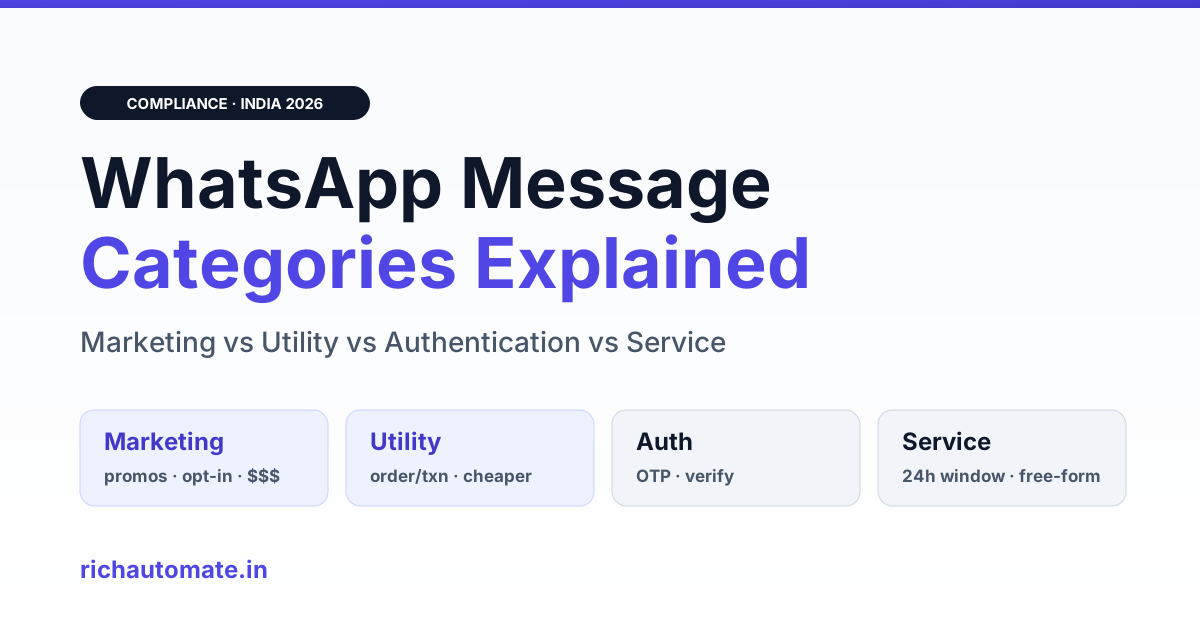
Every WhatsApp Business message you send falls into one of four categories: Marketing, Utility, Authentication, or Service. Picking the right one up front matters because the category decides two things at once, whether Meta approves your template and how much each message costs, with Utility and Authentication priced lower than Marketing.
This primer is the up-front decision guide, not a rescue plan. If a template already got moved to a pricier bucket, the fix belongs in a separate workflow. Here we answer the question most Indian teams ask on day one: which category does my message actually belong to, and how do I choose so approval is smooth and cost stays predictable?
Key Takeaways
- WhatsApp templates are classified as Marketing, Utility, Authentication, or Service, and category is set at template-approval time.
- Category drives both approval odds and per-message billing. Utility and Authentication cost less than Marketing.
- Meta bills per message by category now that per-conversation pricing has been retired. Confirm live rates in your BSP dashboard.
- The biggest trap is the Utility-to-Marketing grey zone: one promotional line inside an order update can reclassify the whole template to Marketing.
- Service messages are free-form replies inside the 24-hour customer service window and need no template.
- Get the category right before you submit, because the wrong choice raises cost on every future send.
The four WhatsApp message categories at a glance
WhatsApp Business Platform sorts outbound business-initiated messages into templates that carry a category, plus free-form Service replies that do not. The category you request when you create a template tells Meta the intent of the message, and Meta reviews the content against that intent before approving it.
Here is the working definition of each, framed for how Indian D2C, logistics, clinic, edtech, and BFSI teams actually use them.
| Category | What it is for | Needs opt-in? | Works in 24h window? | Relative cost |
|---|---|---|---|---|
| Marketing | Promotions, offers, launches, re-engagement, upsell, cart nudges | Yes, explicit | Template send anytime after opt-in | Highest |
| Utility | Transactional follow-ups tied to a specific action: order, payment, delivery, appointment | Yes, tied to the transaction | Template send anytime | Lower than Marketing |
| Authentication | One-time passcodes and login/verification codes | Yes, user requested the code | Template send anytime | Lower than Marketing |
| Service | Free-form human or bot replies to a customer message | Customer messaged you first | Only inside the 24h window | Typically the cheapest path |
Two structural facts sit under this table. First, Marketing, Utility, and Authentication are all template messages, pre-approved content you can send to initiate a conversation. Second, Service is different in kind, it is a reply, only valid while the 24-hour customer service window is open. For a deeper look at that window, see our guide to the WhatsApp 24-hour window and cost optimization.
Why category decides both approval and cost
The category is not a label you pick for convenience. It is a commitment about the message's purpose, and Meta enforces it on two fronts.
Approval
When you submit a template, reviewers check the body against the requested category. A message tagged Utility that reads like a promotion gets rejected or approved into a different category than you asked for. Authentication has the strictest content rules, it is meant to carry a code and little else. Getting the category honest the first time is the fastest route to approval.
Cost
Since Meta retired per-conversation pricing, billing moved to a per-message model priced by template category. The practical takeaway for Indian senders: Utility and Authentication messages are cheaper than Marketing messages, and Service replies inside the open window are usually the cheapest path of all. Exact rates change and vary by market, so confirm the current numbers in your BSP dashboard or on Meta's pricing page rather than trusting any figure quoted secondhand.
On RichAutomate specifically, the pricing model is transparent: zero setup fee, zero monthly fee, and on the Client Pay plan a flat markup of ₹0.10 per message while Meta bills you directly for the conversation. On the SaaS Pay plan the all-in rate is ₹1.20 per marketing message and ₹0.30 per utility or authentication message. That gap, roughly four times cheaper for Utility and Authentication, is exactly why category choice is a cost decision, not just a compliance one.
What qualifies as Marketing
Marketing is the catch-all for anything that promotes. If the message's purpose is to sell, cross-sell, re-engage, or drive awareness, it is Marketing, full stop.
- Discount codes, sale announcements, festival offers, and new-product launches.
- Abandoned-cart nudges and browse-abandonment reminders for D2C brands.
- Re-engagement messages to dormant customers.
- Newsletters, event invites, and loyalty-program promotions.
- Any message that bundles a transactional update with a promotional call to action.
Marketing carries the strongest opt-in expectations and the tightest frequency scrutiny, because it is the category most likely to feel like spam. If you send a lot of it, read our note on WhatsApp marketing compliance and frequency caps before you scale volume.
What qualifies as Utility
Utility covers transactional messages that follow a specific action the customer has taken or an account they hold. The test is simple: is this message a direct, expected follow-up to something the customer did?
- Order confirmations, shipping updates, out-for-delivery and delivered notifications, the daily bread of logistics and D2C fulfilment.
- Payment receipts, invoice reminders, and subscription-renewal notices for BFSI and SaaS.
- Appointment confirmations and reminders for clinics and diagnostics.
- Account alerts, statement-ready notices, and service updates.
- Feedback requests directly tied to a completed order or visit.
Utility is where most Indian operational messaging lives, and because it is priced below Marketing, keeping these messages cleanly Utility is where the money is saved. The danger is contamination, which is the next section.
The Utility-versus-Marketing grey zone, the number-one confusion
This is the mistake we see most often. A team writes an order-update template, correct Utility content, and then adds one promotional line at the end: "While you wait, use code SAVE20 on your next order." That single line changes the message's purpose. It is now partly promotional, and Meta can reclassify the entire template to Marketing, raising the cost of every send.
Get the DPDP WhatsApp checklist
A founder-led WhatsApp reply with the DPDP consent + audit-log checklist for WhatsApp Business messaging. India-hosted. No spam.
The rule to internalise: a Utility template must stay purely transactional. The moment a template mixes a genuine transactional update with a marketing ask, its effective category tips toward Marketing.
| Message body | Likely category | Why |
|---|---|---|
| "Your order #1234 is out for delivery, arriving today." | Utility | Pure transactional update tied to a specific order. |
| "Your order is out for delivery. Also, 30% off this weekend, shop now!" | Marketing | Transactional update plus a promotional offer, mixed intent. |
| "Your OTP is 456123. Valid for 10 minutes." | Authentication | Carries only a verification code, nothing else. |
| "Thanks for your order! Rate us and get a surprise gift next time." | Marketing | The incentive to return is promotional, not transactional. |
The lazy and correct fix is to split: keep the Utility update clean, and send the promotion as a separate, properly opted-in Marketing template. If a template of yours has already been moved, the recovery path is covered in our guide to WhatsApp template category reclassification.
What qualifies as Authentication
Authentication is a narrow, strict category for one job: delivering a code the user asked for. One-time passwords, login verification codes, account-recovery codes, and transaction-confirmation codes all belong here.
The content rules are deliberately tight. An Authentication template should carry the code and minimal supporting text, expiry and a do-not-share caution are fine, but marketing or extended messaging is not. Because these fire on genuine user intent (someone is trying to log in or check out), they are priced below Marketing and convert reliably. For the economics of OTP at scale, see our breakdown of WhatsApp OTP authentication template cost in India.
Service messages and the 24-hour window
Service messages are the odd one out because they are not templates. When a customer sends you a message, a 24-hour customer service window opens, and inside it you can reply with free-form content, text, images, a bot flow, a human agent, no pre-approval required.
Two rules govern this window. You can only send free-form Service messages while it is open, and once 24 hours pass since the customer's last message, the window closes and you must use an approved template to re-initiate. This is why support and conversational commerce lean on Service replies, they are flexible and typically the cheapest path, but they are strictly reactive.
- Use Service replies for support, order queries, and any back-and-forth started by the customer.
- If you need to reach a customer outside the window, you need a template, and now the category (Marketing, Utility, or Authentication) and its cost apply.
- Structuring flows so genuine conversations happen inside the free window is a real cost lever for high-support-volume clinics and edtech teams.
How to choose the right category before you submit
Choosing correctly up front is a short decision, not a guess. Walk the template through these questions in order and stop at the first match.
| Ask this | If yes |
|---|---|
| Is it only a login/verification code? | Authentication |
| Is it a direct follow-up to a specific transaction or account event, with zero promotion? | Utility |
| Does it promote, offer, upsell, or re-engage, even partially? | Marketing |
| Is it a reply to a message the customer just sent, inside 24 hours? | Service (no template needed) |
Two habits keep you out of trouble. Write each template for a single purpose, so it maps cleanly to one category, and never append a promotional line to a transactional template to save a send, that shortcut usually costs more when the whole template gets reclassified upward.
Directional cohort guidance
These are illustrative patterns from Indian B2B cohorts, not fixed rules. Measure your own mix.
- D2C: often heavy on Utility (order and shipping updates) with a controlled Marketing layer for launches and carts.
- Logistics: overwhelmingly Utility, where keeping delivery updates cleanly classed protects margins at scale.
- Clinics and diagnostics: Utility reminders plus Service replies for rescheduling inside the window.
- Edtech: a mix of Utility (class and payment reminders), Authentication (logins), and Marketing (course promotions).
- BFSI: Authentication and Utility dominate, with Marketing tightly governed for compliance.
What triggers a Meta reclassification
Meta can change a template's category after approval, and it usually comes down to content and intent drifting from the label. The common triggers:
- Promotional language inside a Utility template, the grey-zone problem above.
- A template's real-world use not matching its stated purpose over time.
- Content that reads as marketing despite a Utility or Authentication request at submission.
- Policy updates that tighten how a category is defined.
The defence is prevention: submit honest, single-purpose templates, keep transactional and promotional content in separate templates, and audit your library periodically so nothing has drifted. Choosing right the first time is far cheaper than recovering a reclassified template after it has been quietly billing you at the Marketing rate.
Common mistakes to avoid
| Mistake | Consequence | Fix |
|---|---|---|
| Adding a promo line to an order update | Reclassified to Marketing, higher cost per send | Split into two templates |
| Requesting Utility for a re-engagement message | Rejection or reclassification | Label it Marketing honestly |
| Padding an OTP template with extra copy | Authentication rejection | Keep it to the code plus expiry |
| Sending a template when the 24h window is still open | Paying template cost unnecessarily | Reply free-form as a Service message |
| Assuming a fixed rupee rate from a blog | Budget surprises | Confirm live rates in your BSP dashboard |
Getting it right from day one
The category is a small decision with a long tail. Because it is fixed at approval and drives both whether Meta says yes and what every future send costs, the cheapest, cleanest path is to classify honestly and keep each template single-purpose. Utility and Authentication save you money over Marketing, but only if you keep them free of promotional content.
If you want a platform that shows you the category and the per-message cost before you send, with no setup or monthly fee, create a free RichAutomate account and set up your first template with the category picked correctly from the start.