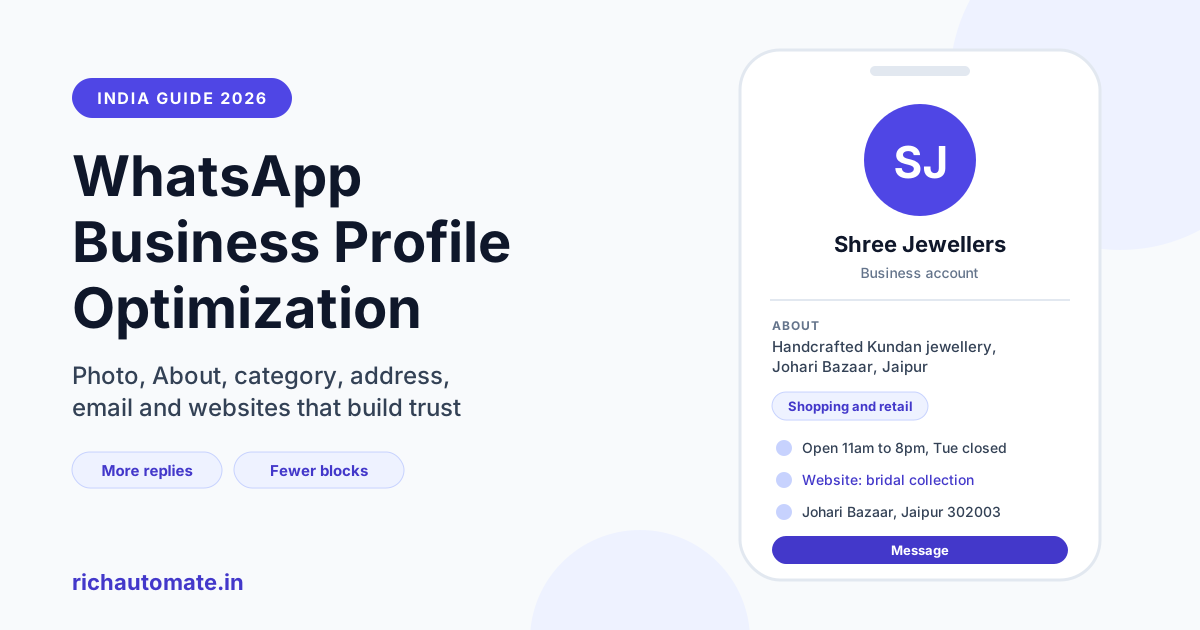
To optimize your WhatsApp Business profile for the API, fill every field customers see when they tap your business name: a square logo, a clear About line, a full description, the right business category, your address, a monitored email and up to two websites. A complete profile tells a customer receiving your first message that you are a real, reachable business, which makes them more likely to reply and less likely to ignore, block or report you.
Most Indian businesses spend days on their display name and green tick and then leave the profile half empty. That is a missed opportunity. The profile is the first thing a cautious customer checks when an unfamiliar business messages them, and it costs nothing to get right. This guide covers each field, its current limits, what to write for different kinds of Indian businesses, and the three ways to set it.
Why your WhatsApp Business profile matters for trust and conversion
When a customer gets a template message from a number they do not have saved, they see your display name and your profile photo at the top of the chat. Many will tap the name before replying. What they find there decides whether they trust the message.
A blank profile, a blurry logo, or an About line that still says the default text looks like the kind of account scammers use. In India, where customers are regularly warned about fake delivery, job and KYC messages on WhatsApp, that suspicion is reasonable. The customer then does one of three things: ignores the message, blocks the number, or reports it as spam.
Blocks and reports feed into your number's quality rating, and a falling quality rating can limit how many business-initiated conversations you can start. A strong profile does not change the rating by itself, and no profile can protect messages sent to people who never opted in. But when your messages are genuine and expected, a recognisable profile removes one common reason a customer hesitates.
The profile also works on the conversion side. A customer who taps your name and finds your store address, opening hours in the description, and a website link to your catalogue has everything needed to act. For the Jaipur jewellery store in our examples, that can be the difference between a customer walking into the showroom and a customer scrolling past.
What customers see: every business profile field explained
The WhatsApp Cloud API business profile currently has seven editable fields. The limits below are what Meta documents at the time of writing; they change occasionally, so check Meta's current documentation before hard-coding any of them.
| Field | Current limit | What to write |
|---|---|---|
| Profile photo | Square JPG or PNG, 640 × 640 px recommended, a few MB | Your logo or storefront, centred, with padding for the circular crop |
| About | Currently up to 139 characters | One line: what you do, for whom, and where |
| Description | Currently up to 512 characters | Services, hours, languages, response time and how to order or book |
| Category (vertical) | One value from Meta's fixed list | The closest match, such as retail, health, education or professional services |
| Address | Currently up to 256 characters | Full street address with landmark, city and PIN code |
| Currently up to 128 characters | A monitored support address on your own domain | |
| Websites | Up to 2, currently 256 characters each | Your main site plus one useful page, such as a catalogue or booking page |
Your display name is not in this list. It is reviewed by Meta separately, and changing it follows its own process, which we explain in our guide to a WhatsApp display name change. The same goes for the blue badge; see our green tick verification guide for what that involves.
Profile photo: make it recognisable at thumbnail size
Your photo appears as a small circle in the chat list and a slightly larger one at the top of the chat. At that size, detail disappears. A few rules help:
- Use a square image. A 640 × 640 pixel JPG or PNG is a sensible size. WhatsApp crops it into a circle, so anything in the corners is lost.
- Centre the logo with padding. Leave space around the mark so the crop does not cut letters.
- Use high contrast. A dark logo on a light background, or the reverse, reads better than a mid-grey mark on a mid-grey field.
- Skip text-heavy images. Phone numbers, taglines and offer banners become unreadable. Put that information in the description instead.
- Match your other channels. Use the same logo as your website, shop board and social pages so customers connect them instantly.
A Pune clinic might use its logo on white. A family-run Surat textile trader without a formal logo could use a clean photo of the shop signboard, cropped tight. Either works if it matches what customers already know.
About and description: say who you are in one glance
The About line is short, currently up to 139 characters, and shows near the top of your profile. Treat it as a one-line answer to "who is this?" Mention what you do, who it is for, and where you are. For example: "Handcrafted Kundan and Polki jewellery, Johari Bazaar, Jaipur. Orders and custom designs on WhatsApp."
The description has more room, currently up to 512 characters. Use it for the details a customer needs before replying:
- Services or product lines, in plain words.
- Opening hours and days, including your weekly off.
- Languages your team replies in, such as English, Hindi, Marathi or Gujarati.
- Expected response time, for example "We reply within 2 working hours."
- How to order, book or pay, such as "Reply BOOK for an appointment."
Avoid claims you cannot back up, such as "India's number one", and never add personal numbers or UPI IDs in the description, because anyone can copy them. If you use canned replies for common questions, keep the wording consistent with the description; our guide to WhatsApp quick replies and canned responses shows how to build that library.
Category, address, email and websites
Business category (vertical)
The vertical is picked from Meta's fixed list, so you cannot type a custom value. Choose the closest honest match. A diagnostics lab belongs under health, a coaching institute under education, and a software company under professional services or the nearest technology option on the list. The category shows on the profile and helps customers place you quickly.
Address
For any business that customers visit, the address is one of the strongest trust signals. Write the full street address with a landmark and PIN code, the way you would for a delivery rider: shop number, building, road, landmark, area, city, PIN. Online-only businesses can use their registered office city, or leave it blank rather than show a misleading location.
Get a 1-minute BSP audit on WhatsApp
Drop your WhatsApp number — we line-item your current invoice against Meta India rates in under 60 seconds. India-hosted, DPDP-compliant.
Use an address on your own domain that someone actually reads, such as support@ or care@. A free webmail address is allowed, but a domain address looks more established, and an unanswered inbox undoes the trust the profile built.
Websites
You get up to two links. The first is usually your homepage. Use the second for the page most customers want next: a catalogue for a trader, an appointment page for a clinic, a pricing page for a SaaS company. If your website also has a chat button, the two channels reinforce each other; our guide to a WhatsApp chat widget for your website covers that setup. Check both links open quickly on mobile data.
Weak vs strong profiles: Indian business examples
The examples below are illustrative, written to show the difference in approach. They are not real businesses or measured results.
| Business | Weak profile | Strong profile |
|---|---|---|
| Jaipur jewellery store | Default About text, blurry photo of a necklace, no address | Logo on white; About: "Handcrafted Kundan and Polki jewellery, Johari Bazaar, Jaipur"; full address with landmark; second website is the bridal collection page |
| Pune clinic | About: "Clinic"; no hours; personal Gmail as email | Category set to health; description lists specialities, OPD timings, Sunday closed and "Reply BOOK for an appointment"; care@ domain email |
| Surat textile trader | Photo of a price-list image full of text; description is a phone number | Shop signboard photo; About: "Wholesale sarees and dress material, Ring Road, Surat. Retailers welcome"; description gives MOQ, dispatch days and languages (Gujarati, Hindi, English) |
| Bengaluru SaaS company | Category left as other; no website; About is a slogan | Category set to the closest professional services option; About: "Inventory software for Indian retailers. Support Mon to Sat"; websites point to the homepage and a pricing page |
Notice the pattern. The strong versions answer three questions within seconds: who you are, where you are, and what the customer should do next.
How to set your profile: WhatsApp Manager, BSP dashboard or Cloud API
There are three ways to edit the business profile of a WhatsApp Business API number. They all write to the same profile, so pick whichever fits your team.
1. WhatsApp Manager
Inside Meta Business Suite, open WhatsApp Manager, choose your phone number and open its profile settings. You can upload the photo and fill each field in a form. This is the simplest option for a single number, and it requires access to your Meta business account. If your business portfolio is not yet verified, sort that out first; our guide to Meta business verification for WhatsApp API walks through the documents Indian businesses usually need.
2. Your provider's dashboard
Many providers, RichAutomate included, show the profile inside their own dashboard so your team does not need Meta Business Suite access. You edit the fields, upload the photo, and the dashboard pushes the changes to Meta for you. This suits teams where the marketing person managing WhatsApp is not an admin on the Meta account.
3. The Cloud API business profile endpoint
Developers can read and update the profile through the Cloud API business profile endpoint for each phone number ID. You send the text fields, including about, address, description, email, websites and vertical, and set the photo using a handle from Meta's upload process. This route makes sense if you manage many numbers, such as one per branch, and want the same template applied to all of them with only the address and hours changing. Validate lengths in your own code against Meta's current limits so a long description does not cause the whole update to fail.
Whichever route you use, open the profile from a personal phone after saving to see exactly what a customer sees. Changes can take a short while to appear.
Profile checklist by business type
Use this table as a quick review before you launch a campaign or connect a new number.
| Business type | Must have | Second website | Description should mention |
|---|---|---|---|
| Retail showroom | Logo, full address with landmark, retail category | Catalogue or collection page | Store hours, weekly off, home delivery or pickup |
| Clinic or diagnostics lab | Health category, address, domain email | Appointment or report page | OPD timings, specialities, how to book, emergency note |
| Wholesale trader | Signboard or logo, market address | Price list or catalogue page | MOQ, dispatch days, languages, GST invoicing |
| SaaS or online service | Logo, closest category, domain email | Pricing or help centre | Support hours, response time, how to start a trial |
| Coaching or education | Education category, centre address | Admissions or course page | Batch timings, courses, fee enquiry process |
Common profile mistakes that cost replies
- Leaving default text. An About line that still reads as the default looks abandoned.
- Using a personal photo. A founder's selfie confuses customers who expected a shop or brand.
- Mismatched names. A profile photo showing one brand while the display name shows another raises doubt. Keep them aligned.
- Dead links. A website field pointing to an expired domain or a broken page is worse than an empty field.
- Outdated hours or address. After moving shop or changing timings, update the profile the same day.
- Treating the profile as a fix for poor targeting. If you message people who never opted in, a polished profile will not stop them blocking you.
What it costs to run WhatsApp Business API with a strong profile
Editing the profile is free. What you pay for is messaging. On RichAutomate there is ₹0 setup and ₹0 monthly platform fee, with usage-only billing. On SaaS Pay you pay ₹1.50 per marketing message and ₹0.50 per utility message, with Meta's charge included. On Client Pay you pay Meta directly and RichAutomate charges ₹0.10 per message. Service replies inside the 24-hour window are free from Meta, and the Starter plan is ₹499 per month if you prefer a fixed plan. Full details are on our WhatsApp Business API pricing page.
RichAutomate lets Indian businesses manage their WhatsApp Business profile, templates, shared inbox and automation from one dashboard. Start your 14-day free trial with 100 free credits, fill in your profile, and send your first message to customers who will recognise you.