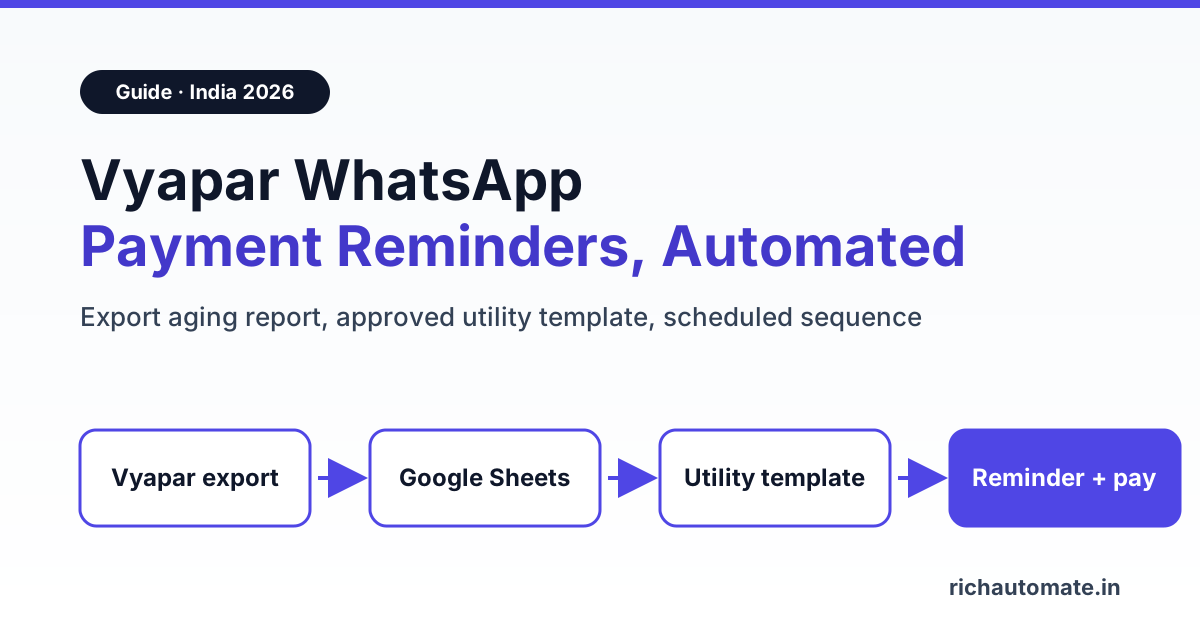
Vyapar can send payment reminders on WhatsApp, but only as a manual or bulk share from the app, and it has no public API you can automate against. To get scheduled, multi-step reminders with pay links and delivery reports on your own verified business number, export Vyapar's receivables report to a sheet and send the reminders through the official WhatsApp Business API.
Vyapar is the billing app of choice for lakhs of Indian shops, distributors and traders, and its reminder feature is decent for a few dozen parties. Things change when you have 200 to 500 open invoices and a collections person spending every Monday tapping the WhatsApp icon one party at a time. This guide shows what Vyapar does on its own, where it stops, what the API route costs in rupees, and how to set it up without pretending there is a one-click Vyapar connector, because there is not.
What Vyapar's built-in payment reminder actually does
Vyapar's own guide on sending payment reminders describes the feature well. In short:
- Reminder template: under Settings > Party you turn on Payment Reminders and edit a message with placeholders like [Party Name], [Amount] and [Business Name]. You can append your UPI ID or bank details.
- Per-party send: open a party with a balance and tap the WhatsApp or SMS icon to share the reminder.
- Bulk send: from the Home screen three-dot menu, go to Payment Reminder and choose "Send Reminders in Bulk".
- Overdue status: shows only if you enable Due Date on invoices, so switch that on first.
- Automated reminders: Vyapar describes these as a free SMS service, not WhatsApp.
For transaction messages (invoice shared after a sale), Vyapar's transaction messages guide offers two options: "Send via Vyapar", which tries WhatsApp first and falls back to SMS, or logging in with your personal WhatsApp. Vyapar does not say which sender number "Send via Vyapar" uses, so do not assume customers see your business name on it.
That is a fair toolkit for a small shop. The gaps show up at volume: no multi-step schedule (before due, on due, +7, +15 days), no per-message delivered or read status in one dashboard, no pay-now button tied to the exact invoice amount, and replies landing in a personal phone instead of a shared team inbox.
Does Vyapar have an API? What we verified
As of November 2026 we could not find a public Vyapar REST API, webhook feature or Zapier, Make or Pabbly app. Vyapar's help centre and its published llms.txt do not mention one, and the integration aggregator API2Cart notes that Vyapar does not publish a general-purpose REST API and lists its own Vyapar connector as not live yet.
So any tool claiming a "native Vyapar WhatsApp integration" needs a hard look. What does exist, and works fine, is Vyapar's reporting. The Sale Aging Report shows each party, pending amount and days overdue in buckets (0-30, 30-60 and beyond), and Reports > Party Reports > All Parties can filter receivables. Vyapar's reports guide confirms export to Excel, PDF or CSV. That export is the bridge. It is a weekly or daily step, not real-time sync, and this guide is honest about that.
Vyapar share vs WhatsApp Business app vs API automation
Three ways to chase payments on WhatsApp, side by side:
| Capability | Vyapar manual / bulk share | WhatsApp Business app | WhatsApp Business API (RichAutomate) |
|---|---|---|---|
| Sender | Your phone, or Vyapar's undisclosed sender | Your business number | Your verified business number with display name |
| Scheduling | Manual each time | None for reminders | Scheduled campaigns and drip sequences (Pro) |
| Bulk limits | Bulk share from app | Broadcast lists, 256 contacts, only those who saved you | Tiered by Meta messaging limit, grows with quality |
| Personalisation | Name, amount, business name | Manual typing | Any template variable: invoice no, amount, due date, link |
| Pay-now link | UPI/bank text appended | Paste manually | Razorpay pay link in chat (Pro) |
| Delivered / read reports | No consolidated report | Ticks on your phone only | Per-message delivery and read reports |
| Team handling replies | One phone | Linked devices | Shared team inbox with seats |
| Cost | Included in Vyapar plan | Free app | Platform plan + Meta utility rate per message |
Rule of thumb: under 50 overdue parties, Vyapar's bulk share is enough. Past 100, or when reminders need three or four steps, the API route pays for itself in collector hours alone.
What it costs in rupees (Vyapar + Meta + platform)
Vyapar's paid desktop plans are sold annually. Its pages list Gold at around ₹4,099 a year and Platinum at around ₹9,999 a year (shown as about ₹833 a month), with a free mobile tier, plus 18% GST. Prices differ between Vyapar's own pages and change with offers, so check the current price on vyaparapp.in before you budget.
On the WhatsApp side, a payment reminder is a utility template. Meta's India utility rate is about ₹0.115 per delivered message, and a utility template sent while the customer's 24-hour service window is open costs nothing from Meta. Marketing templates cost about ₹0.8631, which is why reminders must stay transactional. On RichAutomate's Client Pay model you pay a ₹0.10 platform fee per message and Meta bills its charges to you directly. Plans are GST-inclusive with ₹0 setup; see RichAutomate pricing for the full matrix.
| Worked example (illustrative, not a customer) | Monthly figure |
|---|---|
| Overdue parties from Vyapar Sale Aging export | 300 |
| Reminders per party (due date, +7, +15 days) | 3 |
| Total utility templates | 900 |
| Meta utility charge (900 × ₹0.115, billed by Meta, GST extra) | ₹103.50 |
| RichAutomate Pro plan (scheduling, Sheets sync, Razorpay, API), credited in full to your wallet | ₹899 |
| Client Pay fee (900 × ₹0.10), deducted from that wallet credit | ₹90.00 (₹809 left in wallet) |
| Total cash out | about ₹1,002.50 |
If that sequence recovers even one ₹5,000 invoice a month that would otherwise have slipped to 60+ days, it has paid for itself several times over. Starter at ₹499 a month handles broadcasts with template variables if you only need one reminder blast per week and are happy to upload the CSV yourself.
Step-by-step: automate Vyapar invoice reminders on WhatsApp
Here is the setup we recommend. No Vyapar API is involved; the bridge is the report export.
1. Clean up data in Vyapar
Enable Due Date on invoices, make sure every party has a 10-digit mobile number, and set payment terms per party. Bad numbers are the number one cause of failed reminders.
Send these messages on WhatsApp, from your own number
We get your templates approved on the official WhatsApp API and set up your first broadcast with you. ₹0 platform fee, you pay only Meta's per-message rate.
2. Export the receivables report
Open Reports > Sale Aging (or Party Reports > All Parties with a receivable filter) and export to Excel or CSV. Keep columns for party name, mobile, invoice number, pending amount, due date and days overdue.
3. Put it in Google Sheets
Paste the export into a fixed sheet layout. On Pro, RichAutomate's Google Sheets 2-way sync can read that sheet directly; our Google Sheets WhatsApp integration guide walks through the connection. Add a "status" column so paid invoices drop out of the next run.
4. Get a utility reminder template approved
Create the template below in the template builder and submit it as Utility. Approval is usually quick when the copy is purely about an existing invoice.
5. Add a Razorpay pay link (optional, Pro)
Connect Razorpay so each reminder can carry a pay link for the exact amount. When the customer pays, the chat continues with a payment confirmation instead of your team checking the bank statement.
6. Schedule the sequence
Create scheduled campaigns or a drip sequence that segments by days overdue: one batch for "due in 3 days", one for "due today", one for "7 days late", one for "15 days late". Segments, tags and attributes keep each party in the right step.
7. Route replies to a team inbox
Customers will reply "paid yesterday", send a UTR screenshot or ask for a ledger. Assign those chats to accounts staff in the shared inbox and mark the invoice paid in Vyapar, then re-export.
Utility payment-reminder template you can copy
A template that Meta typically accepts as utility, with four variables:
Template name: invoice_payment_reminder
Category: Utility | Language: en

Hello {{1}},

This is a reminder that invoice {{2}} for ₹{{3}} was due on {{4}}.

If you have already paid, please ignore this message or reply with the UTR so we can update our records.

Button (URL): Pay now
Footer: Reply STOP to stop reminders
Variables: {{1}} = party name, {{2}} = Vyapar invoice number, {{3}} = pending amount, {{4}} = due date. Keep it free of offers, discounts or product promotion; those push it into marketing pricing. For more wording variants by stage (gentle, firm, final notice), see our guide on WhatsApp payment reminders for overdue invoices.
A reminder schedule that works for most B2B sellers:
| Step | When | Tone | Template |
|---|---|---|---|
| 1 | 3 days before due date | Friendly heads-up | Utility, invoice details + pay link |
| 2 | On due date | Neutral | Utility, same variables |
| 3 | +7 days overdue | Firm, ask for date of payment | Utility, add ledger offer |
| 4 | +15 days overdue | Final, hand to owner or call | Utility, then a phone call |
Zapier, Make or API route for bigger setups
If your data already flows from Vyapar's export into another system, you can trigger reminders without the campaign screen. RichAutomate's native integrations are Zoho CRM, Razorpay, Google Sheets, Meta Cloud API and built-in booking. Everything else connects through Zapier, Make or Pabbly calling the Developer API (Pro), or through the Incoming Webhook trigger POST /api/v1/public/flows/{token}/trigger, which starts a chatbot flow for that contact.
A typical Zap: "New or updated row in Google Sheets where days overdue = 7" → Webhooks by Zapier → POST to send-template:
POST https://richautomate.in/api/v1/send-template
Authorization: Bearer YOUR_API_KEY
Idempotency-Key: INV-1042-step3
Content-Type: application/json

{
  "phone": "919800000000",
  "template": "invoice_payment_reminder",
  "language": "en",
  "variables": ["Sharma Traders", "INV-1042", "18,450", "28 Oct 2026"]
}
The Idempotency-Key header matters: if Zapier retries, the same invoice step does not go out twice. Use invoice number plus step as the key. The same pattern is how teams wire Tally; our Tally WhatsApp integration setup guide covers the export-and-trigger approach for Tally users.
The MSME 45-day rule, and why buyers listen
If you are a micro or small enterprise registered on Udyam, the law is on your side. Section 15 of the MSMED Act, 2006 says a buyer must pay by the agreed date, and that date cannot exceed 45 days from acceptance of goods or services (15 days where there is no written agreement). Section 16 adds compound interest at three times the RBI bank rate on late payments, and you can file a case on the MSME Samadhaan portal.
Since FY 2023-24, section 43B(h) of the Income-tax Act, 1961 also lets a buyer claim the expense only in the year it is actually paid if payment to a micro or small supplier crosses the section 15 limit. That gave larger buyers a tax reason to clear MSME dues before 31 March. The Income-tax Act, 2025 took effect from April 2026, so confirm how this provision now reads with your CA before quoting a section number to a customer.
Practical use: mention your Udyam status and agreed credit days on the invoice itself, and keep reminder wording factual. A reminder that states the invoice date, due date and amount is far more effective than a vague "please clear dues", and it stays within utility rules.
Common mistakes to avoid
- Calling a reminder "marketing". Adding "10% off your next order" to a reminder can get it billed at marketing rates. Keep offers in separate campaigns.
- Stale exports. Reminding a party who paid yesterday damages trust. Re-export from Vyapar before each run and mark paid rows.
- No opt-in record. Note on your invoice or order form that you send invoices and reminders on WhatsApp. Meta expects consent, and high block rates lower your messaging limit.
- Personal numbers for collections. When the collector leaves, the chat history leaves too. A shared inbox on your business number keeps the record.
- Too many steps. Four reminders over three weeks is plenty. After that, call.
- Believing "native Vyapar integration" claims. Ask any vendor to show the live data sync. With no public Vyapar API, the honest answer is export and import.
Running Zoho Books instead of Vyapar? Our guide to sending Zoho Books invoices on WhatsApp covers the built-in option, templates and India costs.
Start automating Vyapar reminders this week
Payment reminders are one piece of the receivables loop. Sending the GST invoice PDF on WhatsApp at the time of sale cuts disputes later, and our guide on WhatsApp GST invoice automation covers template formats and document headers. Distributors who chase payment from the same retailers they sell to can pair reminders with a reorder flow; see B2B reorder automation for distributors. Comparing platforms first? Our WhatsApp API provider comparisons lay out pricing and features side by side.
Keep Vyapar as your billing book. Add a weekly export, one approved utility template and a four-step schedule on the official WhatsApp Business API, and your collections stop depending on someone remembering to tap a button. RichAutomate's Pro plan includes scheduling, Google Sheets sync, Razorpay pay links and the Developer API, with a 14-day free trial and ₹0 setup. Start your free trial on RichAutomate and send your first reminder batch today.