If you run a law firm or an independent advocate practice in India, your phone never stops. Clients message at 11 pm asking whether their bail matter is listed tomorrow, where to send the signed vakalatnama, how much the next tranche of fees is, and whether the property documents reached your office. Most of that traffic already lives on WhatsApp — the question for 2026 is whether you keep handling it from a personal number on a phone that walks out of the office every evening, or move it onto a proper WhatsApp Business API stack that is searchable, delegable, billable and DPDP-defensible. This is an honest buyer's guide to choosing the best WhatsApp Business API for law firms and advocates in India in 2026 — written so a sole practitioner, a three-partner litigation boutique, a corporate-law LLP or a small multi-office firm can each find the right answer, including when RichAutomate is not the right answer.
Why law firms are moving to the WhatsApp Business API in 2026
A personal WhatsApp account, or even the free WhatsApp Business app, breaks the moment your practice has more than one fee-earner. There is no way to assign a client thread to a junior, no audit trail when a partner leaves and takes the chats with them, no template approvals, and a hard cap on how many people you can reach when you need to send a hearing-date update to forty clients at once. The WhatsApp Business API solves exactly these problems: multiple users share one verified business number, every conversation is logged centrally, automated reminders fire on schedule, and broadcasts go out under Meta's official rails instead of through grey-market bulk-sender apps that get numbers banned.
For Indian legal practices the timing matters. Court e-filing, virtual hearings and digital cause-lists are now routine, clients expect instant acknowledgement, and the Digital Personal Data Protection Act, 2023 (DPDP) has made casual handling of client information a real liability rather than a theoretical one. A law firm holds some of the most sensitive personal data there is — matter details, financial disclosures, family disputes, medical records in personal-injury matters. Running that over a consumer chat app on an associate's personal phone is no longer defensible. The API gives you consented, logged, access-controlled communication on the channel clients already prefer.
The WhatsApp compliance self-audit walks through the consent and record-keeping gaps that cause most notices.
The honest disclaimer first. Nothing here is legal advice — you already know your own bar-council conduct rules and ICAI-adjacent confidentiality duties better than any vendor does. Treat every regulatory point below as general guidance to confirm with your own compliance view. And no WhatsApp provider, RichAutomate included, can promise "no ban." Bans come from sending unsolicited messages, buying scraped lists, or ignoring opt-out. The API plus disciplined opt-in is the safe path; magic-bullet "unlimited bulk, guaranteed safe" claims are exactly what gets practices into trouble.
The client lifecycle a law firm actually runs on WhatsApp
Before comparing vendors, it helps to map what you are automating. A legal practice has a long, document-heavy, deadline-driven client journey — and almost every stage has a WhatsApp touchpoint that is currently being done by hand.
- Enquiry & intake. A prospective client messages after a referral or a click on your website. An automated greeting captures the matter type (litigation, property, corporate, family, criminal), urgency and contact details into a structured form, so a junior is not retyping it from a voice note.
- Engagement & KYC. Once you take the matter, you collect PAN, address proof, the signed vakalatnama or engagement letter, and matter documents. A WhatsApp Flow can request these as a guided checklist instead of a dozen back-and-forth messages.
- Hearing & deadline reminders. The single highest-value automation for a litigation practice: next-date reminders, listing alerts, document-filing deadlines and limitation cut-offs pushed to the right client automatically, segmented by matter.
- Status & filing updates. "Your petition is filed, diary number is X" or "matter is listed for arguments on the 14th" — short, factual updates that replace a stack of return calls.
- Fee collection. Invoice share, payment-link nudges for the next tranche, and gentle follow-ups on outstanding bills — the part of practice management almost everyone neglects.
- Closure & retainer renewal. Final order delivery, document return, and for corporate clients, the annual retainer or compliance-calendar renewal.
Whichever provider you pick has to handle all six stages without you stitching together three different tools. That is the lens for the comparison below.
The criteria that actually matter when choosing a provider
Most "best WhatsApp API" lists rank vendors by logo size. For a law firm the decision is narrower and more practical. Here is the criteria table we would hand a managing partner.
| Criterion | Why it matters for a law firm | What "good" looks like |
|---|---|---|
| True cost structure | Practices run on thin per-matter economics; per-message markup compounds fast | ₹0 platform fee, transparent per-message pricing, no per-seat tax on adding juniors |
| Multi-user shared inbox | Partner, associate and clerk must all see and reply on one number with a trail | Unlimited or generous user seats, assignment, internal notes |
| Structured forms (Flows) | Intake and KYC document collection are checklist work, not chat work | Native WhatsApp Flows for intake, KYC, fee confirmation |
| Scheduled & segmented reminders | Hearing-date and limitation reminders are the killer feature | Date-triggered automations segmented by matter and court |
| Template management | Every proactive message needs an approved template; rejection wastes days | In-dashboard template creation, status tracking, reusable library |
| DPDP posture | You hold highly sensitive personal data — consent, retention, access logs | Consent capture, access control, exportable audit log, India data handling |
| CRM / matter-software link | Avoid double entry between your practice tool and WhatsApp | API/webhooks, or a built-in CRM that maps to matters |
What WhatsApp on the API actually costs a law firm
This is where most vendor comparisons go vague, so let us be concrete. WhatsApp itself charges per conversation through Meta; on top of that, every provider adds their own platform and message handling. The total-cost-of-ownership question is simple: what does a provider add on top of Meta's own charge, and do they tax you for adding more people to the practice?
RichAutomate runs two honest models and no platform fee either way:
Get a 1-minute BSP audit on WhatsApp
Drop your WhatsApp number — we line-item your current invoice against Meta India rates in under 60 seconds. India-hosted, DPDP-compliant.
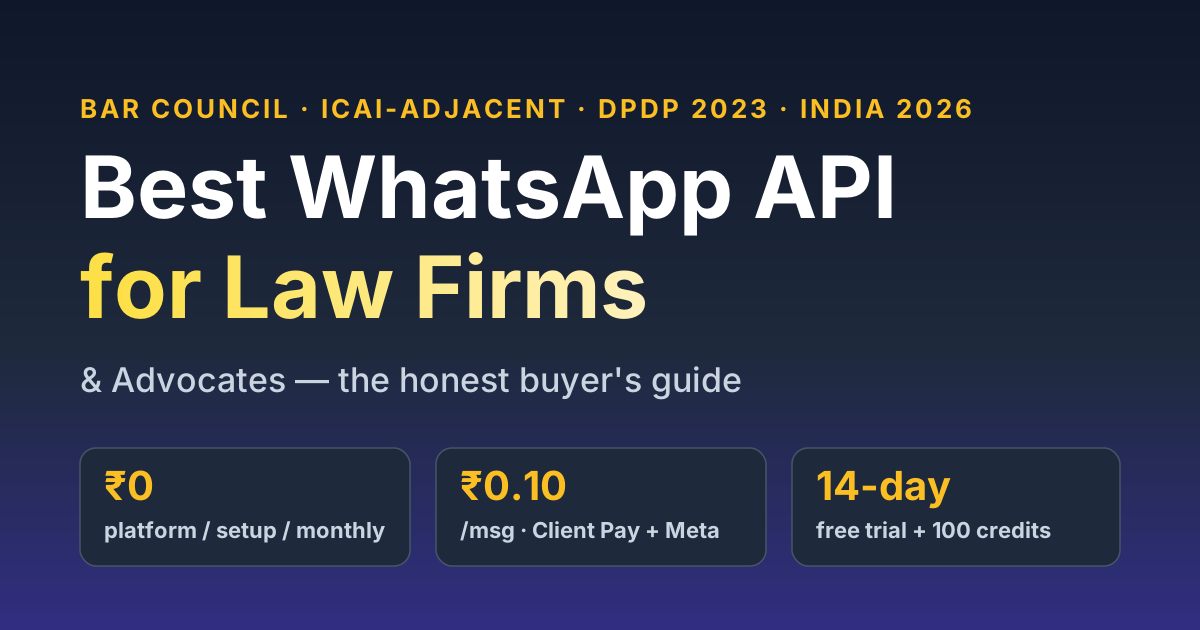
- ₹0 platform, setup and monthly fee. You are not paying a subscription before you have sent a single message — important for a sole practitioner testing the waters.
- Client Pay model: ₹0.10 per message on our side, and you pay Meta directly for conversations — the leanest option if you already have or can open a Meta billing line.
- SaaS Pay model: ₹1.20 per marketing/utility message and ₹0.30 per service message, all-inclusive, when you would rather we handle the Meta billing and just give you one predictable number.
- 14-day free trial plus 100 free credits so you can run a real intake-and-reminder pilot on a handful of live matters before committing.
An illustrative cost model. Take a four-advocate litigation boutique handling roughly 120 active matters, sending about 5,000 utility/service messages a month — hearing reminders, status updates, fee nudges, document acknowledgements. On the SaaS Pay model that is a few thousand rupees a month all-in, with no per-seat charge for the partner, two associates and the clerk all working the same number. On Client Pay it is lower still, since you settle the Meta conversation charge directly. Either way the platform fee is ₹0. Run your own numbers on the WABA cost calculator, and read the full India cost breakdown and the Client Pay vs SaaS Pay explainer before you decide which billing model fits your practice.
DPDP and confidentiality: the part a law firm cannot get wrong
Of every vertical we write for, law firms are the one where data handling is not a compliance checkbox but a core professional duty. The Digital Personal Data Protection Act, 2023 treats client matter information as personal data, and your existing duty of confidentiality already binds you tighter than the statute. Practical, non-advice guidance — confirm all of it with your own compliance view:
- Consent and purpose. Capture opt-in when a client first engages, and use the number only for their matter — not for unrelated marketing. The API lets you log that consent instead of relying on memory.
- Access control. A clerk should not see a partner's confidential corporate matter just because both run off the same number. A proper provider gives role-based access and assignment, not a free-for-all inbox.
- Retention and audit. Keep an exportable trail of what was sent, by whom, to whom — useful both for DPDP accountability and for the day a fee dispute or a bar complaint needs evidence of what was communicated.
- No sensitive disclosure by bot. Automate reminders and acknowledgements, never legal opinions or matter outcomes that should come from an advocate. The bot schedules and notifies; the advocate advises.
For the detail, our DPDP WhatsApp compliance checklist walks through consent, retention and breach posture line by line.
Who fits which: an honest who-should-pick-what
No single tool is right for every practice, and we would rather you pick correctly than churn in three months.
- Sole practitioners and small litigation boutiques who want hearing reminders, intake forms and fee nudges without a platform fee or per-seat tax — RichAutomate is built for exactly this, and the ₹0-platform model means you only pay for messages you actually send.
- Firms that already run a dedicated legal-practice-management suite with its own client portal and want WhatsApp only as a thin notification layer — a lightweight inbox add-on bolted onto that suite may be simpler for you than a full platform, and that is a perfectly good answer. Verify the add-on's per-message and per-seat pricing on the vendor's own site.
- Large multi-office firms or LSP/ALSP operations needing deep integration with a document-management system, single sign-on and enterprise procurement — an enterprise CPaaS with a solutions team and an SLA may suit you better than any self-serve tool. Expect platform and minimum-commit fees; weigh them against the control you get.
For comparison shopping, our Wati vs RichAutomate pricing decode shows how a per-seat model stacks up against a ₹0-platform one, and the best WhatsApp CRM guide covers the inbox and assignment features a multi-user practice needs. Competitor figures move constantly — verify current pricing on each vendor's own site before you sign.
A one-week rollout for a single office
You do not need an IT department to go live. A realistic plan for one office:
- Day 1–2: Verify your firm's business number on the API, set up the partner, associate and clerk as users on the shared inbox.
- Day 3: Build the intake Flow (matter type, urgency, contact) and the KYC document checklist Flow.
- Day 4: Get your core templates approved — hearing reminder, status update, fee-due nudge, document acknowledgement.
- Day 5: Wire date-triggered hearing and deadline reminders for your active matters, segmented by court.
- Day 6–7: Run a live pilot on ten real matters, capture opt-in, refine copy, then roll out to the full book.
For deeper, practice-specific automation ideas, read the dedicated WhatsApp for law firms and advocates playbook and the legal & accounting onboarding automation guide. Professional-services neighbours like CA and tax firms run an almost identical deadline-and-document model, so their best-for guide is worth a skim too.
Start free, decide on evidence
The right way to choose a WhatsApp Business API for your law firm is not to read another listicle — it is to run a real pilot on a handful of live matters and see whether the hearing reminders land, the intake forms save your juniors time, and the fee nudges actually get paid. RichAutomate gives you ₹0 platform, setup and monthly fees, a 14-day free trial with 100 credits, transparent ₹0.10-per-message Client Pay or all-in SaaS Pay billing, an unlimited-seat shared inbox, native intake and KYC Flows, and DPDP-friendly access logs — so you can prove the value before you commit a rupee. Start your free trial or see transparent pricing. Questions? Message us on WhatsApp at +91 81603 11319 or book a 30-minute walkthrough at calendly.com/inrichdaddy/30min.
Start your WhatsApp automation free
₹0 platform, setup & monthly — pay only per message. 14-day free trial + 100 credits. Get your free WhatsApp Business API setup in 24–48 hrs.
Chat with us on WhatsApp → Book a 30-min demo