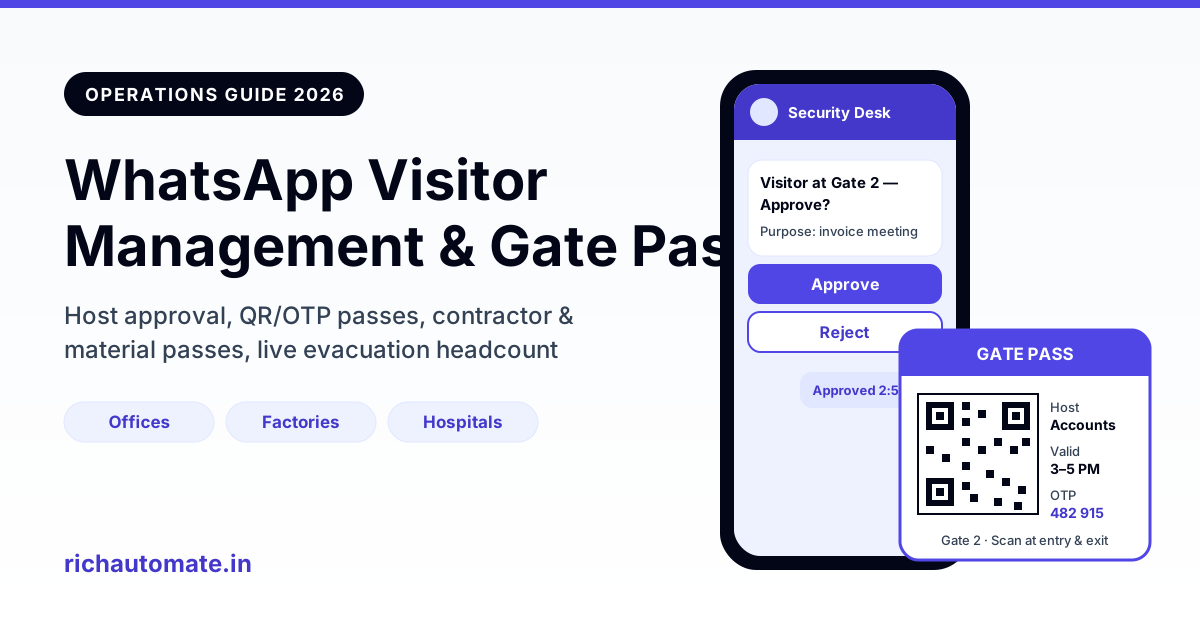
To run visitor management on WhatsApp, the host sends the visitor a pre-registration link, the host approves the entry with a reply button, and the visitor receives a QR or OTP gate pass that the guard scans at the gate. Check-in and check-out are logged automatically, so you get a searchable visitor register without paper, a kiosk, or SMS costs.
This guide is for commercial and industrial premises in India: offices, factories, warehouses, hospitals, schools and colleges, and co-working spaces. If you manage a housing society, we cover that separately in our guide to WhatsApp for RWA and residential society management. Here we focus on hosts, contractors, vendors, delivery agents and the security desk.
Why the gate register is due for a change
Most Indian premises still run on a bound register at the security cabin. The guard writes a name, a phone number, "whom to meet", time in, and sometimes a vehicle number. Then he calls the host on the intercom, waits, and the visitor stands at the gate for five to ten minutes.
The problems are familiar:
- Handwriting is hard to read, and phone numbers are often wrong.
- Nobody writes the time out, so you never know who is still inside.
- Finding one visit from three months ago means flipping through several registers.
- The register sits open on the desk, so every visitor can read the names and numbers of everyone who came before them.
- During a fire drill, the register cannot tell you who is on the premises right now.
WhatsApp fixes most of this because both the host and the visitor already have it. There is no app to install, no kiosk to maintain, and the pass arrives on a phone the visitor is already holding.
How the WhatsApp visitor flow works, step by step
1. Pre-registration link or QR sent by the host
The host (an employee, doctor, principal or co-working member) sends the visitor a short link or shares a QR code. Tapping it opens a WhatsApp chat with your business number and a prefilled message such as "Visit request - Meeting with Accounts, 3 PM". The visitor fills in name, company, purpose and, optionally, a vehicle number. If you want to set up the link itself, see our guide to WhatsApp QR codes and click-to-chat links.
For walk-ins, print the same QR on a standee at the gate. The visitor scans it, the chat opens, and the flow starts from their side.
2. Host approval with reply buttons
The host gets a WhatsApp message: "Visitor at Gate 2 - sales rep from ABC Traders, purpose: invoice discussion. Approve?" with three buttons: Approve, Reject, Call me. One tap and the decision is recorded with a timestamp. "Call me" rings the security desk or sends the guard a callback request. Our explainer on WhatsApp reply buttons, list messages and flow templates shows how to build these.
If the host does not answer within, say, five minutes, the flow can escalate to a backup approver such as the department admin or the reception lead.
3. QR or OTP gate pass on WhatsApp
Once approved, the visitor receives a gate pass: a QR code image, or a 6-digit OTP, with the host name, date, valid time window and gate number. The guard scans the QR on a phone or tablet, or types the OTP into a simple web page. The pass expires at the end of the window, so a screenshot shared with a friend is useless the next day.
4. Check-in and check-out logs
The scan at entry logs check-in. At exit, the guard scans again, or the visitor taps a "Leaving now" button. The system then sends a short thank-you and, optionally, a one-question feedback prompt. Every visit now has a clean record: who, whom to meet, approved by, time in, time out.
5. Visitor feedback
For hospitals, co-working spaces and client-facing offices, a single "How was your visit? 1-5" button message after check-out gives you a steady satisfaction score for the front desk. Keep it to one question. Longer surveys get ignored.
Paper register vs kiosk app vs SMS OTP vs WhatsApp
Here is how the four common options compare for a typical Indian office or plant.
| Factor | Paper register | Tablet kiosk app | SMS OTP | WhatsApp flow |
|---|---|---|---|---|
| Upfront cost | Near zero | Tablet, stand, licence (estimate ₹15,000-40,000 per gate) | Low; needs DLT registration | ₹0 setup on usage-based plans |
| Host approval | Intercom call | Email or app notification | Not built in | One-tap reply buttons |
| Pre-registration | No | Sometimes, via email link | No | Yes, link or QR |
| Gate pass | Paper slip | Printed badge | Text OTP only | QR image or OTP with details |
| Check-out tracking | Usually skipped | Yes, if visitor returns to kiosk | No | Scan or "Leaving now" button |
| Privacy | Poor; register is open to all | Good | Fair | Good, with access controls |
| Live headcount | No | Yes | No | Yes |
| Hardware upkeep | None | Charging, theft, breakage | None | Guard's phone or one tablet |
Kiosks work well in large corporate lobbies with a staffed reception. SMS OTP is cheap but one-way: the visitor cannot reply, the host cannot approve, and there is no image for a QR. WhatsApp sits in the middle: two-way, visual, and on phones people already use.
Flows by premises type
The same building blocks rearrange differently depending on who walks through your gate. Here is a practical starting point.
| Premises | Main visitor types | Approval step | Pass type | Extra step |
|---|---|---|---|---|
| Corporate office | Clients, interview candidates, vendors | Host employee | QR, same-day window | Meeting room and Wi-Fi details in the pass |
| Factory / plant | Contractors, auditors, transporters | Department head plus safety officer | QR with shift validity | Safety induction acknowledgement, PPE reminder |
| Warehouse | Truck drivers, delivery agents, pickers | Dock supervisor | OTP tied to vehicle number | Dock slot and material in/out entry |
| Hospital | Patient attendants, visitors, medical reps | Ward desk or nursing station | Attendant pass valid for admission period | Visiting hours and one-attendant rule |
| School / college | Parents, guests, vendors | Class teacher or admin office | QR, short window | Child pick-up authorisation check |
| Co-working space | Member guests, couriers | Member who invited | QR, day pass | Guest count per member plan |
Example: a 300-employee office in Pune
Take a 300-employee IT services office in Pune with roughly 80 visitors a day: candidates, clients, vendor reps and couriers (an estimate based on a typical mid-size office). Before WhatsApp, two guards and a receptionist handled the register and intercom calls. Queues formed between 10 and 11 AM.
With pre-registration, most planned visitors arrive with a pass already on their phone. The guard scans, the host gets a "Your visitor has arrived" message, and the gate queue drops to walk-ins only. The receptionist spends less time on calls and more time on actual guests.
Example: a hospital attendant pass
Hospitals usually allow one attendant per admitted patient, but enforcing it is hard. A WhatsApp attendant pass is issued at admission to one mobile number, valid until discharge. If a second person tries to use it, the guard sees the pass is already checked in. Changing the attendant means the ward desk revokes the old pass and issues a new one, with a clear record.
Contractor, vendor and material passes
In factories and warehouses, the harder part is not visitors. It is contractors, transporters and material movement.
Get a 1-minute BSP audit on WhatsApp
Drop your WhatsApp number — we line-item your current invoice against Meta India rates in under 60 seconds. India-hosted, DPDP-compliant.
Contractor passes
Consider an auto-component plant near Chennai with 40-60 contract workers on any given day across maintenance, housekeeping and fabrication (illustrative figures). Each contractor supervisor submits the day's crew list on WhatsApp. The safety officer approves it with a button. Each worker gets a pass valid for that shift only, and the pass message includes the safety rules and a "I have read the safety rules" button. You now know exactly which contract workers entered, when, and who approved them.
Material in/out and returnable gate passes
For material, the gate pass records items, quantity and vehicle number. Two types matter:
- Non-returnable gate pass (NRGP): scrap sale, finished goods dispatch, samples.
- Returnable gate pass (RGP): dies, moulds or parts sent out for job work, repair or calibration, which must come back.
For an RGP, the store in-charge raises the pass, the plant head approves it on WhatsApp, and the guard scans it when the material leaves. The system sets an expected return date and sends a reminder to the store in-charge and the vendor before it is due. When the material returns, the guard scans the same pass to close it. Open RGPs past their date show up on a simple list, so nothing sent for job work quietly goes missing.
Delivery-agent handling
Couriers and food delivery agents do not need host approval every time. A common setup:
- The guard selects "Delivery" and enters the recipient's name or department.
- The recipient gets a WhatsApp message: "Parcel from Blue Dart at the gate. Collect / Allow agent to floor 3?"
- Most offices keep agents at the gate and ask employees to collect. The message also serves as a record that the parcel arrived.
Emergency and evacuation headcount broadcast
This is the feature safety officers care about most. Because every visitor and contractor has checked in and not yet checked out, the system knows who is on site right now.
During a fire alarm or drill:
- The safety officer triggers an evacuation message to everyone currently checked in, plus employees.
- The message says "Evacuate to Assembly Point B. Tap I am safe when you reach it."
- As people tap "I am safe", the headcount updates on the dashboard.
- Anyone who has not responded after a few minutes appears on a short list for marshals to trace.
For employees, this works best alongside your regular staff channel. Our guide to WhatsApp for internal employee communication and emergency alerts covers setting up those lists and templates. Test it during scheduled drills, not for the first time during a real alarm.
Templates, message categories and the 24-hour window
WhatsApp Business API messages that you start (business-initiated) need pre-approved templates. For visitor management:
- Host approval request and gate pass messages are transactional, so they fit the Utility template category.
- An OTP gate pass that only carries a one-time code can use an Authentication template.
- When the visitor messages you first, for example by scanning the gate QR, a 24-hour customer service window opens. Replies within that window are free-form service messages and do not need templates.
Keep templates plain and factual. Do not add offers or promotions to a gate pass. Meta may re-categorise a utility template as marketing if it contains promotional content, which changes the price. Also keep your number's quality rating healthy by only messaging people who actually requested or are expecting a visit. No provider can promise a number will never be restricted; sensible use keeps the risk low.
DPDP Act 2023: handling visitor data properly
Visitor phone numbers, names, photos and ID details are personal data under India's Digital Personal Data Protection Act, 2023. The rules under the Act are still being phased in, so check with your legal or compliance team, but the practical direction is clear:
- State the purpose. The pre-registration message should say why you collect the data: security and entry management. Collect only what that purpose needs.
- Keep retention short. Many premises keep visitor logs for 90 to 180 days, then delete or anonymise them, unless a specific legal or safety reason needs longer. Pick a period and write it down.
- Do not store Aadhaar numbers. If you need ID verification, the guard can check the physical ID and record only "ID verified" or the last four digits. Masking is safer than storing the full number or a photo of the card.
- Limit access. The guard needs today's list, not a year of history. Admins and the security manager can see older logs.
- Handle requests. If a visitor asks what you hold or asks for deletion, you should be able to find and act on their record.
A digital log handled this way is usually better on privacy than an open paper register that every visitor can read.
What it costs each month
RichAutomate is usage-only: ₹0 setup and ₹0 monthly minimum. You choose one of two billing modes, explained in detail in our comparison of Client Pay vs SaaS Pay WhatsApp billing.
- Client Pay: ₹0.10 per message platform fee, plus Meta's own rate billed directly to your Meta account. Meta's utility and authentication rate in India is about ₹0.115 per message plus GST; check Meta's current rate card, as it changes.
- SaaS Pay (all-inclusive wallet): ₹0.30 per utility message and ₹1.20 per marketing message, paid from a prepaid wallet.
Worked example: 80 visitors a day
Take the Pune office again. Each visit needs about 3 messages: the approval request to the host, the pass to the visitor, and a check-out thank-you. Over 26 working days:
80 visitors × 3 messages × 26 days = 6,240 messages a month.
| Billing mode | Per-message cost | Arithmetic | Approx. monthly cost |
|---|---|---|---|
| Client Pay | ₹0.10 platform + about ₹0.115 Meta | 6,240 × (0.10 + 0.115) = 6,240 × 0.215 | about ₹1,342 (plus GST on Meta's portion) |
| SaaS Pay | ₹0.30 per utility message | 6,240 × 0.30 | ₹1,872 |
| Paper register (for reference) | Registers, pens, guard time | Hidden cost in queues and lost records | Low cash, high time |
A few notes on the numbers:
- Replies inside a visitor-opened 24-hour window are service messages, so walk-ins who scan the gate QR can cost less than this estimate.
- Feedback prompts, delivery alerts and RGP reminders add messages. Budget 10-20% extra if you use them heavily.
- A factory with 50 contract workers on daily shift passes adds roughly 50 × 26 = 1,300 pass messages a month.
For the full rate details, see our pricing page.
Rollout checklist for your first 30 days
- Week 1: Connect a dedicated WhatsApp Business API number for the premises. Get your host approval and gate pass templates approved as Utility.
- Week 1: Print the walk-in QR standee for each gate. Share the pre-registration link with all hosts.
- Week 2: Run the flow at one gate with the paper register in parallel. Train guards on scanning and the "Call me" fallback.
- Week 3: Add contractor passes and RGP tracking if you are a plant or warehouse. Set backup approvers.
- Week 4: Retire the paper register, publish your retention period, and run one evacuation drill using the headcount broadcast.
Keep a fallback: if the network drops at the gate, the guard should still be able to note entries on paper and add them later. Plan for it rather than assuming it will not happen.
Replace the gate register this month. Set up host approval buttons, QR or OTP gate passes and live headcount on WhatsApp with ₹0 setup and no monthly minimum. Create your free account and run your first visitor flow at one gate before rolling it out site-wide.