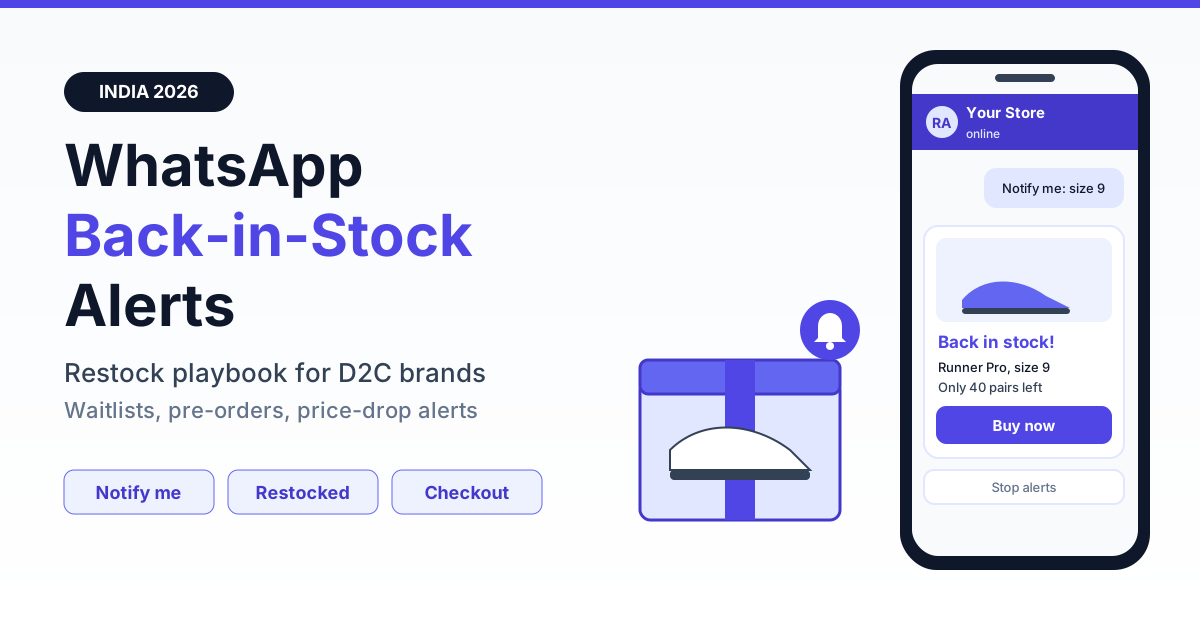
To run back-in-stock alerts on WhatsApp, replace the dead "Sold out" state on your product page with a "Notify me on WhatsApp" button, capture the shopper's opt-in with explicit consent for that exact size or shade, and store it against the variant. When your Shopify or WooCommerce inventory webhook shows the quantity going from zero to above zero, send an approved template to the waitlist in batches, first come first served, with a direct checkout link so the shopper can pay by UPI in under a minute.
That is the whole mechanism. The rest of this guide covers the details that decide whether it makes money or burns your number: how Meta categorises restock messages, how to capture variant-level intent, how to wire inventory triggers, what to do when 4,000 people are waiting for 300 pairs of sneakers, and how pre-orders, waitlist deposits and price-drop alerts fit on the same rails. It is written for Indian D2C and e-commerce brands in fashion, footwear, beauty, electronics, home and nutrition.
Why restock alerts convert better on WhatsApp
A shopper who taps "Notify me" has already chosen the product, the size and often the colour. They are not browsing; they are waiting. The only job of the alert is to reach them quickly and get them back to checkout before the stock is gone. That makes delivery speed and visibility more important than design, and that is where WhatsApp has an edge in India.
Email restock alerts land in a promotions tab, often hours after the restock, and many Indian shoppers rarely open email on mobile. SMS reaches the phone but gets buried among OTPs and bank alerts, and DLT templates limit what you can say. WhatsApp messages from an opted-in brand sit in the same app your customer checks dozens of times a day, and they can carry a product image, the variant name and a checkout button.
| Factor | SMS | ||
|---|---|---|---|
| Typical open or read rate (opted-in lists) | Often 15-25%, lower on mobile-first audiences | No read receipts; seen rate varies widely | Commonly 70-90% read, measurable per message |
| Speed to eyeballs after restock | Minutes to hours | Minutes | Minutes, usually read within the hour |
| Product image and variant detail | Yes | No, text only | Yes, image header plus variant in body |
| One-tap checkout | Link | Link, often shortened and distrusted | Call-to-action button to the cart |
| Two-way replies ("Is size 9 back too?") | Rarely handled | Not practical | Native, can route to an agent or bot |
| Cost per message | Lowest | Low | Higher, charged per delivered template |
These are typical ranges marketers see, not guarantees. Your own numbers depend on list freshness and how long shoppers waited. Run email and WhatsApp side by side for one restock and compare waitlist-to-order conversion before you move everything over.
Consent and template category: get this right first
Two rules decide whether restock alerts stay safe for your number.
Explicit, specific opt-in
The shopper must actively ask to be notified, on WhatsApp, about this product. A pre-ticked box or a line buried in the site's terms is not enough. Record the phone number, product and variant, the exact consent text shown, the source page and a timestamp. India's data protection law expects consent that is free, specific and informed, and that the purpose is limited to what the shopper agreed to. Our guide on DPDP-compliant WhatsApp opt-in covers the record-keeping in detail; confirm the final wording with your counsel.
Keep "notify me when this is back" separate from "send me offers and new launches". A shopper waiting for one kurta size has not agreed to your weekly sale broadcast. If you want the broader list, ask for it separately in the confirmation message, unticked by default.
Restock alerts are marketing templates
It is tempting to submit a restock template as utility because the shopper requested it. In practice, Meta classifies messages about product availability, new stock, offers and pricing as marketing, and templates submitted as utility with that content are typically recategorised. Utility is reserved for updates on a specific transaction the customer already made, such as an order confirmation, shipping update or payment reminder. Budget restock alerts at the marketing rate. For the full rules, see our breakdown of marketing vs utility message categories.
Once the shopper buys, the order confirmation and delivery updates that follow are utility, which is cheaper. Meta may also limit how many marketing messages a single user receives across all businesses, so a small share of alerts may not be delivered; track failed deliveries rather than assuming everyone got the message.
The capture flow: PDP button, click-to-WhatsApp and a Flow form
Capture has to be faster than typing an email address, or shoppers will not bother.
- Out-of-stock PDP button. When a variant is sold out, swap "Add to cart" for "Notify me on WhatsApp". Place it right under the size or shade selector, so the selected variant is carried into the link.
- Click-to-WhatsApp link. The button opens a chat with a prefilled message such as "Notify me: Linen shirt, Olive, L" plus a short product code. The shopper taps send. Because they messaged first, you can reply free inside the 24-hour service window.
- Confirm with a Flow form. Reply with a WhatsApp Flow that confirms the variant, lets them pick a second-choice size, asks for their pincode and shows the consent checkbox. The pincode lets you skip shoppers you cannot deliver to, which matters for bulky items, cash-on-delivery rules and quick-commerce style city launches.
- Instant confirmation. "You're on the list for Olive L. We'll message you here the moment it's back. Reply STOP anytime." Set expectations: one alert per restock, nothing else unless they opt in for more.
Variant specificity is the most common gap. "Notify me about this shoe" is useless when size 7 is back but size 10 is not. Beauty brands need shade-level capture, electronics brands need storage or colour, and apparel needs size plus fit. If you already use WhatsApp for cart recovery, the same product-to-variant mapping powers both; our guide to WhatsApp abandoned cart recovery uses the same catalogue data.
Inventory triggers: Shopify and WooCommerce
The alert should fire from your inventory system, not from someone remembering to schedule a broadcast.
Shopify
Subscribe to the inventory_levels/update webhook. Each event carries the inventory item, the location and the new available quantity. Map the inventory item to its product variant, and when available quantity crosses from zero or below to a positive number at a location that fulfils online orders, queue the waitlist for that variant. Add a short delay of a few minutes so that a warehouse team correcting counts does not trigger a false alert. The Shopify WhatsApp integration guide walks through connecting the store.
WooCommerce
Use the product updated webhook and compare the variation's stock status: fire only on a change from outofstock to instock. If you manage stock quantities, read the quantity too, because you will need it for batching. Plugins that write stock in bulk, such as ERP or marketplace sync tools, can flip status several times; debounce by waiting until the status has held for a few minutes.
Guardrails for any platform
- Trigger per variant, never per product.
- Check stock again right before each batch is sent, not only when the webhook arrives.
- Ignore restocks at locations that do not ship online orders, such as a retail store's stockroom.
- Log every trigger with the quantity, so you can explain later why a shopper was or was not messaged.
Batching and fairness when stock is smaller than the waitlist
Sending 5,000 alerts for 200 units produces 4,800 disappointed shoppers, a spike in blocks and a bill for messages that could never convert. Size each wave to the stock you actually have.
Get a 1-minute BSP audit on WhatsApp
Drop your WhatsApp number — we line-item your current invoice against Meta India rates in under 60 seconds. India-hosted, DPDP-compliant.
| Waitlist-to-stock ratio | Strategy | Example |
|---|---|---|
| Waitlist at or below stock | Send to everyone at once | 150 waiting, 400 units: one send |
| 1-3x stock | One wave in signup order; show "limited units" honestly | 600 waiting, 250 units: send all 600 |
| 3-10x stock | Waves of about 3x units, 20-30 minutes apart; re-check stock before each | 2,000 waiting, 300 units: first wave 900 |
| Above 10x stock (drops, launches) | First-come by signup time, or a priority tier for repeat buyers; cap one unit per customer | 8,000 waiting, 500 sneakers: waves of 1,500 |
The 3x multiplier is a starting point, not a law. If your first-wave conversion is 10%, three times the units will not sell out, so widen the next wave. If it is 40%, a smaller wave is enough. Measure after every restock and adjust.
Stop sending the moment the variant sells out. Shoppers who were not messaged stay on the list for the next restock. For limited sneaker drops, a single-unit cap and a short cart hold, say 10-15 minutes, keep resellers from clearing the stock and make "first come, first served" feel fair.
Festive windows need extra care. During Diwali and the big marketplace sale weeks, your waitlists are larger, Meta's delivery pipelines are busy and shoppers receive far more promotional messages than usual. Plan restocks before sale day where possible, and keep alerts short and specific so they stand out.
Pre-orders, waitlist deposits and price-drop alerts
Pre-orders and deposits via UPI
When the next batch is weeks away, a waitlist can turn into committed revenue. Offer a pre-order to shoppers already on the list:
- Deposit or full payment. Send a UPI payment link from your payment gateway for a deposit (for example ₹199-₹499 on a ₹2,999 sneaker) or the full price. Deposits cut drop-off at the final payment, full payment guarantees the sale.
- Clear dispatch date and refund terms. State the expected dispatch window and what happens if it slips: automatic refund, or the option to wait. Put the terms in the message, not only on a website page.
- Utility updates after payment. Once the shopper has paid, payment receipts, dispatch updates and delay notices relate to their order, so they are utility messages.
- Priority, not promises. A deposit buys a place in line and a reserved unit. Do not promise dates you do not control.
Pre-orders work well for handloom and small-batch fashion, custom-fit furniture, limited beauty collaborations and new phone accessories launched alongside a flagship. Confirm pre-order and refund wording with your counsel, since consumer protection rules apply to advance payments.
Price-drop alerts on the same rails
Price-drop alerts use the same capture and send logic, with a price trigger instead of an inventory trigger. Add "Notify me if the price drops" on high-consideration products such as air fryers, earbuds, smartwatches and premium skincare. Store the price at signup, and fire when the selling price falls by a meaningful threshold, say 10% or more, or during a festive sale.
Keep price-drop alerts rare: one per product per shopper per sale event, and expire the request after the sale ends. They are unambiguously marketing messages, so they are billed at the marketing rate and they hit your quality rating if shoppers feel spammed.
Measuring what restock alerts earn
Track a small set of numbers per restock event, per variant:
- Waitlist-to-order conversion: orders from alerted shoppers divided by alerts delivered. This is the headline metric.
- Revenue per alert: attributed revenue divided by alerts sent. Compare it with the cost per alert to get a clean return figure.
- Time to sell-out: how fast the restocked units cleared, and how much came from WhatsApp versus organic traffic.
- Read rate and click rate: low reads suggest stale lists; low clicks suggest weak copy or a slow product page.
- Blocks, opt-outs and quality rating: watch WhatsApp Manager after every send. A drop means waves are too large or alerts too frequent.
Use a unique UTM or checkout link per restock so attribution does not depend on guesswork.
Cost math: a 10,000-subscriber waitlist
RichAutomate is usage-only, with ₹0 setup and ₹0 monthly fee. There are two ways to pay:
- Client Pay: you pay Meta directly for each message, plus a ₹0.10 platform fee per message.
- SaaS Pay (all-inclusive): ₹1.20 per marketing message and ₹0.30 per utility message, Meta charges included.
Meta's marketing rate in India is roughly ₹0.78-0.88 per message; check the current Meta rate card before budgeting, because it changes periodically.
| Scenario | Messages | SaaS Pay cost | Client Pay cost (approx) |
|---|---|---|---|
| Per 1,000 restock alerts (marketing) | 1,000 | ₹1,200 | ₹880-980 (₹780-880 to Meta + ₹100 platform) |
| Full 10,000-subscriber waitlist, one send | 10,000 | ₹12,000 | ₹8,800-9,800 |
| Batched: 1,000 units, waves of 3x, sells out in first wave | 3,000 | ₹3,600 | ₹2,640-2,940 |
| Order confirmations for 1,000 buyers (utility) | 1,000 | ₹300 | Meta utility rate + ₹100 platform |
Now a worked example with assumed numbers. Say 10,000 shoppers wait for a ₹1,499 kurta set across sizes, and you restock 1,000 units. You send waves of 3,000 and sell out in the first wave, so on SaaS Pay the alerts cost ₹3,600. If 1,000 orders come through, that is about ₹14,99,000 in revenue for ₹3,600 of alerts plus ₹300 of order confirmations. Even if only half the units sell through WhatsApp, the alert cost stays a small fraction of revenue. The batching line is where most of the saving comes from: the remaining 7,000 shoppers were never sent an alert they could not act on. Full rates are on the RichAutomate pricing page, and our explainer on WhatsApp Business API cost in India breaks down Meta's side.
Mistakes to avoid
- Alerting after the stock is gone. A slow cron job or a manual broadcast the next morning sends shoppers to a sold-out page. Trigger from webhooks and re-check stock before every wave.
- Blasting the whole waitlist for a tiny restock. It wastes money and trains shoppers to ignore you. Size waves to stock.
- No variant specificity. Alerting size 10 waiters when only size 7 is back is the fastest route to blocks.
- Never expiring waitlists. Expire entries after 30-60 days or after one alert. A shopper who signed up in March does not remember you in November.
- Turning a restock list into a broadcast list. Consent was for one product. Ask separately before sending anything else.
- Hiding the opt-out. Add a "Stop alerts" quick-reply button to every template and honour it immediately.
- Ignoring quality rating. No platform or BSP can guarantee your number will never be restricted. Clean opt-in, relevant timing and low block rates are what protect it; pause sends if your rating drops.
Start free on RichAutomate
RichAutomate gives Indian D2C brands the WhatsApp Business API, click-to-WhatsApp capture, WhatsApp Flows, Shopify and WooCommerce event triggers, template management and a shared inbox, with ₹0 setup and ₹0 monthly fee. Build your "Notify me on WhatsApp" waitlist, wire it to inventory and send restock alerts in stock-sized waves from one place. Start free on RichAutomate and have your first back-in-stock alert live before your next restock.