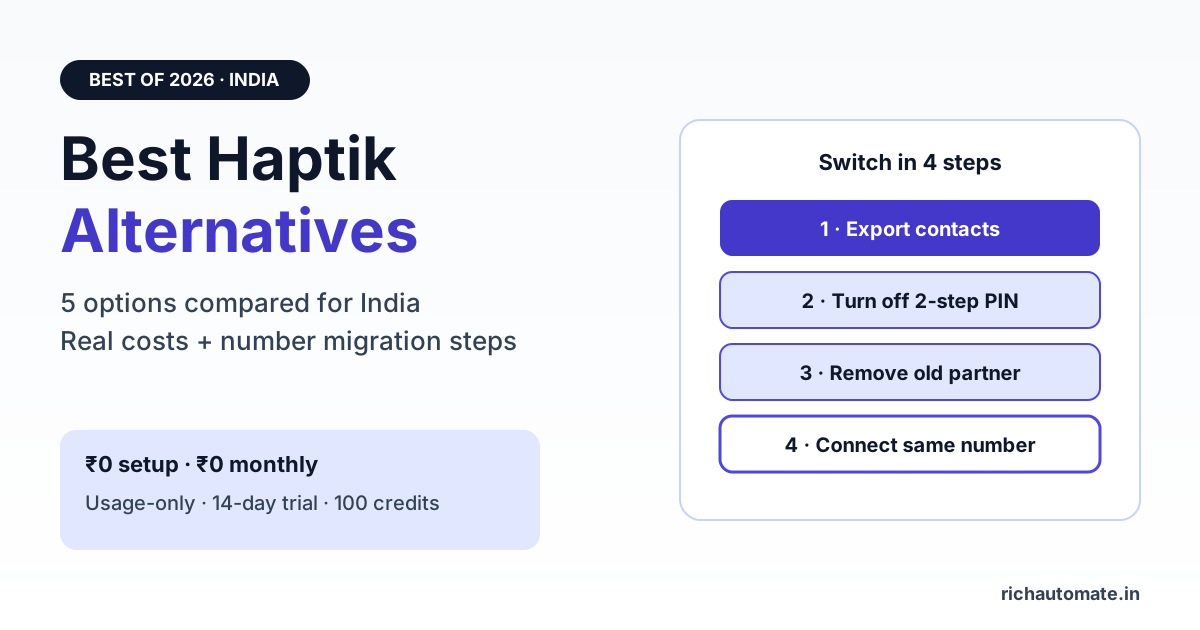
The best Haptik alternative for most Indian SMBs and growing brands in 2026 is a WhatsApp-first platform on the official WhatsApp Business API that bundles a no-code chatbot builder, broadcasts and a shared team inbox, with transparent per-message pricing instead of a custom enterprise contract. RichAutomate fits that brief with ₹0 setup, ₹0 monthly fees and usage-only pricing, while other enterprise conversational-AI suites and self-serve BSP tools suit narrower needs.
This guide explains why teams look beyond Haptik, compares the five kinds of alternative available in India, shows what you will really pay once Meta's charges are added, and walks through moving your existing WhatsApp number to a new provider without losing it.
Why businesses look for a Haptik alternative
Haptik (now Jio Haptik) is a well-known enterprise conversational AI company. It builds generative-AI assistants, contact-centre automation and multi-channel customer experience for large brands. For that buyer it is a serious, proven option, and we cover where it genuinely wins in our Haptik vs RichAutomate pricing decode.
The teams that go looking for an alternative usually share one of these situations:
- WhatsApp is the main channel, not one of ten. They mostly need campaigns, a chatbot, lead capture and a team inbox on WhatsApp, not voice bots or web-widget AI across every touchpoint.
- They want to see the price up front. Enterprise suites are typically sales-led and quoted per deal. Smaller teams prefer a public price list they can plug into a calculator.
- They want to change flows themselves. A marketing or operations person should be able to edit a bot on Monday morning without raising a ticket with a vendor project team.
- The project scope has shrunk. A large AI roll-out planned two years ago may now be a simple order-update and lead-qualification bot that needs a lighter tool.
None of these make Haptik a bad product. They just mean the buyer has changed shape, and the tool should follow.
5 types of Haptik alternative in India compared
Almost every product you shortlist falls into one of these buckets. The bucket tells you more about fit and running cost than any feature list.
| Alternative type | Examples | Best for | Watch out for |
|---|---|---|---|
| WhatsApp-first platform, usage-only pricing | RichAutomate | SMBs, D2C, clinics, coaching, real estate and agencies that want bot + broadcast + inbox with ₹0 monthly fee | Not built for voice bots or 200-seat contact-centre agent-assist |
| WhatsApp BSP with monthly plans | Wati, AiSensy, Interakt, Gallabox | Teams happy with a fixed monthly subscription and seat-based plans | Plan fees and message markups vary between vendors, so compare total cost |
| Other enterprise conversational AI suites | Yellow.ai, Verloop | Large brands replacing Haptik like-for-like with multi-channel AI and a CX team | Sales-led pricing and longer onboarding, similar to the tool you are leaving |
| CPaaS / messaging API providers | Gupshup, Twilio, Infobip | Engineering teams building their own bot and inbox on raw APIs | You build and maintain the chatbot, inbox and reporting yourself |
| Direct Meta Cloud API, self-built | Your own code on Meta's Cloud API | Tech companies with spare developer time and simple needs | No inbox, no flow builder, and every template, webhook and retry is on you |
If you are specifically weighing another enterprise AI suite, our Yellow.ai alternative guide covers that side of the market in more detail.
What to look for when replacing Haptik
Before you sit through demos, write down which of these you actually use today. Most teams find they rely on four or five, not forty.
- Official WhatsApp Business API. Never move a business number to an unofficial WhatsApp Web automation tool. It puts the number at risk of restriction.
- No-code flow builder. Buttons, lists, conditions, data capture, API calls and human handoff in one visual canvas. Compare options in our best WhatsApp chatbot builder guide.
- AI replies where they help. An AI step that answers FAQs from your content, with a clean fallback to a human when it is not sure.
- Shared team inbox. Agents, assignment, labels and internal notes, so the bot and the humans work from one conversation history.
- Broadcasts and templates. Approved template management, audience segments and delivery reporting for campaigns.
- Integrations. CRM, Google Sheets, Shopify, WooCommerce, Razorpay or webhooks, depending on where your leads and orders live.
- Clear data export. You should be able to download contacts and conversation data if you ever move again.
What a Haptik alternative really costs in India
Every WhatsApp platform sits on top of Meta's pricing. Meta charges per delivered template message, by category (marketing, utility, authentication). Replies inside a 24-hour window the customer opened carry no Meta charge. The platform then adds its own fee, and that part is where alternatives differ most.
Get a 1-minute BSP audit on WhatsApp
Drop your WhatsApp number — we line-item your current invoice against Meta India rates in under 60 seconds. India-hosted, DPDP-compliant.
RichAutomate keeps the platform side simple:
| RichAutomate billing | What you pay | How Meta is billed |
|---|---|---|
| Setup and monthly fee | ₹0 setup, ₹0 monthly | Not applicable |
| Client Pay | ₹0.10 per message | You pay Meta's charges directly on your own card |
| SaaS Pay | ₹1.20 per marketing message, ₹0.30 per utility or authentication message | Included in the per-message rate from your wallet |
| Trial | 14-day trial + 100 free credits | No card needed to start |
Because there is no monthly fee, a quiet month costs close to nothing and a big campaign month costs only what you send. See the full breakdown on the RichAutomate pricing page, or plug your own volumes into the WhatsApp API cost calculator to compare against the quote you have today.
Moving off an enterprise contract? Start a 14-day trial with 100 free credits, rebuild your top flow in the visual builder and compare real numbers before you commit. See pricing
How to migrate your WhatsApp number from Haptik
Your WhatsApp Business Account and phone number belong to your business in Meta Business Manager, not to the provider. You can keep the same number, the green-tick status and your approved display name when you switch. The move usually follows these steps:
- Export what you need. Download contacts, opt-in records and any conversation history you want to keep from the old platform.
- Turn off two-step verification. Remove the WhatsApp two-step verification PIN on the number, or ask the old provider to do it. Our two-step verification PIN guide explains where it lives.
- Remove the old partner. In Meta Business Settings, under WhatsApp Accounts, remove the previous provider as a partner, or ask them to disconnect their app from your number.
- Connect through Embedded Signup. Log in with Facebook in the new platform, choose your business portfolio and existing WhatsApp Business Account, then select the number.
- If the number shows as ineligible, it is usually still bound to the old provider's app. Use Meta's number migration path (enter the number again and verify by OTP), or confirm with the old provider that the disconnect is complete.
- Re-submit templates and test. Recreate your key templates, rebuild the main flows and send test messages to your own number before switching campaigns back on.
Plan the switch for a quiet day. The number is typically offline for a short window while it moves between providers.
How to choose in one afternoon
- List the three WhatsApp journeys that make you money today, for example lead capture, order updates and payment reminders.
- Count your monthly messages by category from your current reports.
- Run those numbers through the cost calculator for each shortlisted option.
- Rebuild your single most important flow on a free trial. If it takes more than an hour, the tool is too heavy for your team.
- Check the inbox with two agents and one live customer conversation.
- Only then compare contracts, notice periods and data export terms.
The bottom line
If you need a large multi-channel generative-AI programme with voice, agent-assist and a dedicated vendor team, stay with Haptik or compare it with another enterprise suite. If WhatsApp is your main channel and you want to own your flows and see every rupee up front, a WhatsApp-first platform with usage-only pricing will usually cost less and ship faster.
Try RichAutomate free for 14 days. ₹0 setup, ₹0 monthly fees, 100 free credits and a visual flow builder on the official WhatsApp Business API. Start with RichAutomate