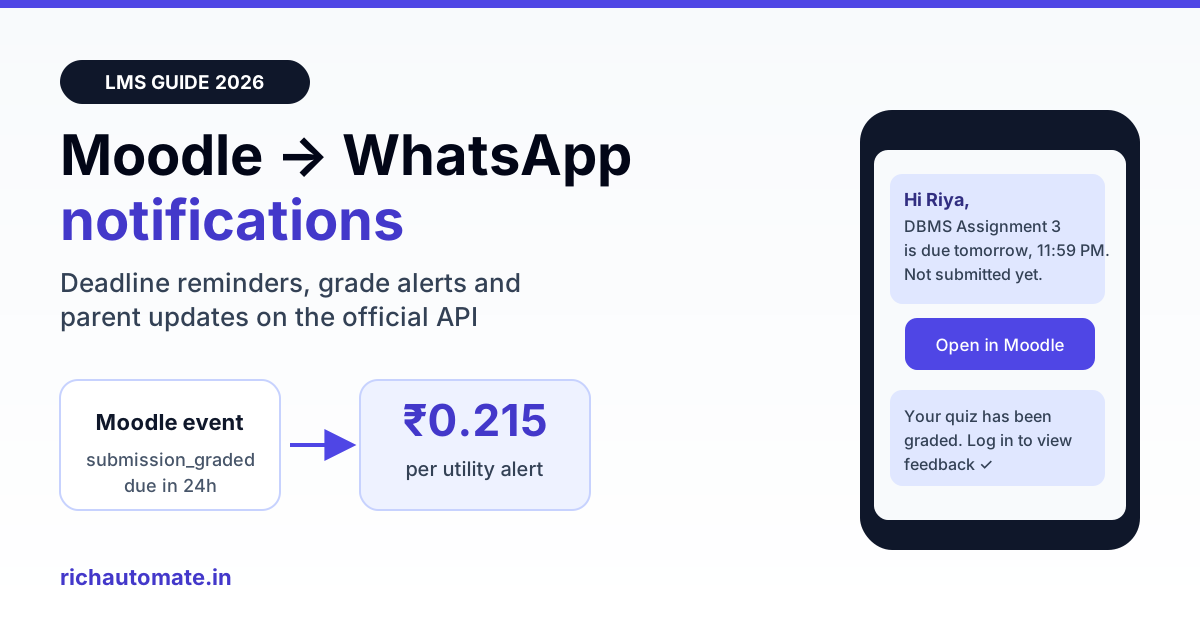
Moodle cannot send automated WhatsApp notifications on its own: the popular WhatsApp plugins only add a click-to-chat link or a group invite. To push assignment reminders, grade alerts and attendance updates to a student's or parent's WhatsApp, connect Moodle's event system or web services to the official WhatsApp Business API, which sends approved utility templates for about ₹0.215 each on RichAutomate Client Pay (₹0.115 Meta + ₹0.10 platform fee).
This guide is for colleges, universities, coaching chains and corporate academies in India that already run Moodle 4.x or 5.x and see the same problem every semester: students ignore email, the Moodle app's push notifications reach only those who installed it, and parents never see anything. It covers what the existing plugins actually do, three ways to connect Moodle to WhatsApp, which Moodle events are worth a message, template examples that Meta approves, a worked monthly cost for a 3,000-student college, and the consent and data rules you need to follow.
What the Moodle WhatsApp plugins really do (and don't)
Search the Moodle plugins directory for "WhatsApp" and you will find a handful of activity and block plugins. They are useful, but none of them send messages automatically. They fall into three groups:
- Link and group plugins. An activity or block that shows a "Join our WhatsApp group" or "Chat with us" button inside a course. The student taps it and WhatsApp opens. Nothing is sent from Moodle.
- Share buttons. Social-share blocks that let a teacher or student share a course link to WhatsApp manually.
- Unofficial senders. Scripts and plugins that drive WhatsApp Web or a third-party "WhatsApp gateway" with a scanned QR code. These break whenever WhatsApp Web changes and put the number at real risk of a ban, because they are not the official API. Avoid them for anything an institution depends on.
Moodle's own notification system sends through message output processors: email, web popup and the Moodle mobile app. There is no WhatsApp processor in core. So "Moodle WhatsApp integration" in practice means building a small bridge between Moodle and an official WhatsApp Business API account. That bridge is far simpler than it sounds.
Email vs Moodle app vs WhatsApp: why institutions switch
| Channel | Who it reaches | Typical problem in India | Cost per alert |
|---|---|---|---|
| Moodle email notifications | Students with a working, checked inbox | College IDs go unread, alerts land in Promotions or Spam | Near zero |
| Moodle app push | Only students who installed and logged into the app | Installs drop after first semester; parents not covered | Free for registered sites, limits apply |
| SMS (DLT) | Any mobile | 160 characters, no buttons, DLT template friction | ₹0.12 to ₹0.25 plus DLT setup |
| WhatsApp Business API | Any student or parent on WhatsApp, which is almost everyone | Needs templates approved and opt-in collected | About ₹0.215 per utility alert on Client Pay |
The reason WhatsApp wins is reach, not novelty. A deadline reminder that reaches 95% of a batch on the channel they read within minutes does more for submission rates than a free email that half the batch never opens. It also reaches parents, which matters for undergraduate programmes and every coaching institute.
Three ways to connect Moodle to WhatsApp
Option 1: Event observer plugin (real-time)
Moodle fires an event for almost everything: a submission, a grade, an enrolment, a completed course. A small local plugin can register an event observer for the events you care about and, when one fires, post a JSON payload to a webhook. The webhook calls the WhatsApp Business API with the right template. This is the best option for instant alerts like "your assignment has been graded".
Option 2: Scheduled task or cron script (reminders)
Reminders are about time, not events. "Assignment due in 24 hours" has no event behind it. A scheduled task (or an external script run by cron) reads upcoming due dates and the list of students who have not submitted, then sends a reminder to each. Moodle's web services expose this data through REST functions such as assignment, calendar and enrolment lookups, so the script can live outside Moodle entirely.
Option 3: No-code bridge through a CSV or webhook flow
If you have no developer, export a report (overdue students, attendance below 75%, fee pending) from Moodle or your ERP, upload it as a contact list and send a template campaign. It is weekly rather than real-time, but it works on day one. Many colleges start here and move to Option 1 once the templates are proven.
| Approach | Best for | Developer effort | Latency |
|---|---|---|---|
| Event observer plugin | Grades, submissions, enrolments, completions | 2 to 4 days for a PHP developer | Seconds |
| Scheduled task / cron + web services | Due-date reminders, inactivity nudges, weekly digests | 2 to 3 days | Whatever the schedule is |
| CSV upload + template campaign | Fee reminders, attendance warnings, exam notices | None | Manual, usually weekly |
Whichever option you choose, the WhatsApp side is the same: an official API account, approved templates and a webhook to receive delivery and read receipts. Our WhatsApp Business API webhook setup guide covers the receiving side, and the WhatsApp API Node.js integration guide shows a sending service you can point a Moodle observer at.
Which Moodle events deserve a WhatsApp message
The fastest way to get students to mute you is to forward every Moodle notification. Pick the moments where a missed message costs the student marks or money. These are the ones that consistently earn their place:
| Moodle trigger | Event or data source | Recipient | Template category |
|---|---|---|---|
| Assignment due in 24 hours, not submitted | Scheduled task: assignment due dates + submission status | Student | Utility |
| Assignment graded / feedback released | \mod_assign\event\submission_graded | Student | Utility |
| Quiz attempt submitted | \mod_quiz\event\attempt_submitted | Student (receipt) | Utility |
| New enrolment in a course | \core\event\user_enrolment_created | Student | Utility |
| Course completed / certificate ready | \core\event\course_completed | Student, optionally parent | Utility |
| No login for 7 days | Scheduled task: last access | Student, then parent | Utility |
| Attendance below threshold | Attendance plugin report | Parent | Utility |
| New programme or admission open | Admissions CRM, not Moodle | Opted-in leads and alumni | Marketing |
Notice that almost everything a Moodle site sends is utility: it relates to something the student is already doing. That matters for cost, because Meta charges utility messages at about ₹0.115 in India against about ₹0.86 for marketing, and utility templates sent while a student's 24-hour customer-service window is open are free from Meta.
Send these messages on WhatsApp, from your own number
We get your templates approved on the official WhatsApp API and set up your first broadcast with you. ₹0 platform fee, you pay only Meta's per-message rate.
Template examples that pass Meta review
Meta reviews every template before you can send it. Utility templates get approved fastest when they are specific, transactional and free of promotional language. Here are three that work well for a Moodle setup:
- Deadline reminder: "Hi {{1}}, your assignment {{2}} for {{3}} is due on {{4}} at {{5}}. You have not submitted yet. Open it here: {{6}}"
- Grade released: "Hi {{1}}, your submission for {{2}} has been graded. Log in to view your marks and teacher feedback." with a URL button to the assignment.
- Parent attendance alert: "Dear Parent, {{1}}'s attendance in {{2}} is {{3}}% this month, below the required {{4}}%. Please contact the department office if you have questions."
Keep marks themselves out of the template body unless the student has asked for them on WhatsApp; a "log in to view" button is safer and still drives the action. Submit English and Hindi (or your regional language) versions together, because Meta approves each language version separately. Words like "offer", "limited seats" or "hurry" belong in marketing templates, and a utility template that contains them will be re-categorised or rejected.
What it costs: a worked example for a 3,000-student college
Take a college with 3,000 students on Moodle, sending reminders and alerts through a RichAutomate Pro plan on Client Pay. Meta's charges are billed straight to the college's own card; RichAutomate charges the plan and a ₹0.10 platform fee per message.
| Message type (per month) | Volume | Meta rate | Meta cost |
|---|---|---|---|
| Assignment deadline reminders | 18,000 | ₹0.115 | ₹2,070 |
| Grade released alerts | 9,000 | ₹0.115 | ₹1,035 |
| Inactivity and attendance alerts | 6,000 | ₹0.115 | ₹690 |
| Fee and exam notices | 4,000 | ₹0.115 | ₹460 |
| Admissions campaign to opted-in leads | 3,000 | ₹0.86 | ₹2,580 |
| Total | 40,000 | ₹6,835 |
Add the Pro plan at ₹899 and a platform fee of ₹4,000 (40,000 messages × ₹0.10), and the college spends about ₹11,734 a month before GST, or roughly ₹3.91 per student. Some of the utility messages will land inside an open 24-hour window and cost nothing from Meta, so the real Meta bill usually comes in lower. Plug your own volumes into the WhatsApp API cost calculator or compare plans on the pricing page.
Compare that with the cost of a single student who fails a module because they missed a deadline they never saw, or a placement drive half the batch didn't hear about. For most institutions the alert budget is smaller than one faculty member's time spent chasing submissions on the phone.
Phone numbers, opt-in and student data
Moodle stores two phone fields on every user profile (phone and mobile phone), but in most Indian installations they are empty or out of date. Before sending anything, fix the data:
- Collect numbers at enrolment. Pull them from your admissions system or ERP into the Moodle mobile field in E.164 format (+91XXXXXXXXXX) through a user upload or sync.
- Record opt-in explicitly. Add a custom profile checkbox such as "Send me course updates on WhatsApp" and a separate one for parents. Meta requires opt-in before you message someone, and the opt-in should name your institution and the kind of messages they will get.
- Respect the DPDP Act. Under the Digital Personal Data Protection Act 2023, students' phone numbers and academic data are personal data. For students under 18, which covers most coaching institutes and some first-year cohorts, parental consent applies. Send only what the purpose needs, and give an easy way to stop.
- Honour STOP. Wire a quick-reply "Stop updates" button or keyword so that opting out updates the Moodle profile flag automatically.
For a broader view of WhatsApp across a campus, from admissions to placements, see our guide to the best WhatsApp Business API for colleges and universities.
Step-by-step setup checklist
- Create the WhatsApp Business API account. Sign up for RichAutomate, connect a dedicated number for the institution (not a staff member's personal number) and complete Meta business verification with your GST certificate, MSME (Udyam) registration or registration documents.
- Get templates approved. Submit the deadline, grade and attendance templates in each language you need. Approval usually takes minutes to a few hours.
- Clean the phone data. Sync mobile numbers and the opt-in flag into Moodle user profiles.
- Choose the bridge. Start with a CSV campaign this week if you have no developer; schedule the event observer plugin for next semester.
- Build the observer or cron task. Map each Moodle event or report to a template and its variables, and post it to your sending service with the student's number.
- Receive webhooks. Store delivery, read and failure statuses so the course team can see who actually received the reminder.
- Pilot one course. Run it with one batch for two weeks, compare on-time submission rates with a control batch, then roll out.
- Add a reply path. Students will reply with questions. Route replies to a shared inbox for the academic office, so a "where is the assignment link?" message gets answered rather than lost.
Common mistakes to avoid
- Forwarding every notification. Forum posts and badge awards do not need WhatsApp. Students who receive ten messages a day block the number, and blocks lower your quality rating with Meta.
- Using a teacher's personal number or a QR-code gateway. When that number is banned or the teacher leaves, the whole alert system goes with it.
- Sending marks in plain text to parents without consent. Send a "log in to view" message instead, unless the student and parent have agreed to receive results on WhatsApp.
- Ignoring failures. A wrong or landline number fails quietly. Check the webhook statuses each week and fix the profiles.
- Sending marketing as utility. Admission offers to current students are still marketing. Mislabelled templates get re-categorised, and the bill changes with them.
If your institute runs fee collection outside Moodle on a coaching app, our Classplus WhatsApp fee reminder alternative guide covers the same set-up for fee reminders and payment links.
Start with one course this week
You don't need to rebuild Moodle to reach students on WhatsApp. An official API number, three approved utility templates and either a CSV upload or a small event observer are enough to put deadline reminders and grade alerts where students actually look. RichAutomate plans start at ₹499 a month with ₹0 setup and a 14-day free trial, and Meta bills its message charges directly to your card. Create your account and run the pilot on one batch before the next submission deadline.