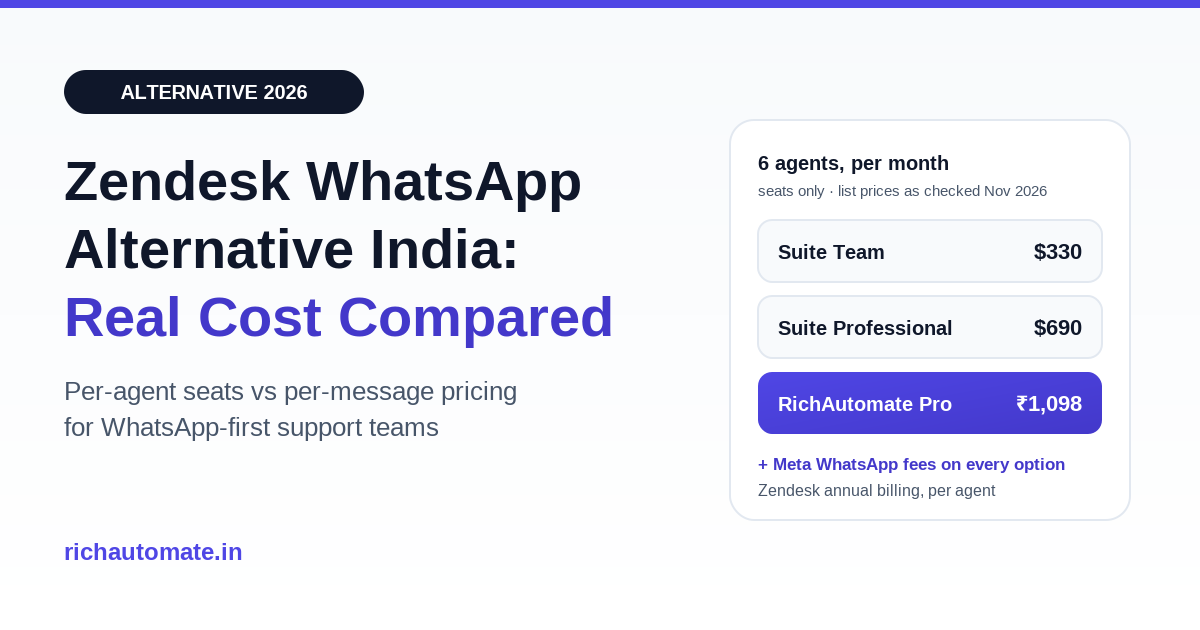
The best Zendesk WhatsApp alternative for an Indian business is a WhatsApp-first platform priced per message in rupees, if WhatsApp is where most of your customers write in; keep Zendesk if you need one help desk for email, voice, help centre and WhatsApp together. Zendesk's WhatsApp channel starts with Suite Team at $55 per agent a month (billed yearly), and sending proactive WhatsApp messages such as templates and broadcasts needs Suite Professional at $115 per agent a month, according to Zendesk's own pricing page and help centre as checked in November 2026.
This guide is for Indian support and CX teams that run Zendesk, or are evaluating it, and find that WhatsApp now carries most of the conversation volume. We set out what Zendesk includes for WhatsApp on each plan, what a team of 3, 6 or 12 agents actually pays in rupees, and when a dedicated WhatsApp platform is the better buy. All Zendesk figures come from zendesk.com/pricing and Zendesk's help centre articles, checked 28 November 2026. Zendesk bills in US dollars, so we convert at an illustrative ₹85 per dollar; your bank's rate, card fees and GST treatment will differ. Prices change, so confirm on their page before you sign.
Disclosure: this page is published by RichAutomate, a WhatsApp Business API platform that we compare against Zendesk below. We have tried to state Zendesk's pricing exactly as Zendesk lists it, and to say where Zendesk is the better choice.
Zendesk plans and WhatsApp in 2026
Zendesk sells per-agent plans. The entry Support Team plan is a ticketing desk without messaging; WhatsApp arrives with the Suite plans, which add messaging and live chat. Here is what Zendesk lists, per agent per month:
| Plan | Billed yearly (USD) | Billed monthly (USD) | Approx. INR yearly (₹85/$) | WhatsApp on this plan |
|---|---|---|---|---|
| Support Team | $19 | $25 | ₹1,615 | No messaging or social channels listed |
| Suite Team | $55 | $69 | ₹4,675 | WhatsApp channel; reply inside the 24-hour window |
| Suite Professional | $115 | $149 | ₹9,775 | WhatsApp plus proactive outreach (templates, notifications) |
| Suite Enterprise | Talk to sales | Talk to sales | Not listed | Not listed on the pricing page |
Three details from Zendesk's own pages matter for a WhatsApp buyer:
- Proactive messages need Professional. Zendesk's help centre says "Proactive outreach to users requires a Suite Professional or Enterprise plan", and sending templates through its Notification API needs a Conversations API key, which is limited to Professional and above. On Suite Team you can answer customers who message you, but not start conversations.
- Additional WhatsApp fees apply. The pricing page says "Additional fees apply" next to WhatsApp, and the help centre says "WhatsApp usage-based charges may apply". Whether Zendesk or Meta invoices those charges, and whether there is a markup over Meta's rate, is not listed on the pages we checked.
- Usage packs on Professional. Suite Professional lists Sunshine Conversations allowances of 1,000 monthly active users ($50 per extra pack of 2,500) and 1,000 notifications a month ($50 per extra pack of 25,000). Suite Team shows none.
There is no minimum seat count stated for the base plans, and Zendesk offers a 14-day free trial with Suite Professional features.
Zendesk AI, Copilot and add-on costs
Zendesk now prices its AI agents by outcome rather than by seat. These are the figures on the pricing page:
| Item | As listed by Zendesk |
|---|---|
| Automated resolutions included | 5 per agent a month on Support Team and Suite Team; 10 per agent on Suite Professional |
| Extra automated resolutions | $2.00 each pay-as-you-go |
| Copilot (agent assistant) | $50 per agent a month, billed yearly; Professional and above |
| Extra API volume | Requires 10 or more agent seats to purchase |
| Zendesk for Startups | 6-month Suite trial for up to 50 agents, for eligible startups |
At $2.00 (about ₹170) per automated resolution beyond the allowance, an AI agent that resolves 1,000 WhatsApp chats a month for a 6-agent Professional team (60 included) would add roughly $1,880 (about ₹1,59,800). That can still be cheaper than hiring, but it is a number to model before you switch the bot on.
WhatsApp limits on Zendesk worth knowing
Zendesk's guide to adding WhatsApp channels to the Agent Workspace lists several limits, most of which come from how Meta's API works:
- A number connected to Zendesk can no longer receive WhatsApp calls.
- The number cannot be on the WhatsApp Business mobile app and the API at the same time; you must remove it from the app first.
- Until your WhatsApp Business Account is approved, you can add only one channel and message at most 10 users.
- Group messages are not supported.
The app-or-API rule is a real cost for small Indian businesses whose owner still answers from the phone. Some API providers now support Meta's coexistence onboarding, where the same number works in the WhatsApp Business app and the API together; our guide to WhatsApp Business app and API coexistence explains how it works and its limits.
What Zendesk WhatsApp really costs per month
Here is what three typical Indian teams would pay on Zendesk. Because each team sends marketing templates, they need Suite Professional for proactive outreach. We use yearly billing (the cheaper option), Meta's India marketing rate of ₹0.8631 per message as the floor for WhatsApp usage, and ₹85 per dollar. Zendesk's own WhatsApp fees, any notification or MAU packs, AI resolutions and GST are left out, so treat each total as a minimum.
| Scenario | Zendesk seats (Suite Professional, yearly) | Meta fees (floor) | Minimum monthly total |
|---|---|---|---|
| 3 agents, 5,000 marketing messages | 3 × $115 = $345 = ₹29,325 | ₹4,316 | ₹33,641+ |
| 6 agents, 10,000 marketing messages | 6 × $115 = $690 = ₹58,650 | ₹8,631 | ₹67,281+ |
| 12 agents, 25,000 marketing messages | 12 × $115 = $1,380 = ₹1,17,300 | ₹21,578 | ₹1,38,878+ |
Each of these teams also sends more than the 1,000 notifications Professional includes, so if WhatsApp templates count against that allowance, add at least one $50 pack (about ₹4,250) a month. On monthly billing the seat line rises to $149 per agent, which takes the 6-agent team's seats alone to $894 (about ₹75,990). A team that only answers inbound WhatsApp could use Suite Team at $55 per agent instead, but it gives up broadcasts, order updates and reminders.
Get the India 2026 WhatsApp BSP price comparison
Wati vs AiSensy vs Interakt vs RichAutomate: Meta rates, platform fees and hidden costs, side by side. We send it to your WhatsApp in a minute.
Zendesk vs RichAutomate: the same three teams
RichAutomate is a WhatsApp-first platform, so it is not a like-for-like replacement for everything Zendesk does. It is priced in rupees, monthly and GST-inclusive. According to the RichAutomate WhatsApp API pricing page, setup is ₹0 and there is ₹0 platform fee on pay-as-you-go: on Client Pay, Meta bills your own card at its rate and RichAutomate adds ₹0.10 per message. Optional plans are Starter ₹499/month (1 number, 2 team members), Pro ₹899/month (up to 5 team members, flow builder, campaign scheduler and drip, developer API) and White-label ₹1,199/month (unlimited team members), with extra team members at ₹199 per seat per month on Starter and Pro.
| Scenario | Zendesk minimum (Professional, before GST) | RichAutomate on Client Pay (GST-inclusive plan) |
|---|---|---|
| 3 agents, 5,000 marketing messages | ₹33,641+ | Starter ₹499 + 1 seat ₹199 + ₹4,816 messages = ₹5,514 |
| 6 agents, 10,000 marketing messages | ₹67,281+ | Pro ₹899 + 1 seat ₹199 + ₹9,631 messages = ₹10,729 |
| 12 agents, 25,000 marketing messages | ₹1,38,878+ | White-label ₹1,199 (unlimited members) + ₹24,078 messages = ₹25,277 |
RichAutomate message totals are Meta's ₹0.8631 plus the ₹0.10 platform fee per message, before the monthly message credits each plan adds to your wallet. Meta's own charge is the same whichever provider you use, so almost the entire gap is seats: Zendesk charges every agent in dollars, while a WhatsApp-first platform charges per message and adds seats cheaply. For the support-team view of the same maths, read what a WhatsApp support chat really costs.
Feature comparison for WhatsApp work
| Feature | Zendesk Suite | RichAutomate |
|---|---|---|
| Main focus | Omnichannel help desk: email, voice, chat, help centre, messaging | WhatsApp Business API: broadcasts, chatbots, team inbox |
| Pricing model | Per agent per month, USD | Per message, optional INR plans |
| WhatsApp broadcasts and templates | Suite Professional and above | Every plan, including Starter |
| Shared team inbox | Yes, Agent Workspace | Yes, with chat assignment |
| Ticketing, SLAs, help centre | Yes, core strength | No; WhatsApp-focused |
| Visual chatbot flows | Bot builder and AI agents (outcome-priced) | Drag-and-drop flow builder on Pro |
| WhatsApp Business app on the same number | No, per Zendesk's docs | Coexistence onboarding supported |
| Free trial | 14 days | 7 days, 100 free credits, no card |
When Zendesk is the better choice
Zendesk is one of the most complete help desks available, and for some teams it is worth every dollar:
- Your customers use many channels. If email, phone, web chat and WhatsApp each carry a real share of volume, one Zendesk queue with shared SLAs and reporting beats running two tools.
- You need formal service operations. Skills-based routing, SLA policies, a public help centre and audit-ready reporting are Zendesk's home ground.
- You sell globally and budget in dollars. USD billing is normal for you and the GST question is already handled.
- Your team is trained on Zendesk. Retraining agents and rebuilding macros has a real cost that a seat saving may not cover.
If you are still choosing a help desk, our Freshdesk vs Zendesk WhatsApp integration comparison looks at how each handles the channel.
When a WhatsApp-first alternative fits better
For many Indian SMBs, D2C brands, clinics and education businesses, WhatsApp is not one channel among many; it is the support line. Consider an alternative if:
- Most of your conversations arrive on WhatsApp, so you are paying a full omnichannel seat price for one channel.
- You want to send broadcasts, order updates and reminders without moving every agent to Suite Professional.
- You want a GST invoice in rupees instead of a USD card charge with exchange-rate swings.
- Your team is growing and every new agent on Zendesk adds $55 to $115 a month.
A WhatsApp-first tool gives your agents one number and one WhatsApp shared team inbox with assignment, so nobody double-replies. If you are weighing other help-desk tools too, our Intercom WhatsApp alternative guide uses the same method.
Running both, or switching cleanly
You do not have to choose all or nothing. Some teams keep Zendesk for email and phone and move WhatsApp to a dedicated platform. RichAutomate has no native Zendesk connector, so a hand-off between the two runs through webhooks and the developer API on the Pro plan. Note that a WhatsApp number connects to one API provider at a time.
Your WhatsApp Business Account, phone number and display name belong to you, not to Zendesk. Moving to another Meta-approved provider means disconnecting the number from Zendesk, connecting it to the new platform, and re-creating or re-syncing your approved templates; your quality rating and messaging limits stay with the number. Export your contact list and recent conversation history from Zendesk before you disconnect, and plan the switch around your annual renewal date if you pay yearly.
The bottom line
Zendesk's WhatsApp channel costs $55 per agent a month on Suite Team for inbound-only work and $115 per agent on Suite Professional if you want to send templates and broadcasts, with WhatsApp usage fees, AI resolutions and usage packs on top. For a multi-channel CX operation, that buys a mature help desk. For an Indian team where WhatsApp is the main channel, the seat bill is usually several times the Meta bill, and a per-message rupee platform costs a fraction of the price.
Start a free 7-day RichAutomate trial with ₹0 setup and no card, and compare your real monthly cost against your Zendesk invoice before you decide.