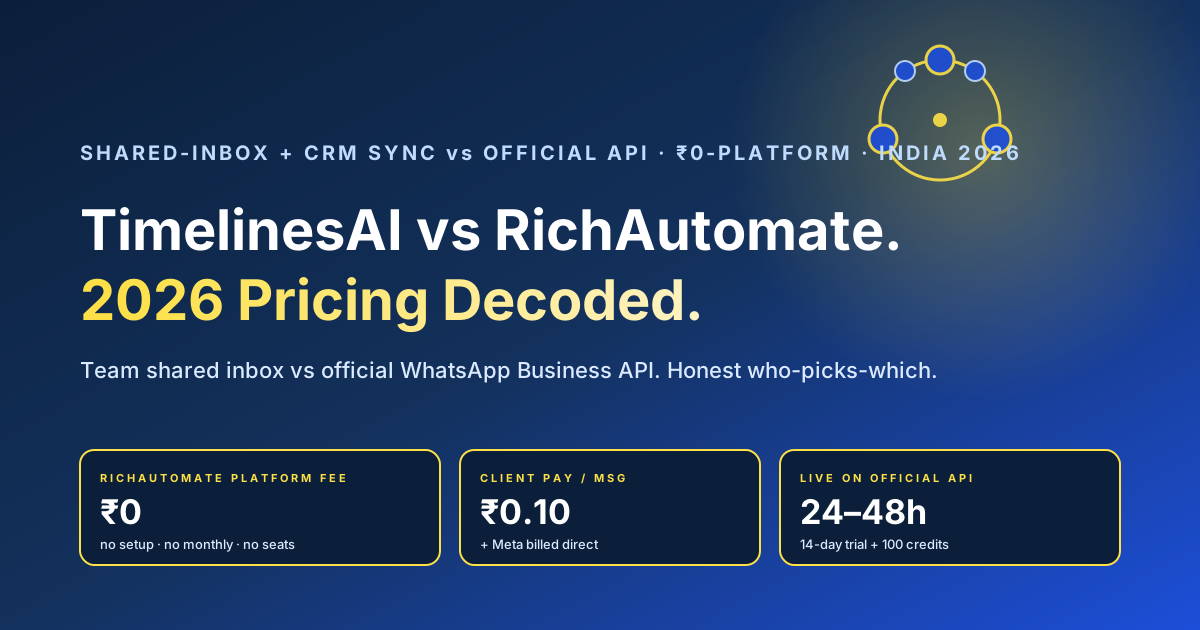
The short answer. TimelinesAI and RichAutomate both help Indian teams handle WhatsApp, but they solve different problems. TimelinesAI is a shared WhatsApp inbox for teams — it connects several existing WhatsApp numbers (your regular WhatsApp or the WhatsApp Business app) into one collaborative inbox, adds CRM sync (HubSpot, Pipedrive, Salesforce, Zoho, monday and others), automation rules, bulk sending and analytics, and is typically priced per connected number or per seat as a monthly SaaS fee (as of 2026, verify the current packaging on timelines.ai). RichAutomate is a ₹0-platform, ₹0-setup, ₹0-monthly self-serve platform built on the official WhatsApp Business API for India, where you get approved templates, broadcasts, the green-tick path, a no-code flow builder and a team inbox, and you pay only per message. If your core need is a sales or support team collaborating over a handful of existing WhatsApp numbers, synced into your CRM, without migrating anything to Meta’s API, TimelinesAI is built for exactly that and may genuinely be the better fit — we say so plainly below. If your core need is official-API marketing and utility messaging at scale — broadcasts to opted-in lists, approved templates, the green tick and predictable per-message cost — RichAutomate wins on cost, compliance headroom and control. Treat every TimelinesAI figure as “as of 2026, verify on timelines.ai” and every Meta specific as something to confirm against the live 2026 position; all rupee figures are illustrative.
If you are weighing TimelinesAI against RichAutomate, you are really weighing a team collaboration layer on top of your existing WhatsApp numbers against a platform built on the official WhatsApp Business API, and that framing decides almost everything. TimelinesAI made its name as a multi-number shared inbox: connect the WhatsApp numbers your sales reps already use, see every conversation in one place, assign chats, leave internal notes, sync the whole thread into HubSpot, Pipedrive, Salesforce, Zoho or monday, fire automation rules, send bulk messages and read analytics — the kind of tool a sales team that lives inside WhatsApp buys so nothing slips through the cracks and managers can finally see what reps are saying, usually on a per-number or per-seat monthly subscription (as of 2026, verify on timelines.ai). RichAutomate sits at the official-API, cost-and-control end of the Indian market: a self-serve WhatsApp Business API platform built so a founder, a small team, an agency or a growing D2C brand can be live on the official Meta Cloud API this week, send approved templates, broadcast to opted-in lists, run no-code flows, work a shared team inbox, and pay nothing but the per-message cost — no platform fee, no setup, no monthly, no seat ceiling. This decode walks the real differences: a head-to-head comparison across the lines that move a decision, an honest “who should pick which” that names the buyer for whom TimelinesAI is the better choice, illustrative rupee math, the 24–48 hour steps to stand up RichAutomate if you decide to, and a five-question FAQ. Every TimelinesAI price and feature is hedged “as of 2026, verify on timelines.ai” because their packaging is subscription-based and evolves; every RichAutomate number is real and current; and all cohort figures are illustrative, so model your own. This is general commercial information, not legal or pricing advice — confirm both vendors’ live terms before you commit.
The core difference in one paragraph
TimelinesAI is a shared-inbox and CRM-sync collaboration layer that sits on top of WhatsApp numbers you already have; RichAutomate is a zero-platform-fee, self-serve platform built on the official WhatsApp Business API for businesses that want to broadcast, automate and message at scale. That single distinction explains almost every downstream difference in price, compliance and fit. TimelinesAI’s value proposition is team visibility and CRM continuity — pull several existing WhatsApp numbers into one inbox, assign and collaborate on chats, mirror every conversation into your CRM, and add automation and bulk sending — usually priced per connected number or per seat on a monthly subscription (as of 2026, verify on timelines.ai). RichAutomate’s value proposition is the opposite emphasis: get onto the official WhatsApp Business API with the green-tick path and approved templates, strip the platform fee to zero, and pay only for the messages you actually send — with a no-code flow builder, broadcasts and a team inbox you operate yourself and no per-seat platform charge. Neither is “better” in the abstract. A sales team that wants to keep using its existing WhatsApp numbers and just needs collaboration plus CRM sync, and an Indian brand that wants official-API broadcasts and utility automation at predictable cost, are buying different products. The rest of this page is about matching the model to your shape — and one honest compliance caveat, covered below, that you should weigh before scaling bulk sends on any non-official setup.
Head-to-head comparison
The table below lines up the two on the dimensions that genuinely change the decision. Every TimelinesAI cell is hedged because their packaging is subscription-based and changes; verify the live position on timelines.ai. RichAutomate’s figures are current and flat.
| Dimension | TimelinesAI (as of 2026, verify on timelines.ai) | RichAutomate |
|---|---|---|
| Platform fee | Monthly subscription, typically per connected number / per seat — verify current pricing | ₹0 platform fee |
| Setup / onboarding | Connect your existing WhatsApp numbers; self-serve — verify | ₹0 setup — self-serve |
| Primary strength | Shared team inbox over multiple existing WhatsApp numbers + CRM sync | Official WhatsApp Business API — broadcasts, templates, flows at predictable cost |
| Underlying channel | Connects existing WhatsApp / WhatsApp Business app numbers — confirm the exact mechanism — verify | Official Meta WhatsApp Business (Cloud) API |
| Green tick / official API | Confirm whether and how it uses the official Business API — verify | Yes — official API, green-tick verification path |
| CRM sync | Core strength — HubSpot, Pipedrive, Salesforce, Zoho, monday and others — verify list | Integrations + API/webhooks; CRM connectors — check your stack |
| Broadcasts / approved templates | Bulk send exists; confirm template-category and approval handling — verify | Native — approved marketing / utility / authentication templates, opted-in broadcasts |
| Per-message / WhatsApp cost | Subscription covers usage by plan; confirm Meta conversation charges — verify | Client Pay ₹0.10/msg, or SaaS Pay ₹1.20 marketing / ₹0.30 utility-auth |
| Seats | Often priced per seat / per number — verify | No per-seat platform charge — you control your team inbox |
| No-code automation builder | Automation rules + bulk; visual flow depth varies — verify | Yes — visual WhatsApp flow builder + team inbox you run yourself |
| Time to go live | Fast — connect existing numbers — verify | Self-serve; typically 24–48h on the official API |
| Free trial | Trial available on some plans — verify current terms | 14-day free trial + 100 free credits, self-serve |
The shape that emerges is consistent: TimelinesAI is a collaboration-and-CRM layer over the WhatsApp numbers your team already uses; RichAutomate is a flat-priced, no-platform-fee self-serve platform on the official Business API. If your eyes went straight to the shared-inbox, CRM-sync and per-seat rows, you are likely a fit for the TimelinesAI model; if they went to the official-API, broadcasts, per-message and time-to-go-live rows, RichAutomate’s self-serve proposition may be what you actually want. For a clear breakdown of how RichAutomate’s two pricing modes work, see the Client Pay vs SaaS Pay billing guide, and for the distinction between the regular app and the official API read WhatsApp Business API vs the Business app.
Honest — who should pick which
This is the section most comparison pages dodge, so here it is straight, both ways.
Pick TimelinesAI if your core problem is team collaboration over the WhatsApp numbers your reps already use, not official-API broadcasting. If you run a sales or support team where several people each work a WhatsApp number, and what you need is one shared inbox to see every conversation, assign chats, leave internal notes so two reps do not message the same lead, and — crucially — mirror those threads into HubSpot, Pipedrive, Salesforce, Zoho or monday so your CRM is the single source of truth, then TimelinesAI is built for exactly that, and the per-seat subscription can be money well spent (verify the current packaging and pricing on timelines.ai). For that buyer, the appeal is keeping your existing numbers and conversational style while adding visibility and CRM continuity, without migrating anything to the official API or rebuilding around approved templates. Do not pick RichAutomate just because it is cheaper if what you genuinely need today is a shared inbox and CRM sync across existing numbers rather than official-API broadcast infrastructure.
Pick RichAutomate if your core problem is sending WhatsApp marketing, utility and conversational messages in India at scale and at a predictable cost, on the official WhatsApp Business API, and you want to be live this week without a platform fee or a sales cycle. This fits founders, SMBs, agencies running multiple client numbers, and growing D2C brands that want broadcasts to opted-in lists, approved templates, cart recovery, order and delivery updates, lead capture and a shared inbox — with automation and no-code flows — on the green-tick official API where the deliverability and compliance model is built for volume. You still get a no-code builder, templates, flows and a team inbox; you just do not pay a monthly platform fee or a per-seat charge to get there. The honest line: RichAutomate wins decisively on zero-platform-fee, transparent per-message pricing, official-API broadcasts and the green-tick path, and no seat ceilings; TimelinesAI wins on shared-inbox collaboration and deep CRM sync across existing numbers, and if that is the problem you are solving right now, weigh it seriously rather than on price alone. Some businesses even run both — TimelinesAI as the team inbox and CRM bridge, RichAutomate as the official-API broadcast and automation engine — and that can be a sensible split. For the full picture on managing several numbers in one place, see managing multiple WhatsApp numbers in one inbox.
Get a 1-minute BSP audit on WhatsApp
Drop your WhatsApp number — we line-item your current invoice against Meta India rates in under 60 seconds. India-hosted, DPDP-compliant.
One honest compliance caveat before you scale. If a tool sends bulk or automated messages over a regular WhatsApp or WhatsApp Business app number rather than the official Business API, that approach carries a higher risk of WhatsApp restricting the number when volumes climb, because it sits outside Meta’s sanctioned bulk-messaging path. This is not a knock on any one vendor — confirm exactly how TimelinesAI connects and sends on timelines.ai — but it is the single most important thing to understand before you scale marketing blasts on any non-official setup. The official WhatsApp Business API exists precisely so businesses can send approved templates to opted-in audiences at volume within Meta’s rules, with the green tick and a deliverability model built for it. For low-volume, conversational, reply-led selling a shared inbox over existing numbers is often fine; for high-volume marketing the official API is the safer home. No vendor — including RichAutomate — can promise a number will never be restricted; what protects a number is relevant, consented, well-spaced messaging on the right channel.
Illustrative break-even math
Numbers make the trade-off concrete, so here is illustrative math — model your own. Take a growing Indian D2C brand running, say, 10,000 WhatsApp conversations a month: roughly 7,000 utility (order updates, shipping, COD confirmation, support replies) and 3,000 marketing (offers, cart recovery, re-engagement), with three agents on the inbox. Every figure is illustrative and every TimelinesAI figure must be verified on timelines.ai.
| Line item (illustrative) | Shared-inbox SaaS (verify) | RichAutomate SaaS Pay | RichAutomate Client Pay |
|---|---|---|---|
| Platform / subscription fee | Per seat / per number monthly subscription, 3 agents (verify) | ₹0 | ₹0 |
| 7,000 utility conversations | Within plan, plus any Meta conversation charges (verify) | ~₹2,100 (7,000 × ₹0.30) | Meta direct + ~₹700 markup (7,000 × ₹0.10) |
| 3,000 marketing conversations | Within plan, plus any Meta conversation charges (verify) | ~₹3,600 (3,000 × ₹1.20) | Meta direct + ~₹300 markup (3,000 × ₹0.10) |
| Setup / onboarding (one-time) | Self-serve, connect numbers (verify) | ₹0 | ₹0 |
| Indicative monthly total | Per-seat subscription (× agents) + any WhatsApp charges + GST | ~₹5,700 + 18% GST, no platform fee | ~₹1,000 markup + Meta’s own charge |
The structural point is not that one is universally cheaper — it is that the cost models differ in kind. A shared-inbox tool prices per seat or per connected number, because you are buying collaboration and CRM sync across people and numbers; as your team grows, the subscription grows with it. RichAutomate strips the platform fee to zero and charges only per message, so the bill tracks your actual WhatsApp volume and your team can grow without a per-seat upgrade. For a brand whose cost is driven by message volume rather than headcount — and that needs official-API broadcasts — the ₹0-platform model is usually far cheaper; for a small, high-touch sales team whose value is CRM continuity across a few existing numbers, the per-seat subscription buys collaboration a broadcast tool does not centre on. Run your real message mix through the WABA cost calculator, read the deeper numbers in the WhatsApp WABA pricing and cost-optimisation guide, and verify Meta’s live conversation rates and the GST treatment as of 2026.
How to go live on RichAutomate in 24–48 hours
If you decide RichAutomate is the right fit for your WhatsApp messaging in India — whether replacing a tool or running it alongside TimelinesAI for team collaboration — standing it up is a self-serve process, and the official WhatsApp Business API makes it clean. The steps below are the typical path; timing depends on Meta’s own verification, which you should confirm for 2026. First, start the 14-day free trial and create your account — no card, no sales call required. Second, connect your WhatsApp Business number; if it currently sits with another provider, you initiate a migration of the number to the new platform on the official API, and Meta’s Business verification status carries with the WABA. Third, create your message templates — draft the wording for your order, shipping, support and offer messages and submit them for approval, which is usually quick for utility and authentication categories. Fourth, build your core flows in the visual no-code builder — start with the one or two journeys that carry the most volume (order updates, support routing, cart recovery, lead capture) rather than building everything at once, and add your agents to the team inbox. Fifth, run both side by side during the trial if you are keeping TimelinesAI for collaboration: route your bulk marketing and utility traffic through RichAutomate’s official-API broadcasts, keep your reps’ conversational selling where it works, and compare cost and deliverability before you fully commit. Keep opt-in and opt-out handling intact throughout so consent is never broken in the move. Verify the current number-migration and template-approval rules against Meta’s live 2026 documentation, and treat the 24–48 hour window as typical rather than guaranteed.
What you keep either way. For official-API broadcasting specifically, RichAutomate gives you the things a shared-inbox layer is not primarily built for — your verified number, the green-tick path, approved templates, the 24-hour service window, and Meta’s conversation-pricing categories — all on the sanctioned bulk-messaging channel. What changes between the two products is what you are optimising for: collaboration and CRM continuity across existing numbers (TimelinesAI) versus official-API marketing and utility messaging at predictable per-message cost with zero platform fee (RichAutomate). So the question is not “which one does WhatsApp” — both touch WhatsApp — but “which job am I solving: team inbox and CRM sync, or compliant official-API messaging at scale.” For a wider view of how RichAutomate sits against managed WhatsApp CRM tools, see the best WhatsApp CRM for India 2026 guide; for another head-to-head in the same series the Interakt vs RichAutomate decode; and for the full numbers the WhatsApp Business API cost guide.
The conversation window cost calculator shows how the 24-hour window changes your per-conversation spend.
The honest bottom line
TimelinesAI and RichAutomate are both credible tools that suit different buyers, and the choice should follow the problem you are actually solving. TimelinesAI earns its subscription when a sales or support team wants one shared inbox over the WhatsApp numbers its reps already use, with chat assignment, internal notes and deep CRM sync into HubSpot, Pipedrive, Salesforce, Zoho or monday, without migrating to the official API; if that is you, evaluate it seriously and verify its current packaging and pricing on timelines.ai. RichAutomate is the platform-fee-free, self-serve alternative that wins when your goal is cost-efficient, compliant WhatsApp marketing and utility messaging in India at scale, live fast on the official Business API, with the green tick, approved templates and broadcasts, pricing that tracks only what you send, no seat ceilings, and a builder and inbox you run yourself — ₹0 platform, ₹0 setup, ₹0 monthly, with Client Pay at a flat ₹0.10 per message (Meta billed direct to you) or SaaS Pay at an all-in ₹1.20 marketing / ₹0.30 utility-auth, plus a 14-day free trial with 100 free credits. Some businesses run both and pick the model that matches each job rather than the louder logo. Verify every TimelinesAI specific on timelines.ai and every Meta and GST detail against the live 2026 position; all rupee figures here are illustrative. This is general commercial information, not legal or pricing advice; no vendor can guarantee against a WhatsApp number restriction, and what keeps a number healthy is relevant, consented, well-spaced messaging on the right channel with prompt opt-out handling.
Get on the official WhatsApp Business API — ₹0 platform, ₹0 setup, pay only per message
If you want the speed and cost of a self-serve, official WhatsApp Business API platform for India — no platform fee, no setup, no monthly, no seat caps, the green-tick path, approved templates and broadcasts, transparent per-message pricing, and a no-code flow builder and team inbox you operate yourself — RichAutomate gets you live on the official API, typically within 24–48 hours. Pricing is flat: ₹0 platform fee, ₹0 setup, ₹0 monthly, with Client Pay at a flat ₹0.10 per message on your own WhatsApp number (Meta’s conversation charge billed to you directly by Meta) or SaaS Pay at an all-in ₹1.20 marketing / ₹0.30 utility-auth. Start the 14-day free trial with 100 free credits, set up one high-volume flow, run it side by side with your current tool, and compare the bill before you commit. If a shared WhatsApp inbox with deep CRM sync across your existing numbers — like TimelinesAI — is genuinely what your team needs today, we will tell you so, and the two can run side by side. WhatsApp us at 918160311319 or book a 30-minute walkthrough at https://calendly.com/inrichdaddy/30min. (This is general commercial information, not legal or pricing advice. Every TimelinesAI specific must be verified on timelines.ai and every Meta and GST detail against the live 2026 position; all rupee figures are illustrative; no vendor can guarantee against a ban.)
Start your 14-day free trial → · See full pricing · Run the WABA cost calculator
Related reading: WhatsApp MM Lite API vs Cloud API in India 2026.