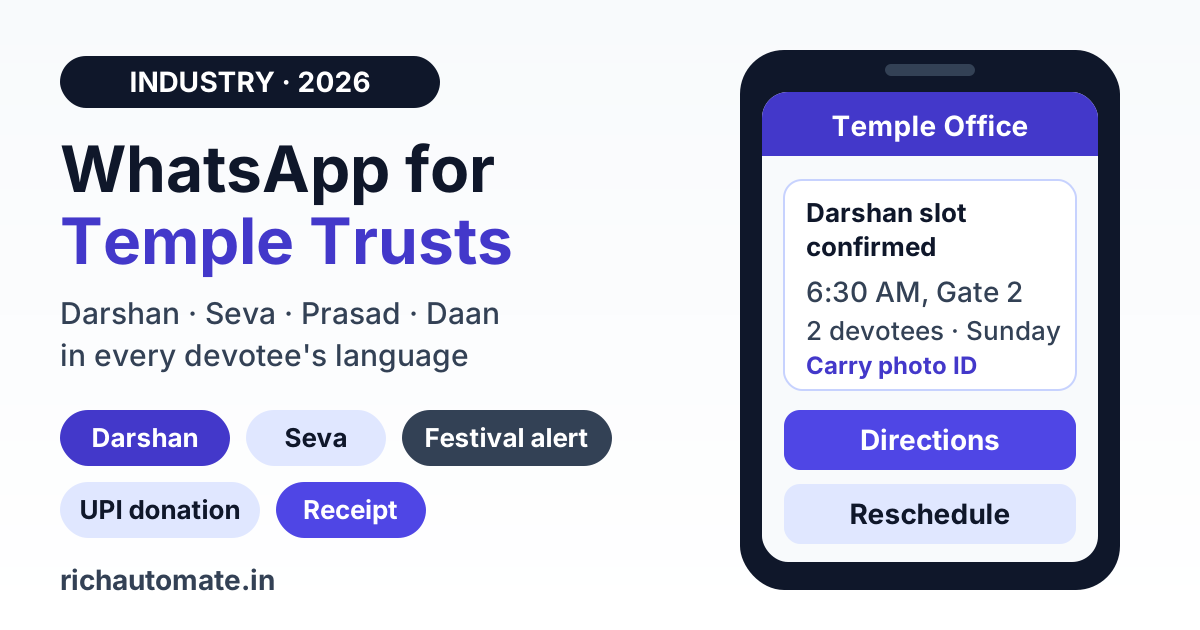
Temple trusts can use the WhatsApp Business API to send darshan slot confirmations, seva and pooja booking updates, prasad dispatch notices, donation receipts and festival crowd advisories from one verified trust number, directly to devotees who have opted in. It replaces phone calls to the temple office and overflowing volunteer groups with one-to-one, multilingual messages that devotees actually read, with quick-reply buttons for rescheduling, directions and UPI donations.
This guide is written for mandir management committees, temple trusts, gurudwara committees and devasthanam boards in India. It covers what to automate, how Meta's template categories and opt-in rules apply to devotees, how to plan festival-day messaging, how donation receipts and 80G fit in, what it costs on real pricing, and the mistakes that get numbers restricted. It is an operations guide, not legal or tax advice.
Why temple offices are moving devotee communication to WhatsApp
Most temple offices still run devotee communication on a landline, a counter register, a notice board and a few WhatsApp groups managed by volunteers. That works for a small neighbourhood mandir. It breaks down quickly for a trust that runs online darshan booking, daily sevas, annadanam, prasad dispatch and several large festivals a year.
Large temples can see tens of thousands of visitors a day on festival days, and even mid-sized shrines get a sharp spike around Navratri, Janmashtami, Maha Shivratri, Ganesh Chaturthi, Diwali or the local brahmotsavam. The same pressure points show up every time:
- The office phone never stops ringing. Devotees call to ask darshan timings, whether their seva is confirmed, when the aarti starts and whether the temple is open during an eclipse.
- Booking confirmations get lost. A devotee books a slot on the website, closes the tab and turns up at the wrong gate or on the wrong day.
- Festival changes reach people late. Timings shift, a queue is diverted or a gate closes for crowd control, and the news sits on a notice board devotees cannot see from home.
- Donation receipts pile up. Counter staff hand-write or print receipts, and devotees who donated online ask again and again for a copy.
Almost every devotee, including elderly devotees helped by their children, already reads WhatsApp every day. Moving these touchpoints to the official API gives the trust a single verified number, a record of what was sent and read, and the ability to reply in the devotee's own language.
Eight use cases for temple trusts and devasthanam boards
1. Darshan slot booking and confirmations
When a devotee books a darshan slot on your website or at the counter, send an instant confirmation with the date, time, gate, number of devotees and any ID they must carry. A reminder the evening before and a short "your slot starts in one hour" message cut no-shows and gate confusion. Quick-reply buttons such as "Reschedule", "Directions" and "Cancel" let devotees act without calling the office.
2. Seva, pooja and abhishekam booking
Sevas like abhishekam, archana, sahasranama, homa or kalyanotsavam usually have fixed slots and limited seats. Confirm the seva name, date, time, the devotee's gotra or nakshatra if you record it, and reporting instructions. For sevas performed on the devotee's behalf, send a completion message afterwards, which devotees who live far away value a great deal.
3. Prasad and dispatch updates
Trusts that post prasad, calendars or blessed items can send dispatch notices with the courier tracking link, and a delivered confirmation. Keep these tied to the devotee's own order so they stay factual and specific.
4. Donation receipts and acknowledgements
Send a thank-you and receipt the moment a donation is recorded, whether it came through the counter, the website or a UPI link. If, and only if, the trust holds a valid 80G registration, the receipt can carry the 80G details your CA specifies. More on this in the donation section below.
5. Festival crowd and timing advisories
Before and during major festivals, send devotees who opted in the special darshan timings, expected rush hours, parking and gate changes, dress code reminders and what items are not allowed inside. Segment by booking date so people only get advisories for the day they are coming.
6. Live aarti, closure and special timings
Aarti timings, closures for grahan (eclipse), special alankaram days and changes during renovation are exactly what devotees phone about. A short utility message to those with an upcoming booking, plus a keyword menu ("Send TIMINGS"), answers most of these calls. Outside office hours, an after-hours auto-reply with aarti and darshan timings keeps devotees informed even when the office is closed.
7. Volunteer and sevadar coordination
Festival days need hundreds of volunteers for queue management, annadanam, parking and shoe stands. Send each registered volunteer their own duty slot, reporting point and coordinator contact, with a "Confirm" button, instead of posting a spreadsheet photo into a 500-member group.
8. UPI donation links and appeals
A donation button that opens a UPI payment link makes giving easy for devotees who cannot visit. Appeals for a renovation, gaushala or annadanam fund are welcome, but they are generally marketing-category messages, so send them sparingly and only to devotees who agreed to receive updates from the trust.
Temple trusts vs pilgrimage tour operators vs NGO fundraising
These three get lumped together, but they have different jobs and different messaging patterns. A temple trust is the place of worship itself: it controls darshan, sevas, timings, prasad and donations to the temple. A pilgrimage tour operator sells travel packages, hotels, buses and yatra itineraries to shrines; if that is your business, our guide on WhatsApp for pilgrimage and religious tourism operators covers bookings, departures and group travel. An NGO or charity runs donor fundraising campaigns, impact reports and recurring giving across many supporters; that model is covered in WhatsApp for NGO and charity donor relations.
For a temple trust, most messages are service messages to devotees with a booking, seva or donation in progress. Fundraising appeals are a smaller slice. Keep that ratio in mind, because it drives both cost and your number's quality rating.
WhatsApp app vs WhatsApp group vs WhatsApp Business API
| Option | How it works | Limits for a temple trust | Best fit |
|---|---|---|---|
| WhatsApp Business app on the office phone | One phone, manual replies, small broadcast lists | One device bottleneck, no website booking integration, hard to scale on festival days | Small neighbourhood mandir with a few dozen queries a day |
| WhatsApp groups on a volunteer's number | Admin posts updates to large groups | Every member sees every number, no targeting by language or date, no audit trail, number at risk if people are bulk-added | Internal volunteer chat only, not official devotee notices |
| WhatsApp Business API | Verified trust number connected to booking, donation and CRM systems | Needs template approval and opt-in discipline | Trusts with online booking, sevas, prasad dispatch, donations and festivals |
Many trusts keep a volunteer group for internal coordination and move every devotee-facing message to the API, so devotee phone numbers are never exposed to a group.
Opt-in, templates and the 24-hour window
Meta does not have special rules for religious organisations. The WhatsApp Business Messaging Policy applies in full, and the basics are straightforward:
Get a 1-minute BSP audit on WhatsApp
Drop your WhatsApp number — we line-item your current invoice against Meta India rates in under 60 seconds. India-hosted, DPDP-compliant.
- Collect opt-in where devotees already interact. Add a WhatsApp consent checkbox to the online darshan or seva booking form, ask at the booking counter, and place a QR code at the entrance and prasad counter that opens a chat with a pre-filled "Send me temple updates" message. Our guide to WhatsApp QR codes and click-to-chat links shows how to set these up. Store the timestamp and source of every opt-in.
- Templates for trust-initiated messages. Anything the trust sends outside a 24-hour window opened by the devotee must be a pre-approved template. When a devotee messages first, say to ask about timings, you can reply free-form within 24 hours.
- Utility vs marketing. Confirmations, reminders, receipts and change notices tied to the devotee's own booking or donation are generally utility. Greetings, fundraising appeals and general festival promotions to your whole list lean marketing. Keep them in separate templates; a darshan confirmation with a donation appeal attached may be categorised as marketing.
- Multilingual templates. Create the same template in Hindi, Tamil, Telugu, Kannada, Marathi, Gujarati, Bengali or Malayalam as your devotees need, and store each devotee's preferred language at booking. A devotee is far more likely to read a timing change in their own language.
- Commerce policy. Collecting donations for a registered trust is generally fine. If you list prasad or other items in a WhatsApp catalog, make sure nothing falls under Meta's restricted or prohibited commerce categories, and keep descriptions factual.
Message type, template category and cost
This table maps common temple messages to their likely Meta category and RichAutomate pricing. Meta makes the final categorisation at template review.
| Temple message | Likely Meta category | SaaS Pay (all-in) | Client Pay |
|---|---|---|---|
| Darshan slot confirmation or reminder | Utility | ₹0.30 per message | ₹0.10 platform fee + Meta charge paid to Meta |
| Seva, pooja or abhishekam booking confirmation | Utility | ₹0.30 per message | ₹0.10 platform fee + Meta charge paid to Meta |
| Prasad dispatch and delivery update | Utility | ₹0.30 per message | ₹0.10 platform fee + Meta charge paid to Meta |
| Donation receipt for a recorded donation | Utility | ₹0.30 per message | ₹0.10 platform fee + Meta charge paid to Meta |
| Timing change for devotees with a booking | Usually utility if specific and factual | ₹0.30 per message | ₹0.10 platform fee + Meta charge paid to Meta |
| Festival greeting or fundraising appeal to full list | Likely marketing | ₹1.20 per message | ₹0.10 platform fee + Meta charge paid to Meta |
A worked example: a trust that confirms 3,000 darshan and seva bookings in a month, with one confirmation and one reminder each, sends 6,000 utility messages. On SaaS Pay that is 6,000 × ₹0.30 = ₹1,800 for the month, all-in. One fundraising appeal to 5,000 opted-in devotees adds 5,000 × ₹1.20 = ₹6,000, which is why appeals should be targeted rather than blasted.
On Client Pay, the same 6,000 messages carry a platform fee of 6,000 × ₹0.10 = ₹600, and the trust pays Meta directly for Meta's conversation charges. Either way RichAutomate is usage-only, with ₹0 setup and ₹0 monthly fee at the time of writing. Meta rates can change, so check the WhatsApp API pricing page before you budget.
Festival-day message plan
Festival days are where WhatsApp pays for itself. Plan the sequence in advance and get the templates approved at least a couple of weeks before the festival, not the night before.
| When | Message | Audience | Category |
|---|---|---|---|
| 2-3 weeks before | Special darshan and seva booking opens, with booking link | Devotees who opted in to trust updates | Marketing |
| On booking | Slot confirmed: date, time, gate, ID required | Each devotee who booked | Utility |
| Evening before | Reminder with gate, parking, dress code and items not allowed | Devotees booked for that day | Utility |
| Festival morning | Queue status or gate change if crowd control shifts entry | Devotees booked for that day | Utility |
| During the day | Aarti, procession or closure timing updates | Devotees booked for that day | Utility |
| Day after | Thank-you with optional UPI donation button | Devotees who opted in to trust updates | Marketing |
Use broadcast audience segmentation to split the list by booking date, language, city and seva type, so a devotee coming on Ashtami does not get the queue advisory for Navami. Brief the counter and security staff on the same messages, so what devotees read on WhatsApp matches what they hear at the gate.
Donation receipts, 80G and UPI links
Donations are the most sensitive part of temple messaging, because tax benefits and trust accounts are involved. A few rules keep it clean:
- 80G only where it applies. Mention 80G on a receipt only if the trust holds a valid 80G registration. If it does not, the receipt should simply acknowledge the donation, with no tax-benefit wording. Never imply a deduction the trust cannot support.
- Let your CA define the receipt format. Trusts with 80G registration generally need the registration number, donor name, PAN and amount on the receipt, and year-end donor statements and certificates follow income-tax rules. Confirm the current requirements with your CA and generate receipts from your accounting system, not by hand in chat.
- Receipt as a document or secure link. Send the receipt as a PDF or a link to the trust portal. Avoid re-typing amounts in free text, where errors creep in.
- UPI links from the trust's own account. Donation buttons should open a UPI payment link or payment page for the trust's registered bank account, never an individual's UPI ID. Reconcile UPI donations daily so receipts go out the same day.
For a broader view of donor journeys, recurring giving and impact updates, the NGO donor relations guide has patterns that translate well to temple fundraising drives.
DPDP Act basics for devotee data
Devotee names, phone numbers, addresses for prasad dispatch, PAN numbers for 80G receipts and donation history are personal data under the Digital Personal Data Protection Act, 2023. Treat the following as a working baseline and confirm specifics with your legal advisor:
- Clear consent. Tell devotees at booking what the trust will send on WhatsApp and why, and give them an easy way to stop, such as replying STOP.
- Purpose limitation. Numbers collected for darshan bookings should not be shared with vendors, tour operators or political campaigns.
- Minimum data in chat. Keep PAN and full addresses out of message bodies where possible; link to a secure receipt instead.
- Access control. Give office staff and volunteers role-based access to the inbox rather than one shared login, and remove access when a volunteer's term ends.
Common mistakes temple trusts should avoid
- Blasting the whole list through personal groups. It exposes numbers and invites reports. Use one-to-one messages from the trust number.
- Adding donation appeals to confirmations. It can push a utility template into marketing and annoys devotees who just want their slot details.
- Sending every festival update to everyone. Target by booking date and language, or devotees start blocking the number.
- Getting templates approved at the last minute. Festival dates are known months ahead; approve templates early.
- Using 80G wording without registration. Only trusts with valid 80G registration should mention it.
- Promising what no provider can. No one can guarantee a number will never be restricted. Consent, relevance and sensible frequency are what keep your quality rating healthy.
The bottom line
For a temple trust, WhatsApp is where devotees already are. Running darshan confirmations, seva bookings, prasad updates, donation receipts and festival advisories through the official API, with opt-in at the booking counter, clean utility templates in the devotee's language and targeted festival plans, cuts office phone load and gate confusion for a few paise to a rupee per message. Keep appeals rare and relevant, keep receipts accurate, and let the trust number do the reaching.
Bring your temple office onto WhatsApp. Darshan and seva confirmations, prasad updates, donation receipts and festival advisories on the official WhatsApp Business API, with ₹0 setup, ₹0 monthly fee and usage-only pricing. Start with RichAutomate