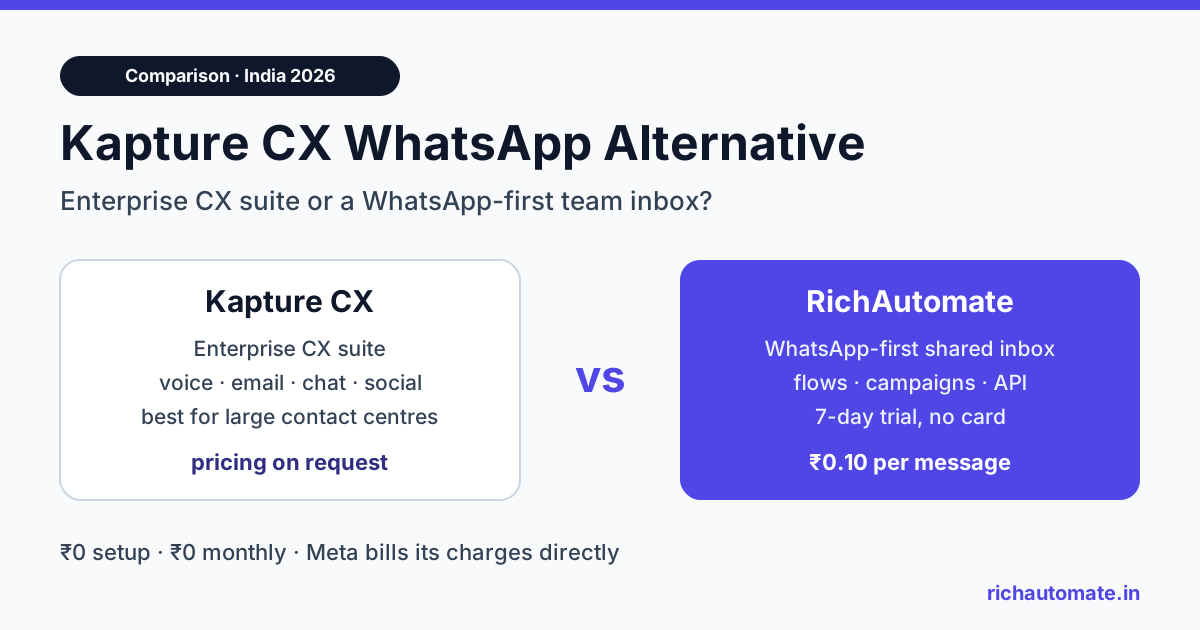
The best Kapture CX WhatsApp alternative in India for 2026 is a WhatsApp-first platform like RichAutomate, which charges ₹0 setup, ₹0 monthly and a ₹0.10 platform fee per message, with Meta billing its own charges directly to you. Kapture CX is a broad enterprise CX suite with pricing on request (as checked Nov 2026), so it suits large omnichannel contact centres better than lean support teams that mostly live on WhatsApp.
This guide compares the two fairly. It covers what Kapture says it offers on WhatsApp, where Kapture is the stronger choice, what RichAutomate costs in real rupees, and how to move a support desk across without losing tickets or context.
Kapture CX vs RichAutomate at a glance
The two products solve different sizes of problem. Kapture positions itself as an AI and agent platform for enterprise customer experience across many channels. RichAutomate is an official WhatsApp Business API platform built around one channel and transparent per-message pricing.
| Point | Kapture CX | RichAutomate |
|---|---|---|
| Core focus | Enterprise CX suite: AI agents, ticketing, contact centre, QA, analytics (according to Kapture's site) | WhatsApp Business API: team inbox, flows, campaigns, templates, API |
| Channels | Voice, chat, email, WhatsApp and social such as Instagram and Facebook (according to Kapture's site) | WhatsApp only |
| Published pricing | Pricing on request (as checked Nov 2026) | ₹0 setup, ₹0 monthly, ₹0.10 platform fee per message |
| Pricing model | Agent-based, interaction-based or hybrid, shaped by product, users, volumes and AI add-ons (according to Kapture's pricing page) | Pay-as-you-go, optional plans from ₹499 a month that come back as wallet credits |
| Meta charges | Not published on the pricing page | Billed by Meta directly to your business (Client Pay) |
| Free trial | Demo and "Request Pricing" flow | 7 days, 100 credits, no card |
| Integrations | "1000+" enterprise integrations claimed (according to Kapture's site) | REST API and webhooks, no native helpdesk or CRM connectors |
What Kapture CX offers on WhatsApp
Kapture CX is an Indian enterprise customer experience company. Its homepage describes an "Agentic Operating System for the Enterprise" with modules for AI agents, human agent workspaces, quality audits and analytics. According to Kapture's site, it is deployed across 1,000+ enterprises in 60+ countries.
WhatsApp sits inside that larger suite rather than at its centre. According to Kapture's WhatsApp chatbot page and pricing page, the WhatsApp side includes:
- WhatsApp support listed under its Self-Serve product, next to email, call, Instagram, X and Facebook support.
- A drag-and-drop chatbot builder for conversation flows, described as needing no coding.
- Automated FAQs and proactive notifications such as reminders, order updates and offers.
- Escalation to human agents, with AI-generated conversation summaries for the agent who picks up the case.
- Ticketing, where conversations become tickets and are routed to agents.
- Analytics on interactions, response times and common issues.
Kapture has also published a case where a company deployed a WhatsApp Flow-based chatbot to automate ticket creation and hand unresolved cases to live agents. That is a useful signal that WhatsApp ticketing is a real use case on its platform, not only a checkbox.
On price, Kapture's pricing page lists products (Self-Serve, Agent Suite, Insights, Employee Experience) with a "Request Pricing" button and no figures. Its FAQ says enterprises can choose agent-based, interaction-based or hybrid pricing. So for budgeting, treat Kapture as pricing on request (as checked Nov 2026) and ask sales for a written quote that splits platform fees from Meta's message charges.
Where Kapture CX fits better
A fair comparison has to say this clearly: if WhatsApp is one channel among many, Kapture may be the better fit. Based on what its site describes, Kapture makes more sense when you need:
- True omnichannel ticketing. Voice with IVR, email ticketing, web chat, app chat, social and WhatsApp in one agent workspace. RichAutomate does not do voice, email or social.
- A contact centre stack. Kapture lists contact centre software, AI voice agents and quality audit agents. A 200-seat call centre will not get that from a WhatsApp tool.
- BFSI-grade workflows. Kapture's BFSI page describes journeys such as eKYC support, card block with authentication, disputes, EMI reminders and promise-to-pay capture. It also lists audit trails, RBAC, AES-256 encryption, RBI and DPDP data residency considerations, and on-prem or private cloud options.
- Enterprise QA and analytics. Automated quality scoring, conversational intelligence and survey tooling across every channel.
- Procurement-led buying. Some large companies prefer a single enterprise contract, custom SLAs and a vendor that handles implementation end to end.
If that describes your team, compare Kapture against other enterprise suites instead. Our Freshdesk vs Zendesk WhatsApp integration guide covers that tier.
Why WhatsApp-first teams look for a Kapture alternative
Many Indian support teams do most of their work on WhatsApp. Customers message about orders, bookings, appointments, refunds and delivery. Email and calls exist, but they are a small slice. For these teams, an enterprise suite can feel like paying for a stadium to play a five-a-side match.
The usual reasons to shortlist a cheaper, WhatsApp-first option are:
- No public price. Quote-based pricing makes it hard to compare vendors or plan a budget before a sales call.
- Bundled spend. When platform fees and Meta charges arrive on one invoice, it is hard to see what WhatsApp actually costs you.
- Setup time. A full CX rollout involves workflows, roles and integrations. A small team often just wants agents replying from one number this week.
- Team size. Five to fifteen agents rarely need voice QA, workforce tools or a multi-channel analytics layer.
The same pattern shows up with other suites. If you are weighing several, our Intercom WhatsApp alternative comparison covers the same trade-off for a chat-first suite.
What you get with RichAutomate
RichAutomate is an official WhatsApp Business API platform. It runs on Meta's Cloud API and is built for teams that support and sell on WhatsApp. The features that matter for a support desk are:
Get the India 2026 WhatsApp BSP price comparison
Wati vs AiSensy vs Interakt vs RichAutomate: Meta rates, platform fees and hidden costs, side by side. We send it to your WhatsApp in a minute.
- Shared team inbox. Several agents work from one WhatsApp number, so customers keep one familiar contact. Read more in our WhatsApp shared team inbox guide.
- Visual flow builder. Build chatbots for FAQs, order status, triage and lead capture, then hand over to a human.
- Templates. Create and submit Meta message templates for ticket updates, reminders and follow-ups.
- Broadcasts and campaigns. Send opt-in updates and offers, with scheduling on the Pro plan.
- Developer API and webhooks. Trigger WhatsApp messages from your helpdesk, CRM or backend, and receive events back.
What it does not do is just as important. There is no voice, email or social ticketing, and no native connector to Kapture, Freshdesk, Zendesk or any CRM. Integrations run through the REST API or a flow Incoming Webhook, covered below.
How the pricing works
RichAutomate uses pay-as-you-go pricing with Client Pay. You pay a ₹0.10 platform fee per message, and Meta bills its own charges directly to your business. There is no setup fee and no monthly fee unless you choose a plan.
| Item | Rate (India, 2026) | Paid to |
|---|---|---|
| Setup fee | ₹0 | Nobody |
| Monthly fee (pay-as-you-go) | ₹0 | Nobody |
| Platform fee | ₹0.10 per message | RichAutomate |
| Marketing template | About ₹0.8631 per message | Meta |
| Utility or authentication template | About ₹0.115 per message | Meta |
| Service replies in the 24-hour window | First 1,000 a month per number free, then Meta's utility rate | Meta |
| Optional plans | Starter ₹499, Pro ₹899, White-label ₹1,199 a month (GST-inclusive, returned as wallet credits) | RichAutomate |
| Extra team member / extra number | ₹199 per seat / ₹399 per number a month | RichAutomate |
The Pro plan includes up to 5 team members, the visual flow builder, campaign scheduling, and the developer API with webhooks. Because the plan fee comes back as wallet credits, a Pro team is not paying twice. Full details are on the RichAutomate pricing page.
Cost example: a 5-agent support team in India
Here is a worked monthly estimate for a D2C brand with five support agents on one WhatsApp number. To stay conservative, the platform fee is counted on every message in and out.
- 4,000 inbound customer messages
- 4,000 agent and bot replies inside the 24-hour service window
- 3,000 utility templates for ticket and order updates
- 1,000 marketing templates for a monthly offer to opted-in customers
| Line item | Calculation | Monthly cost |
|---|---|---|
| Service replies (Meta) | First 1,000 free, then 3,000 × ₹0.115 | ₹345.00 |
| Utility templates (Meta) | 3,000 × ₹0.115 | ₹345.00 |
| Marketing templates (Meta) | 1,000 × ₹0.8631 | ₹863.10 |
| Meta subtotal, billed by Meta | ₹1,553.10 | |
| Platform fee (RichAutomate) | 12,000 messages × ₹0.10 | ₹1,200.00 |
| Pro plan for 5 agents | ₹899, returned as wallet credits that cover part of the platform fee | ₹0 extra |
| Total | ₹1,553.10 + ₹1,200.00 | ₹2,753.10 (about $31.29) |
In cash terms, you pay ₹899 for Pro, top up the wallet by about ₹301 to cover the remaining platform fees, and pay Meta ₹1,553.10 directly. If the team grows to 8 agents, add 3 seats × ₹199 = ₹597 a month.
Your mix will differ. A team that sends almost no marketing templates will spend far less on Meta charges. Run your own numbers in the WhatsApp API cost calculator, then ask Kapture for a written quote on the same volumes so you compare like for like.
Connecting WhatsApp to your helpdesk or CRM
If you plan to keep a separate helpdesk or CRM for email and calls, you can still run WhatsApp on RichAutomate. There is no native connector, so the link is built with the API.
- Outbound from your system. When a ticket changes status, your helpdesk or backend calls
POST /api/v1/send-templatewith an approved template, such as "Your ticket has been resolved". - Inbound into your system. A flow can send collected details, like order number and issue type, to your endpoint through an Incoming Webhook step. Your system can then create or update a ticket.
- Agent replies. Agents handle live conversations in the shared inbox, so the WhatsApp thread stays in one place.
This takes some developer time, usually a few endpoints. It is the honest trade-off for not paying for a full suite, and it keeps each tool doing the job it is good at.
Migration checklist: moving WhatsApp support off Kapture
Switching a live support number needs care, because the number is what your customers know. A simple sequence:
- Check your number setup. Confirm with Kapture whether your WhatsApp number sits on a Meta Business account you control. You will need that access to connect it elsewhere.
- Export history. Ask for an export of WhatsApp conversations and tickets before you switch, so agents keep context.
- Recreate templates. List your approved templates and recreate them. Meta reviews each template, so allow time.
- Rebuild flows. Rebuild your FAQ and triage bots in the flow builder, and always include a path to a human agent.
- Wire integrations. Point your helpdesk or CRM at the API and set up webhooks for inbound data.
- Test with your own team. Run real conversations on the trial before you switch customer traffic.
- Brief customers if needed. If the number changes, tell customers through your website and existing channels.
A note on safety: no platform can promise your number will never be restricted. Meta enforces its own policies on quality, opt-in and spam. Send templates only to customers who opted in, keep marketing volume sensible, and watch your quality rating.
Verdict: which should you choose?
Choose Kapture CX if you run a large, multi-channel contact centre, need voice and email ticketing in one place, operate BFSI-style regulated workflows, or want an enterprise vendor to own the full implementation. Ask for a written quote, since its pricing is on request.
Choose RichAutomate if WhatsApp is where most of your customers talk to you, your team is small to mid-sized, and you want prices you can see before talking to sales. You get a shared inbox, flows, campaigns and an API at ₹0.10 per message, with Meta charges billed directly to you.
The quickest way to decide is to try it with your own team. Start a 7-day free trial with 100 credits, no card needed, and run a week of real support conversations before you commit.