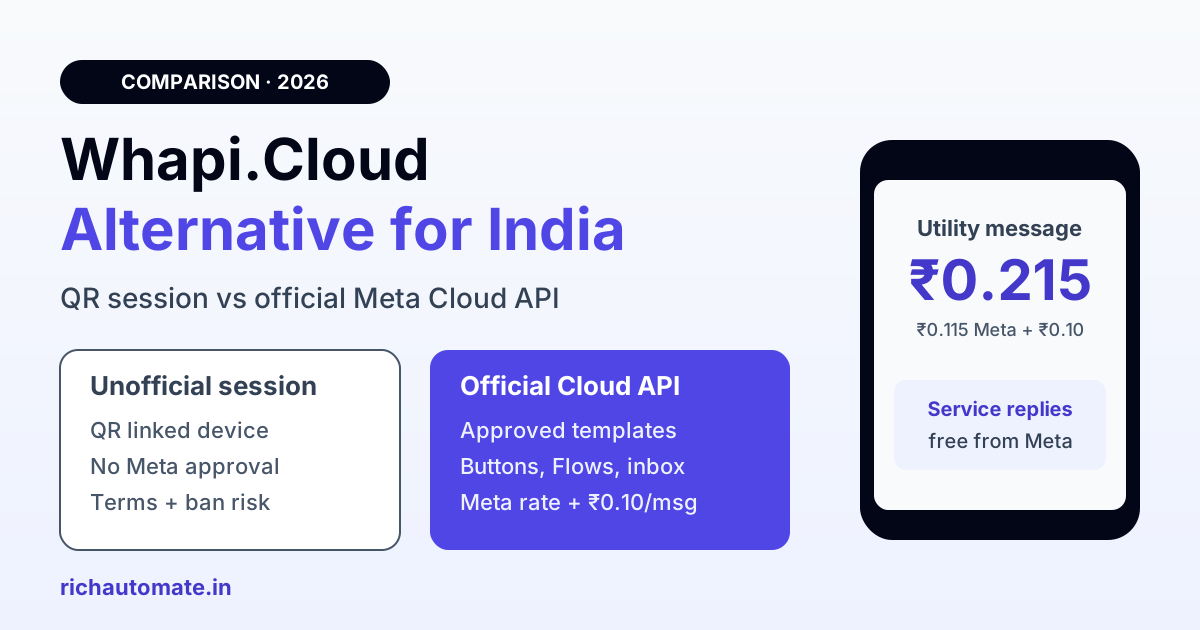
The best Whapi.Cloud alternative for an Indian business is the official WhatsApp Business (Cloud) API from Meta, used through a provider such as RichAutomate, because it connects your number to Meta's own platform instead of a linked-device session that WhatsApp's terms do not authorise for automation. You pay Meta's per-message rate plus a flat ₹0.10 platform fee (about ₹0.215 per utility message), service replies inside the 24-hour window are free from Meta, and you get approved templates, buttons, Flows and a team inbox.
This guide is for founders, developers and marketing teams in India who started on Whapi.Cloud because it was quick to set up, and now want something they can safely run customer messaging on. It covers how Whapi.Cloud works, what it costs as listed on its site, a side-by-side comparison with the official Cloud API, a worked monthly bill in rupees, the migration steps, and the cases where staying on Whapi is fine.
How Whapi.Cloud works, and why that matters
Whapi.Cloud is an unofficial WhatsApp API. According to its pricing page, a channel is "a single WhatsApp account connected to Whapi.Cloud via a linked-device session". In practice you pair your WhatsApp or WhatsApp Business app number to their server by scanning a QR code or entering a pairing code, the same way you would open WhatsApp Web. Whapi then exposes that session as a REST API with webhooks.
That design has real advantages for a developer: no Meta business verification, no template approval, groups and channels access, and a flat monthly price. Whapi itself says users can skip "Meta templates or approvals". But it also means Whapi.Cloud is not a Meta Business Solution Provider and your traffic does not run on the WhatsApp Business Platform. Three consequences follow:
- Terms risk: the WhatsApp Terms of Service prohibit bulk messaging, auto-messaging and accessing the service through unauthorised automated means. Automating a regular app account through a linked session sits in that grey zone, whatever the vendor says.
- Ban risk sits with your number: if WhatsApp restricts or bans the account, it is your business number that goes down, along with its chat history and the customers who know it. Whapi's own help centre has articles on soft bans and restricted linked devices.
- Session fragility: linked-device sessions can be logged out by WhatsApp, after which the channel needs a fresh QR scan before it sends again.
We cover the wider pattern in our guide to unofficial WhatsApp API ban risk in India.
Whapi.Cloud pricing in 2026
As listed on whapi.cloud in November 2026, there are two developer plans, priced in US dollars per connected number:
- Developer Sandbox: free, capped at 5 active conversations a month, 150 messages a day and 1,000 API requests a month, with periodic activity required.
- Developer Premium: $29 a month per channel (shown as a discount from $40), with a 5-day trial, unlimited messaging and media, groups, channels, webhooks and no per-message charges. Multi-number discounts are mentioned.
Prices and plan names change, so check whapi.cloud before you budget. At an illustrative exchange rate of ₹88 per dollar, Premium works out to roughly ₹2,550 a month per number, before any card or forex charges your bank adds.
Whapi.Cloud vs official Cloud API via RichAutomate
The table compares the two approaches on the points that decide whether a WhatsApp channel is safe to build a business on.
| Factor | Whapi.Cloud | Official Cloud API via RichAutomate |
|---|---|---|
| How it connects | Linked-device session paired by QR or pairing code | Number registered on Meta's WhatsApp Business Platform through embedded signup |
| Meta approval | None; Whapi is not a Meta BSP | Meta business verification (GST or Udyam) to unlock full limits; trial without documents |
| Verified badge | No path through Whapi; the number stays a regular app account | Eligible to apply for an official business account through Meta |
| Ban risk | Automation of an app account outside Meta's authorised channels | Session and terms risk removed; quality rating and opt-in still govern your number |
| Templates | Not required, free-form sends at any time | Meta-approved templates for business-initiated messages; free-form inside the 24-hour window |
| Broadcast limits | No published tier system; pace is on you | Meta messaging tiers, starting at 250 unique customers per 24 hours and rising to 2K, 10K, 100K and unlimited with good quality |
| Pricing model | Flat USD fee per number, no per-message charge | Meta's per-message rate plus ₹0.10 platform fee; service replies free from Meta |
| Buttons and Flows | Depends on what the app session supports | Reply buttons, list messages, CTA URLs and Meta WhatsApp Flows forms |
| Multi-agent inbox | API only; you build or connect an inbox | Shared team inbox with assignment and contact history |
| Compliance and DPDP | Messages pass through a third-party session server; opt-in tracking is on you | Meta's platform rules plus opt-in records and consent handling in one system, which helps with DPDP Act 2023 duties |
The honest reading: Whapi wins on setup speed and freedom of format. The official API wins on everything that matters once real customers, payment links and order updates depend on the number.
Get the India 2026 WhatsApp BSP price comparison
Wati vs AiSensy vs Interakt vs RichAutomate: Meta rates, platform fees and hidden costs, side by side. We send it to your WhatsApp in a minute.
What the official API costs in rupees
On RichAutomate Client Pay, Meta bills its own charge to your business at its published India rate, and RichAutomate adds ₹0.10 per message. Meta's rates are listed in its WhatsApp pricing documentation.
- Utility and authentication: ₹0.115 Meta + ₹0.10 = about ₹0.215 per message
- Marketing: ₹0.8631 Meta + ₹0.10 = about ₹0.9631 per message
- Service replies to a customer who messaged you, inside the 24-hour customer service window: free from Meta
An illustrative example: a coaching institute in Pune sends 3,000 fee reminders and class alerts (utility) and 1,000 admission offers (marketing) a month, and answers parent questions inside the service window. Its bill is about ₹645 for utility plus ₹963 for marketing, roughly ₹1,610 a month, with the replies free. That is below the ₹2,550 or so for one Whapi Premium number, and it runs on Meta's own infrastructure. Model your own mix in the WhatsApp API cost calculator.
Plans are optional. Pay-as-you-go has no monthly fee. Starter is ₹499, Pro ₹899 and White-label ₹1,199 a month, and the plan fee is credited to your wallet as message credits, so it is spent on messages rather than charged on top. The full breakdown is on our WhatsApp API pricing page.
Ready to compare on your own numbers? Start a 14-day free trial on Pay-as-you-go, or see the plans and per-message rates first.
How to migrate from Whapi.Cloud to the official API
Moving takes a day of planning and usually under an hour of actual switching. The steps:
- Export what you have. Back up important chats from the phone, export your contact list with the date and source of each customer's opt-in, and save the message texts you send most often.
- Decide on the number. If the number is on the WhatsApp Business app, Meta's coexistence onboarding may let you keep the app on the same number alongside the API; eligibility is shown during signup. Otherwise the number must be removed from the app before it can register on the API, or you can start with a fresh number.
- Disconnect Whapi. Log the Whapi session out under Linked devices on the phone and stop the channel in your Whapi dashboard, so no automation keeps running on the old session.
- Connect through embedded signup. Create a RichAutomate account, connect your Meta Business account and verify the number by SMS or voice OTP.
- Turn messages into templates. Rewrite your common outbound texts as utility or marketing templates and submit them; standard templates are often approved within minutes to a few hours.
- Repoint your code. Swap Whapi API calls for RichAutomate's developer API or webhooks, rebuild auto-replies in the flow builder, and send a small test campaign before your next big send.
Start business verification with your GST certificate or Udyam registration on day one so your messaging tier can grow. If you are also comparing other providers, our guide to migrating WhatsApp BSPs in India covers number portability in more depth.
Who should stay on Whapi.Cloud
Whapi.Cloud is a reasonable tool in some situations, and switching is not always worth it:
- Testing and prototypes: trying out a WhatsApp bot idea on a spare number with no customers on it.
- Personal and hobby projects: reminders to yourself or a small group of friends who know it is automated.
- Group and channel features: if your project depends on WhatsApp groups or channels, which the Business Platform does not automate the same way.
If the number carries paying customers, order updates, payment links or OTPs, the risk sits on the number you cannot easily replace. That is the point to move to the official API.
The bottom line
Whapi.Cloud is quick and flat-priced, but it automates a regular WhatsApp account through a linked-device session, outside Meta's authorised platform. The official Cloud API removes that session and terms risk, gives you templates, Flows and a shared inbox, and for most Indian SMBs costs less than one Whapi Premium number. It does not make a number unbannable: opt-in, relevant content and a healthy quality rating still decide how far you can scale.
Make the switch while the number is still healthy. Create your RichAutomate account and connect your number on Pay-as-you-go, or check the RichAutomate pricing to pick a plan.