WhatsApp Green Tick in India 2026: Free, 3-7 Day Approval
The WhatsApp green tick is free — Meta does not charge for verification. Approval takes 3 to 7 business days. If rejected, you must wait 30 days before reapplying. Anyone invoicing you for a Meta verification fee is selling consulting time, not the badge.
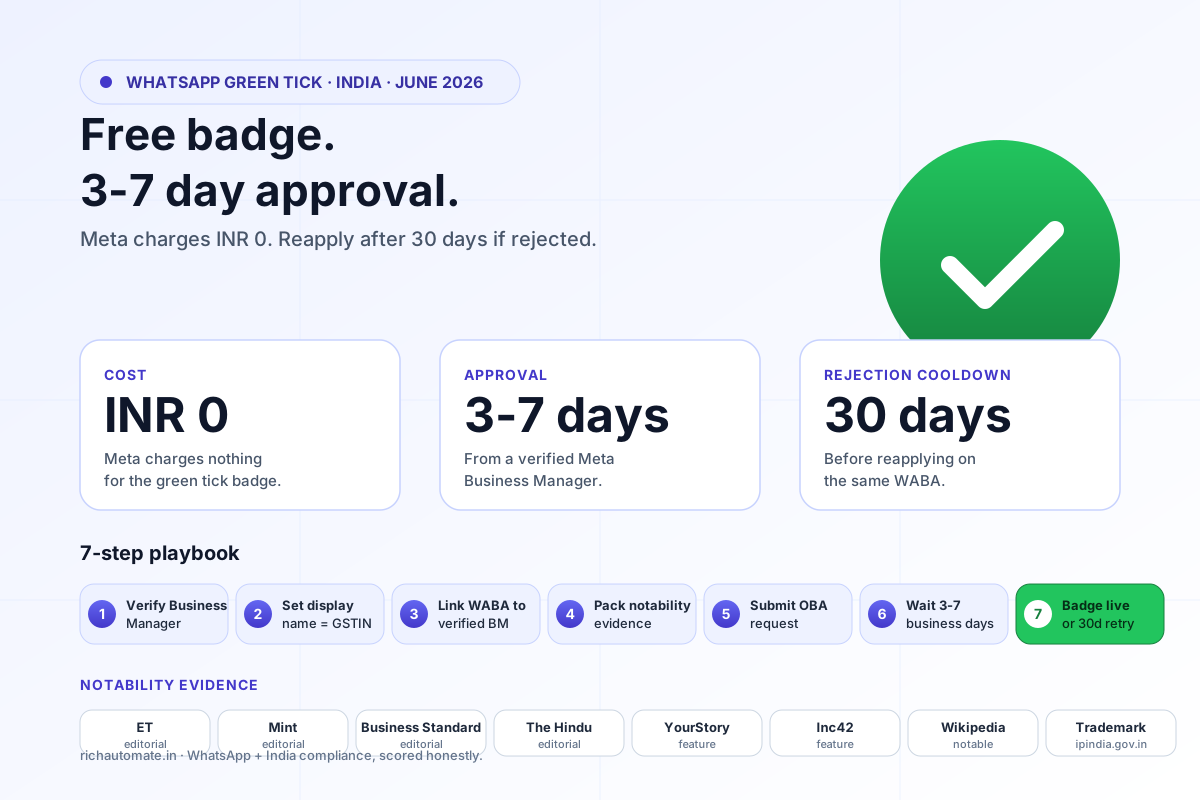
Direct answer (as of July 2026)
The WhatsApp green tick is free — Meta charges nothing for the Official Business Account badge. Approval takes 3 to 7 business days from a verified Meta Business Manager. If rejected, wait 30 days before reapplying. Eligibility is based on notability (independent press, trademark, Wikipedia, organic social following, Google search volume), not on company size or revenue.
Top 8 notability evidence sources Meta reviewers actually weigh
Meta does not publish a scoring rubric, but the same eight evidence types appear in every approved Indian application we have packaged. Reviewers click URLs — they do not zoom into screenshots. Pack the application with live, indexed links.
- The Economic Times brand feature — independent article, not a press-release wire repost. Strongest single signal in India.
- Mint (LiveMint) coverage — strong second; editorial coverage carries weight equivalent to ET.
- Business Standard article — preferred for B2B / enterprise / financial services brands.
- The Hindu / Hindu Business Line — preferred for South India consumer and industrial brands.
- YourStory founder or brand profile — strong for D2C, SaaS, fintech, edtech startups.
- Inc42 funding or feature article — strong for venture-backed startups (Series A+).
- Wikipedia entry — must survive Wikipedia notability guidelines; cited references matter more than the page existing.
- Registered trademark on India IP Office — official record at ipindia.gov.in; reinforces brand-name uniqueness.
Green tick vs Business Manager verification vs blue tick: comparison
Three different Meta badges get conflated all the time. They are not interchangeable. As of June 2026 in India, the matrix looks like this.
| Badge / status | What it certifies | Cost from Meta | Approval time | Required for API? |
|---|---|---|---|---|
| WhatsApp green tick (OBA) | Brand notability | INR 0 (free) | 3 to 7 business days | No |
| Verified Meta Business Manager | Legal entity exists | INR 0 (free) | 1 to 5 business days | Effectively yes (for Cloud API) |
| Meta Verified for Business (blue tick) | Subscription identity check | Paid monthly subscription | A few days | No |
| WhatsApp Business app yellow badge | Legacy SMB indicator | INR 0 (free) | Automatic | No (app-only) |
Sources: Meta Business Help Center, WhatsApp Manager UI as of July 2026. The Meta Verified subscription tier is distinct from the WhatsApp Official Business Account badge — confirm in Business Manager before assuming one implies the other.
The 7-step green tick playbook
Run these seven steps in order. Skipping ahead is the most common reason a clean application gets rejected at the first signal Meta checks.
- 1
Verify your Meta Business Manager
Inside Meta Business Manager (business.facebook.com), upload Indian incorporation documents — GSTIN certificate, MCA/CIN certificate, a recent utility bill at the registered address. Wait for Business Verified status before touching the green tick form.
- 2
Set the correct display name on your WhatsApp Business Account
In WhatsApp Manager, ensure the display name matches the legal entity name exactly as it appears on GSTIN. Avoid generic names, location suffixes, and category suffixes (e.g. Avoid "BrandName Mumbai Sales" — use "BrandName").
- 3
Link the WhatsApp Business Account to the verified Business Manager
The green tick application checks that the WABA, the Facebook Page, and the verified Business Manager are all in the same asset tree. Fix any mis-linked assets before applying.
- 4
Assemble notability evidence in one folder
Collect 3 to 5 independent press articles (ET, Mint, Hindu, Business Standard, YourStory, Inc42), trademark certificate from India IP Office, Wikipedia URL if any, Instagram / Facebook follower counts, Google Trends screenshot for the brand name. Save URLs (not screenshots) where possible — reviewers click links.
- 5
Submit the Official Business Account request
From WhatsApp Manager, open the WABA settings, find Official Business Account status, click Apply. Paste the notability evidence URLs in the supporting-information field. Submit once — do not duplicate.
- 6
Wait 3 to 7 business days for Meta review
The status changes to In Review. Do not message Meta support to escalate — there is no escalation path for green-tick decisions. The clock pauses if Meta requests more information; respond inside the same request thread.
- 7
On rejection, wait 30 days and reapply with stronger evidence
A rejection is final for that submission. Use the 30-day cooldown to publish or earn one additional independent press feature, register or surface a stronger trademark, or grow Google Trends search volume. Reapply on day 31 with the new evidence prepended.
Eligibility checklist before you submit
Run this 10-point self-audit. If you cannot answer yes to at least seven of ten, defer the application by a quarter and earn the missing signals first — a rejection burns a 30-day cooldown for nothing.
- Meta Business Manager shows the Verified status.
- WhatsApp Business Account (WABA) is inside the same Business Manager asset tree.
- Display name on WhatsApp matches GSTIN legal name (or a registered trade name on the same GSTIN).
- At least 3 independent press articles in established Indian publications (not press-release wires).
- Trademark registered or applied for on India IP Office.
- Brand name returns a clear knowledge-panel or top-result on Google Search (India IP).
- Google Trends shows non-zero search volume for the brand name over the last 12 months.
- Instagram or Facebook page has organic, engaged following — no purchased follower spikes.
- Linked Facebook Page has at least a few hundred organic followers and recent posts.
- Wikipedia entry exists, or industry-body directory mentions the brand.
Five rejection reasons and exactly how to fix each
Rejections are not personal — they map to specific evidence gaps. Fix the gap, wait 30 days, reapply. Do not reapply in week one with the same evidence; Meta reviewers see the prior submission.
1. Notability not established
Earn one feature in ET, Mint, Business Standard, Hindu, YourStory or Inc42 during the cooldown. Editorial only — sponsored posts and PR-wire reposts are discounted.
2. Brand name mismatch with legal entity
Align WhatsApp display name with the GSTIN legal entity, or register the trade name as a DBA / trademark. Reapply with both names visible on supporting documents.
3. Display name violates WhatsApp Business Policy
Drop generic suffixes — Sales, Support, Care, Offers, Marketing, Customer Care, India Office, Mumbai HQ. Use the brand name alone. Re-check the policy at business.whatsapp.com/policy.
4. Evidence is paid placement / press-release wire
Swap PR-wire syndication URLs for independent editorial pieces. If editorial is hard to land, build a Wikipedia page that survives notability review — its independent citations become your evidence.
5. Unverified Business Manager or mis-linked WABA
Fix the asset hierarchy first. Verified Business Manager owns the WABA which owns the phone number which holds the badge. Any broken link is an automatic deny — fortunately the easiest one to fix during the cooldown.
India 2026 reality check: do you actually need the green tick?
The green tick is a trust signal in the chat header — useful for D2C, financial services, healthcare, and any brand whose customer support volume sits on WhatsApp. It does not change Cloud API rate limits, conversation pricing categories, or template approval times. A verified Meta Business Manager plus a clean Cloud API setup runs identically with or without the badge. If your customers do not look at the chat header for legitimacy (B2B procurement, agent-driven sales, internal team channels), the cost of earning the badge — press cycles, trademark, social investment — may be better spent on operational wins. The badge follows the brand, not the other way round.
DPDP Act 2023 + draft Rules (Nov 2024) posture
The green tick application does not itself process personal data of your end users — it is a B2B identity check between your company and Meta. However, the WhatsApp Business Account you are getting verified will, the moment you turn it on, become a Data Fiduciary surface under the DPDP Act 2023. Before the badge goes live, confirm: a posted privacy notice, a consent mechanism for marketing template categories, a retention policy for chat transcripts, and a documented Data Protection Officer (DPO) or grievance contact under the draft DPDP Rules (Nov 2024). The badge raises customer expectations of legitimacy; the regulatory bar rises in parallel.
Audit your green-tick readiness in 30 minutes
Book a working session. We open your Business Manager, walk the 10-point eligibility checklist, score your notability evidence the way a Meta reviewer would, and either submit the application or build a 90-day plan to earn the missing signals. No Meta fee — we will say so on the call.
Authoritative sources
- Meta Business Help Center — Official Business Account on WhatsApp
- Meta Developers — WhatsApp Cloud API documentation
- MeitY — Digital Personal Data Protection Act 2023 and Rules
- India IP Office — trademark registry
Related reading
- WhatsApp Business API in India — complete 2026 guide
- Meta WhatsApp rate hike (Jan 2026) — marketing cost impact
- WhatsApp Business display-name policy explained for India
- AiSensy vs RichAutomate — green-tick onboarding comparison
- Gupshup vs RichAutomate — verification support comparison
- Wati vs RichAutomate — Indian pricing and verification
- India regulation pillar — DPDP, IRDAI, RBI, TRAI
- WhatsApp Business foundations — BSP, WABA, Cloud API explained
- WhatsApp + IRDAI 3-hour cashless via NHCX
WhatsApp green tick · FAQ
How much does the WhatsApp green tick cost in India in 2026?+
The WhatsApp green tick (Official Business Account badge) is free. Meta does not charge any fee for the verification badge itself — neither a one-time fee nor a recurring subscription. The only costs you absorb are indirect: your WhatsApp Business API/Cloud API messaging conversation charges (set by Meta per category — utility, marketing, authentication, service), your Business Solution Provider (BSP) platform fee if you use one, and the time cost of preparing notability evidence. Anyone — a BSP, an agency, a freelancer — asking for INR 10,000, INR 25,000 or INR 50,000 as a Meta verification fee is invoicing for their consulting time, not for the badge. The badge itself, as of July 2026, costs zero rupees from Meta.
How long does WhatsApp green tick approval take in 2026?+
Standard approval takes 3 to 7 business days from the moment you submit the Official Business Account request inside Meta Business Manager / WhatsApp Manager. Decisions come as a status change on the request — approved, rejected, or more-information-needed. The clock pauses if Meta asks for additional notability evidence. If rejected, you must wait 30 days before reapplying for the same WhatsApp Business Account (WABA). During peak load (Diwali, US Black Friday week, end of fiscal quarter) we have seen Indian applicants wait 10 to 14 days; this is not an SLA breach by Meta, it is simply queue depth. Plan your launch around the 7-day window, not the 24-hour window.
What are the eligibility criteria for the WhatsApp green tick in India?+
Eligibility is officially called notability — your business must be a notable, well-known brand in your sector or region. Meta does not publish a hard checklist, but four signals are consistently weighed: (1) press coverage in independent, established Indian publications such as The Economic Times, Mint, The Hindu, Business Standard, YourStory, Inc42 — not press-release wires; (2) presence on Wikipedia or in industry directories operated by trade bodies; (3) social proof across Instagram / Facebook / LinkedIn with active, organic following (no purchased followers); (4) search volume for the brand name on Google Trends. Other helpful signals: a verified Instagram badge, a registered trademark with India IP Office, GSTIN matching the legal entity, and a website with an indexed brand-name presence on Google.
What are the most common WhatsApp green tick rejection reasons?+
Five rejection reasons recur in Indian applications: (1) Notability not established — the brand has no independent press coverage and no Wikipedia / directory presence; the application reads like a generic SMB. (2) Brand name mismatch — the legal entity name on GSTIN differs from the display name on WhatsApp Business and from the press citations. (3) Display name in violation of WhatsApp commerce/business policy — generic names like Marketing Hub, Best Deals, Customer Care, or industry+location combos. (4) Press coverage is paid placement or press-release distribution — Meta reviewers detect these and discount them. (5) The Meta Business Manager itself is unverified, or the verified business is not linked to the same WABA. Fix the underlying signal, wait the 30-day cooldown, and reapply with stronger evidence.
Do I need a Business Solution Provider (BSP) like RichAutomate to apply for the green tick?+
No, a BSP is not required by Meta to apply for the green tick — the Official Business Account request is submitted from your own Meta Business Manager / WhatsApp Manager interface, and the badge attaches to your WhatsApp Business Account (WABA), which you control. What a BSP does is shorten the path: we package notability evidence in the format Meta reviewers expect, screen the display name against current policy, make sure your WABA / Business Manager / Facebook Page are correctly linked, and submit the application at a moment that is not a peak queue week. We do not, and cannot, pay Meta to fast-track the badge — that channel does not exist. Anyone claiming otherwise is misleading you.
What is the difference between the green tick and a verified Business Manager?+
Verified Business Manager is a Meta-wide identity check — you upload incorporation documents (GSTIN, MCA certificate, utility bill) and Meta confirms the legal entity exists. Almost any registered Indian business that submits clean paperwork gets Business Manager verification within a few days. The green tick is a separate, harder bar — it is a public badge that shows in WhatsApp chats and on the business profile, and it certifies notability, not just legal existence. You need Business Manager verification first; you do not automatically get the green tick after it. Plenty of legitimate Indian SMBs have a verified Business Manager and a working WhatsApp Cloud API setup without ever qualifying for the green tick — and that is fine, the API works the same either way.
Page reviewed June 2026. Approval timelines and notability bar are Meta-set and can shift — confirm against the Meta Business Help Center before applying.
No Meta verification fee. Ever.
If a BSP, agency or freelancer is quoting you INR 10,000+ as a Meta verification fee, they are billing for consulting time. Meta charges INR 0 for the green tick. Always has, as of July 2026. We will price our work transparently on the audit call.