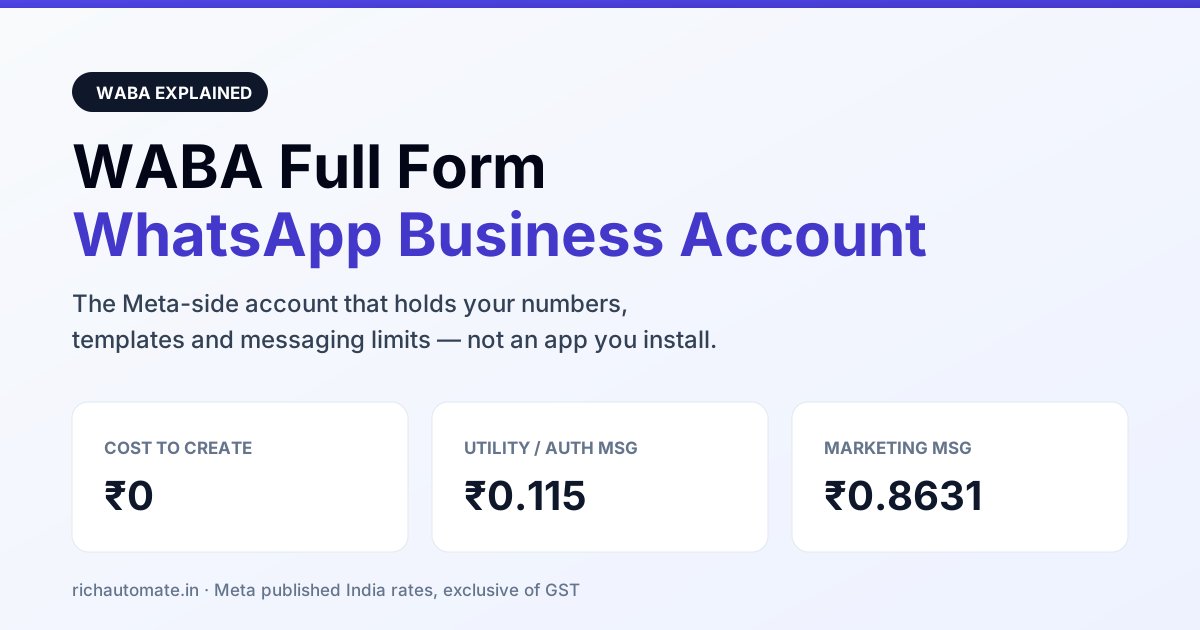
WABA is the standard abbreviation for WhatsApp Business Account — the container Meta creates on its side to hold your verified business, the phone numbers you have registered for the API, and every message template those numbers are allowed to send. It is not an app you install, and it is not the same thing as the free WhatsApp Business app on a phone; it is the account object that the WhatsApp Business Platform bills, rate-limits and quality-rates.
Almost every India onboarding conversation stalls in the same place. Someone has the WhatsApp Business app on a handset, someone else has been told the company needs "a WABA", and nobody can say what the difference actually buys. This page settles the vocabulary first, then shows what the WABA really controls — numbers, templates, quality rating, billing — and what it does not.
WABA full form, in one line
WABA = WhatsApp Business Account. You will also see it written as "WhatsApp Business API account", which is loose but points at the same object. The formal name Meta uses across its docs and inside Business Manager is WhatsApp Business Account, and the identifier it exposes is the waba_id — a numeric ID you will end up pasting into webhook configuration, template calls and support tickets far more often than you expect.
A WABA sits inside a Meta Business Manager portfolio. One Business Manager can own several WABAs; one WABA can own multiple phone numbers. That nesting is the part that catches teams out, because it means "our WhatsApp is not working" can break at three different levels, and the fix is different at each one.
WABA vs WhatsApp Business app vs personal WhatsApp
These three get used as synonyms in Indian vendor pitches. They are not the same product and they do not carry the same limits.
| Personal WhatsApp | WhatsApp Business app | WABA (Business Platform) | |
|---|---|---|---|
| What it is | Consumer chat app | Free app for small business | Meta-side account for API access |
| Where it runs | A handset | A handset plus linked devices | Meta's servers; you call an API |
| Bulk or automated sending | Not permitted | Manual broadcast lists only | Yes, via approved templates |
| Message templates | None | Quick replies, not templates | Reviewed and categorised by Meta |
| Cost model | Free | Free | Per message / per conversation |
| Green tick eligibility | No | No | Yes, applied for separately |
| Many agents on one number | No | Limited linked devices | Yes, through your platform |
The practical read: the Business app is fine until you need automation, a CRM link, more than a handful of agents, or template sending at volume. The moment any of those is on the table you are shopping for a WABA — and the next question becomes whether you actually need a BSP or can go direct on Cloud API.
What actually lives inside a WABA
Four objects, and knowing which is which saves hours of blind debugging.
| Object | Lives in | Why it matters |
|---|---|---|
| Business (legal entity) | Meta Business Manager | Business verification happens here, not on the WABA |
| WABA | Inside a Business Manager portfolio | Owns templates, carries the messaging limit tier |
Phone number (phone_number_id) | Inside a WABA | Has its own quality rating and display name |
| Template | Inside a WABA, shared by its numbers | Approval, category and pause status apply WABA-wide |
A confusion worth naming: quality rating is scored per phone number, while template approval and template pausing apply per WABA. So one careless number can drag a template that every other number depends on into a paused state. If that is what you are looking at, the template rejection reasons and fixes breakdown is a faster path than resubmitting blind.
What a WABA costs in India
The WABA itself has no price. Meta does not bill you for creating the account — billing attaches to the messages that flow through it. India rates as Meta publishes them:
Get a 1-minute BSP audit on WhatsApp
Drop your WhatsApp number — we line-item your current invoice against Meta India rates in under 60 seconds. India-hosted, DPDP-compliant.
| Category | Meta India rate | Typical use |
|---|---|---|
| Marketing | ₹0.8631 per message | Offers, launches, re-engagement |
| Utility | ₹0.115 per message | Order, payment and delivery updates |
| Authentication | ₹0.115 per message | OTP and login codes |
| Service (user-initiated) | Per Meta's current India rate card | Replies inside the customer window |
Those are Meta's rates, exclusive of GST. What your provider stacks on top is the negotiable part, and it is where Indian quotes diverge wildly — pure pass-through, a fixed monthly platform fee, or a per-agent seat charge. RichAutomate charges ₹0 setup and ₹0 monthly and bills usage only: ₹0.10 per message on Client Pay, or ₹1.20 marketing and ₹0.30 utility on SaaS Pay. For how the same volume prices out across the market, see the full WhatsApp Business API pricing in India comparison.
GST is not optional once you go live
A trial can run without it, but going live on a WABA in India means a GSTIN on the business. Do not let anyone tell you it is optional — the paperwork behind business verification and the invoicing that follows both assume a registered entity. Confirm the current treatment with your CA; what matters at planning stage is simply that the requirement exists and is not waivable.
Messaging limits: the number you will actually feel
Every WABA starts in a tier that caps how many unique customers you can start conversations with in a rolling 24 hours. You climb tiers by sending within quality, not by asking. This is the single most under-explained number in Indian BSP sales calls, because the demo always looks unlimited.
Two things to plan around. First, a launch-day blast sized for your full list will hit the cap and queue rather than deliver, so stage it. Second, tier progress is tied to quality rating, which is tied to how people react to your messages — block and report rates move it faster than volume does. Nobody, including us, can promise a number will never be restricted; anyone who does is selling something they do not control.
WABA and the green tick are separate applications
Having a WABA does not give you the green verified badge, and the badge is not required to send. They are separate reviews with separate criteria — the badge leans on notability and independent press coverage, not on spend. Read the green tick verification process before you promise it to a board; plenty of live, high-volume Indian WABAs run for years without one.
Cloud API or on-premise: same WABA, different hosting
A WABA can be served through Meta's Cloud API, where Meta hosts everything, or — for a shrinking set of legacy deployments — an on-premise client you host yourself. New Indian onboardings are effectively all Cloud API now, and the operational gap (upgrades, uptime, who gets paged at 2am) is wider than the feature gap. The Cloud API vs on-premise comparison covers where the remaining on-premise cases still make sense.
Who controls your WABA — and why it matters at renewal
Get this right on day one. A WABA created inside your Business Manager, with your provider added as a partner, stays yours. A WABA created inside your provider's Business Manager does not, and the renewal conversation changes character completely when the account, the number and the template history sit on the other side of the table.
Ask one question before signing: is the WABA in our Business Manager ID? A vague answer is a no. Migration is possible either way, but it is smoother when ownership was never in doubt — and the WABA security hardening checklist starts from the same premise: you cannot harden an asset you do not own.
The short version
WABA stands for WhatsApp Business Account. It is the Meta-side account holding your numbers and templates, it carries your messaging limit tier, and it is the thing your provider connects to rather than something they sell you. It costs nothing to exist and plenty to use badly. Create it in your own Business Manager, keep quality rating healthy, and treat templates as the shared, WABA-wide asset they actually are.