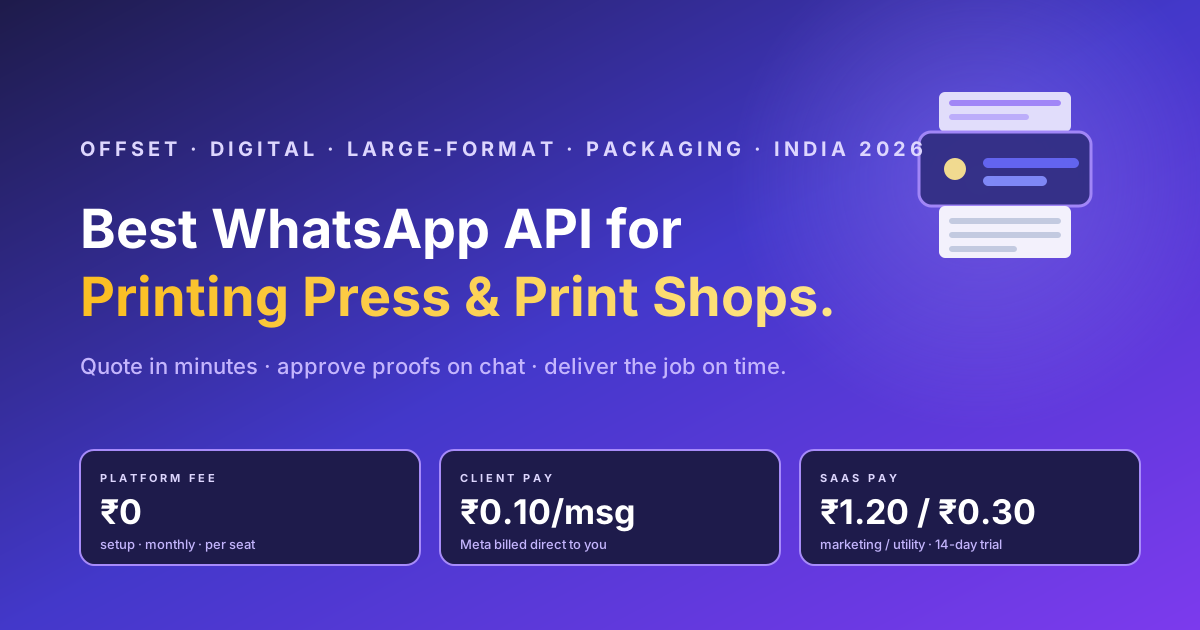
A printing press lives or dies on two things: the speed of the quotation and the cleanliness of the approval. The customer sends a design, asks "kitne ka padega aur kab tak milega", and whoever replies first with a clear price and a firm delivery date usually wins the job. In 2026 that conversation happens on WhatsApp, not on a phone call and not over email. The question for an offset house, a digital print shop, a flex and large-format unit, a screen printer or a packaging converter is no longer whether to be on WhatsApp, but whether to run it as a hobby on one staff phone or as a real channel on the official WhatsApp Business API. This guide explains what the best WhatsApp Business API for a printing press looks like in India for 2026, the journey it has to carry, the real cost, and where RichAutomate fits.
Why a printing press needs the WhatsApp Business API, not just WhatsApp on a counter phone
Most print shops already use WhatsApp. The problem is that they use the consumer or the Business app on a single SIM, and it breaks the moment the shop grows. One device means one person can see the chats, so when the estimator is on lunch the leads pile up unread. There is no record of who promised what delivery date, so disputes turn into he-said-she-said. You cannot send a job-ready or proof-approved update to two hundred customers without manually forwarding, and bulk forwarding on a normal number is exactly how print shops get their number flagged and blocked.
The WhatsApp Business API solves all of that. It is a cloud number that many staff can answer from one shared inbox, every message is logged, automated template messages carry quotations, proof links, job status and delivery alerts, and broadcasts go out through the compliant, opt-in route Meta actually allows. For a printing business the API is what turns a chaotic single phone into a quotation-and-approval pipeline that does not lose jobs. If you are still deciding between the app and the API, the breakdown in WhatsApp Business API vs the Business app is worth ten minutes.
What makes the best WhatsApp Business API for a printing press different
The best pick for a print shop is not the platform with the longest feature list or the loudest brand. It is the one that fits the specific shape of a print sale, which is design-file-heavy, quotation-driven, approval-gated and built on repeat trade relationships with corporates, event planners, ad agencies, wedding-card buyers and local businesses. Judge a vendor against the criteria that actually move money in a printing press:
- Rich media and file handling. Customers send artwork, PDFs, logos and reference photos, and you send back proofs, mock-ups and rate cards. The channel has to carry files both ways without friction.
- Speed to quotation. A print buyer asks three shops at once and books the first clear price. A shared inbox plus saved quick-reply rate cards is the difference between catching the job and reading about it after the customer paid someone else.
- Approval and proof tracking. The single most expensive mistake in printing is running a thousand sheets on an unapproved file. A documented proof-approved message on the record protects you and the customer.
- Status and delivery updates. Designing, plate-ready, on press, binding, ready for pickup, out for delivery. Utility-template updates kill the constant "ho gaya kya" follow-up calls.
- Transparent, low pricing. Print margins on commodity jobs are thin. A fixed monthly platform fee on every counter staffer is a tax you pay whether you print one job or fifty. A usage-only model fits the seasonal, project-driven nature of the trade far better.
Pick for the journey first, then optimise the cost. A useful filter for narrowing the field is the vendor-neutral round-up in the best WhatsApp Business API providers in India.
The seven-stage WhatsApp lifecycle for a commercial printer
A printing press is not running a support desk. It is running a quote-to-delivery pipeline, and WhatsApp can carry every stage of it.
- Enquiry capture. A walk-in, a referral, a visiting-card QR or a click-to-WhatsApp ad opens a chat. An auto-reply greets instantly and captures the job type, quantity and pincode, with consent recorded at first contact.
- File and spec collection. The customer sends the artwork or describes the job, and a guided reply collects the essentials: size, paper or material, GSM, finish, lamination, quantity and deadline.
- Quotation. The estimator sends a clear price with validity and delivery date. Saved rate cards for standard items, visiting cards, brochures, flex banners, boxes, let the counter quote common jobs in seconds.
- Proof and approval. You send the digital proof or mock-up, the customer types approved, and that approval sits on the record before a single sheet runs.
- Order, advance and production. Order confirmation, an advance-payment link, and utility-template status updates as the job moves from plate to press to binding.
- Delivery and pickup. Ready-for-pickup or out-for-delivery alerts, with the bill and any pending balance attached.
- Reorder and trade relationship. Opted-in nudges for the next print run, festival and event-season offers, and reorder reminders for recurring buyers like agencies and corporates. The customers who reprint are the cheapest revenue a press will ever earn.
Stages four and five are where printing differs from most retail verticals, and they are exactly where utility templates earn their keep. To get those approved without rejections, read how WhatsApp message template categories work before you build them.
Get a 1-minute BSP audit on WhatsApp
Drop your WhatsApp number — we line-item your current invoice against Meta India rates in under 60 seconds. India-hosted, DPDP-compliant.
Where the channel actually pays back
The expensive failures in a print shop are slow quotes that send the buyer to a rival, jobs run on the wrong unapproved file, no-show pickups, balance payments chased for weeks, and a customer base that is never re-engaged for the next run. Every one of those is a message problem. A fast quote, a documented approval, a delivery alert and a reorder nudge each remove one of them, and the messaging cost to do it is a rounding error against a single decent print order.
Real pricing: what a printing press actually pays
This is where most print-shop owners get quietly overcharged. Legacy BSPs bolt a per-seat or tiered monthly platform fee on top of the Meta conversation charge you already owe. RichAutomate charges zero platform fee, zero setup and zero monthly, then bills only for usage on one of two clean models.
| Cost component | Typical legacy BSP | RichAutomate |
|---|---|---|
| Platform / setup fee | Monthly or annual, often per seat | ₹0 |
| Monthly minimum | Tiered plan you pay regardless of volume | ₹0 |
| Per message (Client Pay) | Markup on top of Meta | ₹0.10 per message, Meta billed direct to you |
| All-in (SaaS Pay) | Bundled but rarely transparent | ₹1.20 marketing / ₹0.30 utility per conversation |
| Free trial | Rare or feature-limited | 14 days + 100 free credits |
For a printing press the maths is decisive. The highest-value messages, proof links, quotation confirmations, status and delivery updates, are utility-category conversations, the cheapest tier, so the channel that wins you a forty-thousand-rupee carton order costs a few rupees to run. On the Client Pay model you pay RichAutomate ₹0.10 per message and settle the Meta conversation charge directly with Meta, with no middleman markup. On SaaS Pay you pay a flat ₹1.20 per marketing conversation and ₹0.30 per utility conversation, all in. Model your own numbers with the WABA cost calculator, and for the wider picture of what the API really costs in India see the 2026 WhatsApp Business API cost breakdown. Verify Meta live conversation-category pricing as of 2026, since it changes.
Compliance and setup: getting your press onto the API the right way
A printing press handles customer artwork, contact lists and order data, which means the same digital-personal-data rules that apply to any Indian business apply to you. The non-negotiables are simple: capture consent at first contact, broadcast only to opted-in customers, and keep the audit trail of who agreed to what. The compliant route also protects your number, because the fastest way to get a printing business blocked is bulk-forwarding promotions from a normal SIM. The opt-in checklist in the DPDP Act compliance checklist covers what you need.
The DPDP penalty calculator puts a number on the downside if your consent records do not hold up.
Getting onto the API itself is faster than most owners expect. You verify the business, connect a number that is not already running the consumer app, and you are live. The step-by-step in the WhatsApp Business API setup guide walks the whole path. If your press also runs a packaging or converter line and you want the broader B2B distribution angle, the WhatsApp playbook for printing and packaging converters goes deeper on trade-buyer flows.
Run your printing press quote-to-delivery pipeline on RichAutomate
Zero platform fee. Zero setup. Zero monthly. You pay only for messages: ₹0.10 per message on Client Pay with Meta billed direct, or a flat ₹1.20 marketing and ₹0.30 utility on SaaS Pay. Quote in minutes, document every proof approval, send delivery alerts automatically, and re-engage repeat trade buyers, all on the official Meta Cloud API with a shared team inbox and a visual flow builder. Start a 14-day free trial with 100 credits, message the team on WhatsApp at +91 81603 11319, or book a 30-minute walkthrough on Calendly.