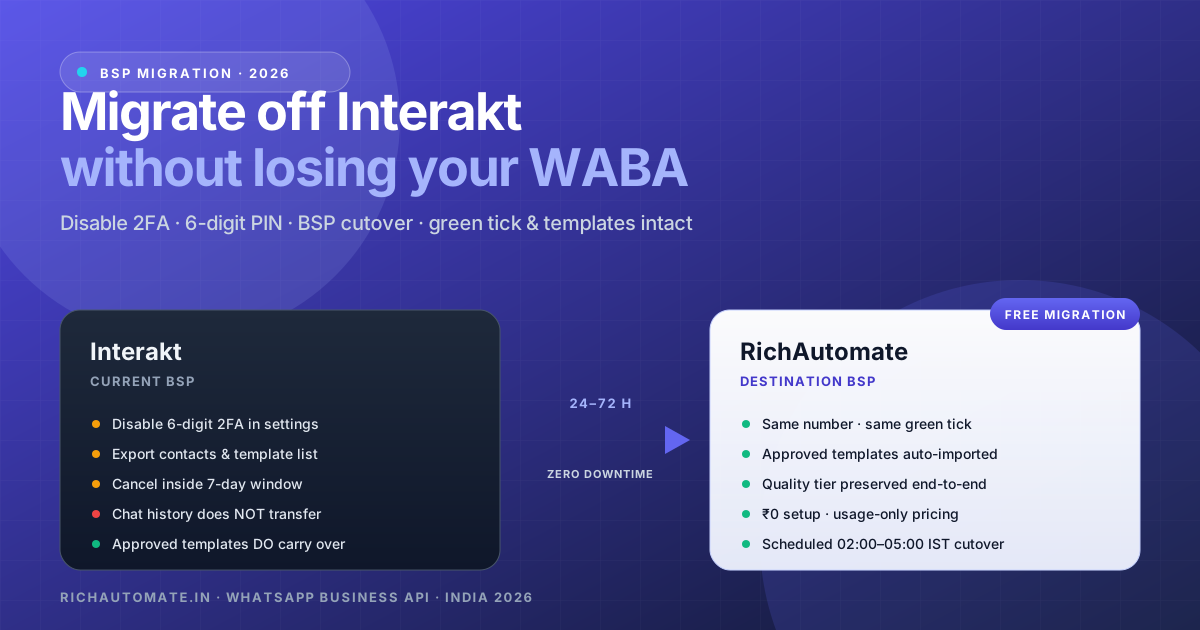
Most Interakt customers who reach out for a migration do so for one of three reasons: the Series-D era price changes pushed their monthly bill past what the usage justifies, they need a deeper chatbot than Interakt's workflow editor allows, or they have outgrown the per-seat model and the math has quietly turned against them. The fear that holds them on the old platform is almost always the same — "will I lose my number, my green tick, my approved templates, my running ad campaigns?" The short answer is no, none of that is at risk in a properly executed migration. The longer answer is this runbook.
Why this guide is Interakt-specific
We already publish a generic BSP migration guide that covers the abstract Meta-side process. It ranks fine, but every BSP has its own quirks — the way Interakt exposes 2FA controls, how it bills, what its cancellation flow looks like, which webhooks it expects you to clear before disengaging. This piece is the Interakt-specific variant: the exact menu paths, the exact sequencing, the exact billing timing, and the exact things that will go wrong if you do this in the obvious order instead of the correct order. If you are migrating from Wati, AiSensy, Gupshup, Karix or DoubleTick, see our dedicated runbooks linked at the end.
The migration is a BSP-change request on Meta's side. It does not require you to delete your WABA, re-verify your business, or re-apply for the green tick. Meta's infrastructure already knows your business — switching the BSP attached to your WABA is operationally similar to changing the management company for an apartment you own. The apartment, the address, the keys all stay yours.
What carries over and what does not
Before you start, internalise this list. Most migration anxiety comes from misunderstanding what lives where.
| Asset | Lives on | Carries over? |
|---|---|---|
| WhatsApp phone number | Your WABA at Meta | Yes — same number end to end |
| Green-tick / official business badge | Your WABA at Meta | Yes — survives the BSP change |
| Business display name & profile | Your WABA at Meta | Yes — name, About, logo, address, website |
| Approved message templates | Your WABA at Meta | Yes — visible in RichAutomate within minutes |
| Pending templates | BSP-mediated submission | No — resubmit on RichAutomate |
| Rejected templates | BSP-mediated submission | No — fix and resubmit |
| Phone-number quality rating | Your WABA at Meta | Yes — green / yellow / red rating preserved |
| Messaging tier (1K / 10K / 100K / unlimited) | Your WABA at Meta | Yes — daily conversation cap preserved |
| Chat history & conversation bodies | BSP database (Interakt) | No — Meta does not store these |
| Contact list / saved attributes | BSP database (Interakt) | No — export CSV from Interakt, import on RichAutomate |
| Automation workflows / chatbot logic | BSP-proprietary (Interakt) | No — rebuild on RichAutomate (we assist) |
| Webhooks & integrations | BSP-mediated routing | No — reconfigure to RichAutomate endpoints |
| Click-to-WhatsApp ad campaigns | Meta Ads Manager | Yes — keeps running through the migration |
The two lines that scare people are chat history and contact list. Chat history is genuinely lost from the BSP's database — but customers' phones still hold their side of the conversation, and conversations resume naturally on the new BSP. For contacts, you export a CSV from Interakt's contact panel before disengagement and import it on RichAutomate in one click. Saved attributes (name, lifecycle stage, tags) migrate cleanly via the CSV.
The pre-migration checklist (do this 2 weeks out)
The single biggest cause of failed or messy migrations is starting them on a Friday afternoon with no preparation. The two weeks before cutover should be used for these items:
- Audit your template library inside Interakt. Note which templates are
APPROVED,PENDING, orREJECTED. Pending and rejected templates need a plan for resubmission. - Export your contact list as CSV. Interakt → Contacts → Export. Include all custom attributes and tags.
- Document your existing automations. Take screenshots or write up your chatbot trigger logic. RichAutomate will rebuild them inside our visual flow builder — having the spec written down avoids losing nuance.
- List every system Interakt is currently posting webhooks to. CRM, HubSpot, Zoho, your own API. Each one needs to be repointed to the RichAutomate endpoint post-migration.
- Check your current billing date in Interakt. Schedule the migration in the last 3–5 days of your billing cycle to avoid paying for a month you will not use — Interakt does not pro-rate refunds.
- Create your RichAutomate workspace using our 14-day free trial. Verify your business inside Meta Business Manager (or confirm it is already verified), and let our onboarding team know your migration date.
- Pick a cutover window. For India-facing businesses we recommend a Tuesday/Wednesday at 02:00–05:00 IST — low conversation volume, full weekday support coverage at Meta in case anything needs escalation.
The migration day runbook
On cutover day itself, the sequence is precise. Run it in this exact order — skipping a step or reordering them is the most common reason migrations stall.
Step 1 — Disable 2FA inside Interakt
Log into your Interakt dashboard with the admin account. Navigate to Settings → WhatsApp Settings → Two-Step Verification. Click Disable. Interakt will send an OTP to your registered business number for confirmation. Enter the OTP and submit. This clears the 6-digit PIN that WhatsApp enforces on every business number, opening a short window during which the destination BSP can register a new PIN.
Critical: Once disabled, you have roughly 4–6 hours before WhatsApp's automated systems may re-enable 2FA with a system-generated PIN. The destination registration on RichAutomate must happen inside this window. We coordinate this live with you on a shared call so the handoff is tight.
Step 2 — Submit the BSP-change request
Once 2FA is cleared on Interakt, RichAutomate submits the BSP-change request inside Meta Business Manager against your WABA. You will receive a confirmation email from Meta within minutes. From this point forward, do not send broadcasts from Interakt — incoming messages will still hit Interakt for the next few hours until the routing flips, but new outbound traffic should pause to avoid quality-rating noise during the transition.
Step 3 — Register the number on RichAutomate with a new PIN
Inside your RichAutomate workspace, our onboarding wizard will guide you through registering the number. WhatsApp will deliver a one-time verification code via SMS or voice call to your business number. Enter the code, then set a new 6-digit 2FA PIN of your choice (store this in your password manager). The registration typically completes in 2–5 minutes.
Step 4 — Verify templates and quality tier carried over
Within 10–15 minutes of registration completion, your full library of approved templates appears inside RichAutomate's Templates panel. Your phone-number quality rating (green / yellow / red) and messaging tier (1K / 10K / 100K daily) are also visible — these should match exactly what they were on Interakt. If anything looks off, raise it with our onboarding lead before sending production traffic.
Step 5 — Send a test message and reconfigure webhooks
Send a test template message to a single internal number from RichAutomate. Confirm delivery. Then reconfigure each external system that was previously receiving Interakt webhooks — CRM, HubSpot, Zoho, custom endpoints — to point at the RichAutomate equivalents. We provide the new endpoint URLs at migration time.
Step 6 — Monitor for 48 hours, then cancel Interakt
Run RichAutomate as your primary BSP for 48 hours. Watch delivery rates, read rates, and webhook arrival latency. Once everything is steady, log back into Interakt and cancel your subscription before the next billing date — Interakt does not refund mid-cycle, so the timing here directly affects what you pay.
Billing & cancellation: avoiding the double-bill trap
Interakt bills monthly upfront and does not pro-rate refunds when you cancel mid-cycle. This means a poorly timed migration can cost you a full extra month of platform fees. The fix is to migrate in the final 3–5 days of your Interakt billing period — you complete the cutover, run RichAutomate for 48 hours of validation, and cancel Interakt before the next billing date hits.
On the RichAutomate side, there is nothing to bill on day one. Our pricing model is ₹0 monthly platform fee, ₹0 setup, no per-seat charges. You pay only for conversations Meta actually delivers, at the standard Meta rate plus a flat ₹0.10 platform markup. New workspaces get 14 days and 100 free credits to validate end-to-end before any spend. For a fuller breakdown of how usage-only pricing compares to seat-based BSPs, see our cheapest WhatsApp Business API India pillar.
What we rebuild for you (free) during onboarding
Because automation logic does not transfer between BSPs, we rebuild your existing Interakt flows inside our visual flow builder as part of standard onboarding — no extra cost. Specifically:
- Keyword-triggered replies — your "hi", "menu", "price", "support" auto-responses, re-implemented as
FlowExecutionServiceentry nodes. - Drip / welcome sequences — multi-step nurture flows with delay nodes, conditional branching, and template messages.
- Lead-capture flows — first-message routing into your CRM or our built-in Lead Pipeline with full source attribution.
- Agent routing rules — your inbox routing logic (round-robin, by tag, by language) rebuilt with realtime channel handoff.
- Click-to-WhatsApp ad flows — every existing CTWA campaign gets auto-attribution and conditional follow-up flows; see the deeper write-up at CTWA attribution India 2026.
For the more advanced primitives that Interakt does not offer at parity — AI agents with RAG over your knowledge base, native Razorpay payment nodes inside the flow, Meta Native Flows for in-WhatsApp forms — we walk you through the new capabilities on a separate call after the basic migration is stable. See the technical depth covered in our AI knowledge base RAG and Razorpay payments inside WhatsApp deep-dives.
Common Interakt-to-RichAutomate migration questions, answered upfront
"Will my customers notice anything?"
No. The chat thread they have with your business number continues uninterrupted from their side. They see the same number, the same green tick, the same business name. The new conversation simply continues in the same WhatsApp thread on their phone.
"What if something goes wrong during the cutover?"
We can roll back to Interakt if needed — the BSP-change is reversible by submitting another request. In practice we have not needed to do this on any production migration, but the safety net exists. Our onboarding lead stays on a live call with you for the full cutover window.
"Do we lose our blue/green tick?"
No. The official business account badge is granted to your WABA, not to the BSP servicing it. It survives the migration with no action required on your part.
"What about DPDP Act 2023 compliance during the transition?"
The contact data you migrate (CSV export from Interakt) was collected under the consent you already obtained, so DPDP obligations carry over with the data. RichAutomate ships in-app DPDP tooling — a privacy policy generator, penalty calculator, configurable retention windows, and one-tap data deletion — which you can configure on day one. See our India WhatsApp regulation pillar for the full compliance picture.
Migration timeline at a glance
| When | What happens | Owner |
|---|---|---|
| T-14 days | Audit templates, export contacts, document automations | You |
| T-7 days | Create RichAutomate workspace, schedule cutover window | You + RichAutomate |
| T-2 days | Pre-flight call, confirm 02:00–05:00 IST slot | RichAutomate onboarding |
| T-0, 02:00 IST | Disable Interakt 2FA, submit BSP-change request | You + RichAutomate (live call) |
| T-0, 02:30 IST | Register number on RichAutomate, set new PIN | RichAutomate |
| T-0, 03:00 IST | Verify templates & quality tier, send test message | RichAutomate |
| T-0, 03:30 IST | Reconfigure webhooks, route production traffic | RichAutomate + your eng |
| T+48 hrs | Validate metrics, cancel Interakt subscription | You |
Comparing the destination: Interakt vs RichAutomate at a glance
If you are still weighing whether RichAutomate is the right destination versus other BSPs, we publish full side-by-side comparisons. The most relevant pages for an Interakt evaluator:
- Interakt vs RichAutomate — the direct head-to-head with pricing math, feature parity table, and the per-vertical recommendation.
- Wati vs RichAutomate — if you are also considering Wati as an Interakt alternative.
- AiSensy vs RichAutomate — the other major India-built BSP people evaluate alongside.
- Best WhatsApp Business API India 2026 — the full pillar covering all six major BSPs side by side.
For sector-specific reads on what you can build on RichAutomate that you cannot easily build on Interakt, see our restaurant table booking, clinic appointment scheduling, and real estate lead capture implementation guides.
The bottom line
Migrating off Interakt is a 24–72 hour Meta-side BSP change, not a re-onboarding. Your number, green tick, approved templates, quality rating and messaging tier all carry over. Chat history and proprietary automation logic do not, but the former is rarely missed and the latter we rebuild for you at no charge as part of onboarding. The most common mistake is poor timing of the Interakt cancellation, which leads to a wasted month of platform fees — pin the cutover to the final week of your Interakt billing cycle and you avoid that entirely.
If you want us to scope the migration against your specific Interakt setup — template count, contact volume, current automations, billing date — book a 30-minute migration scoping call. Bring your current Interakt admin login (we walk through it together; we do not need your password). Book the migration scoping call or message us on WhatsApp at +91 81603 11319.